Combination mode and Sequencer mode
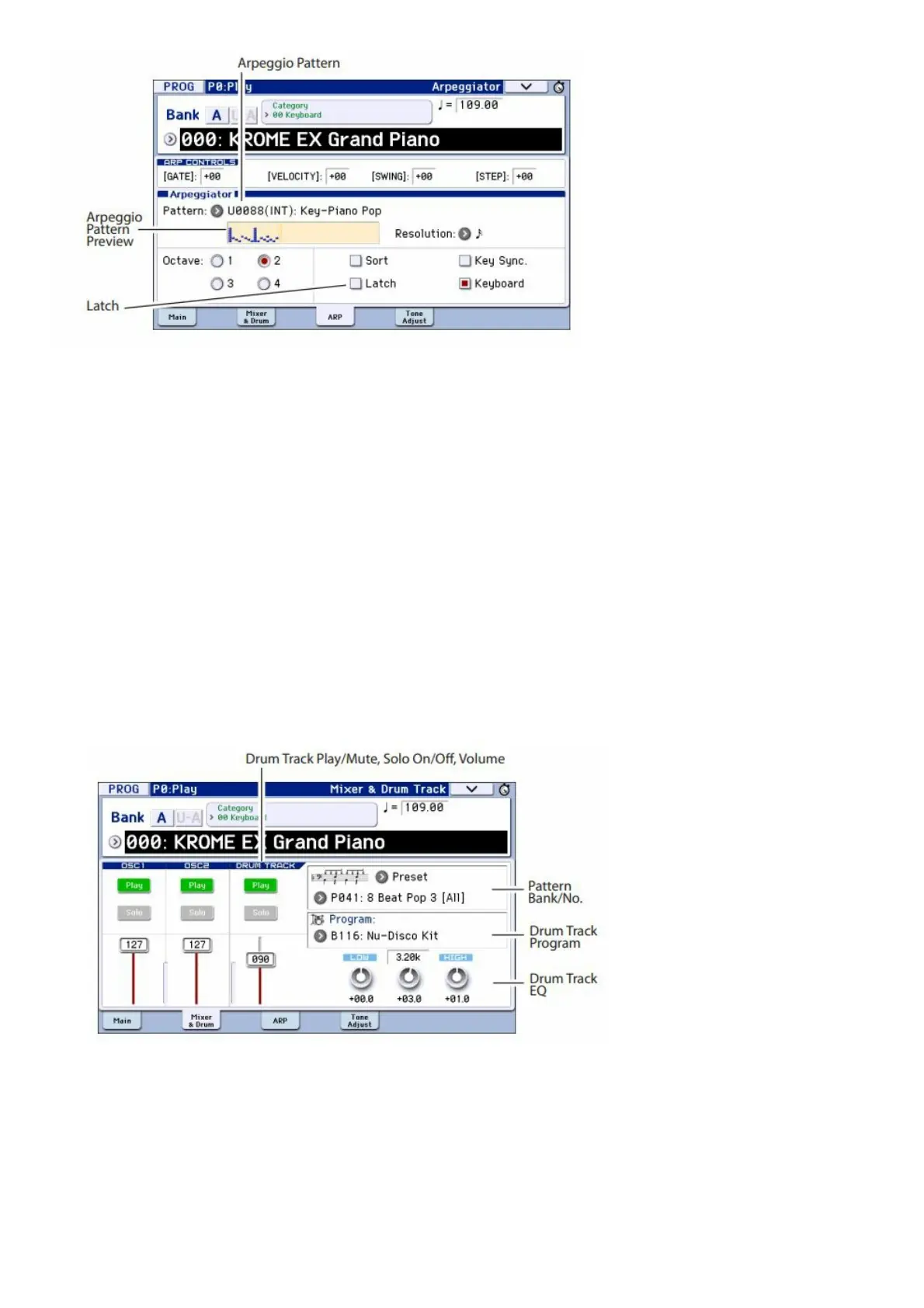
In Combination and Sequencer modes, arpeggiator settings are adjusted in the P0 Arpeggiator A and B pages.
Using the Drum Track
Turning the Drum Track on and off
1. Press the DRUM TRACK button. Depending on various settings, the Drum Track may begin to play
immediately, or may wait until you start to play on the keyboard. If the button’s LED is blinking on and off, it’s
waiting for you to play.
2. Use the TEMPO knob or the TAP button to adjust the tempo (see page 7).
Selecting the Drum Track pattern & sound
Program mode
In Program mode, the Drum Track has a special reserved mixer slot and a dedicated Program select parameter. To
set up the Drum Track in Program mode:
1. Press the PROG button, and then the Mixer & Drum tab.
The Mixer & Drum TRACK page will appear.
2. On the right side of the display, use the two Pattern Bank/No. popup buttons to select a Drum Track
pattern.
Note: Please note that the DRUM TRACK button will not turn on for a pattern that contains no data such as the
User bank InitDrumPattern, or for the Preset bank P000: Off pattern.
3. On the right side of the display, use the Drum Track Program “Program” popup button to select the
program that will sound the pattern.
4. Use the buttons on the left to control the mute and solo settings, and use the slider to adjust the
volume. You can use the Drum Track EQ to adjust the EQ of the drum track program.
Combination mode, Sequencer mode



 To Next Page