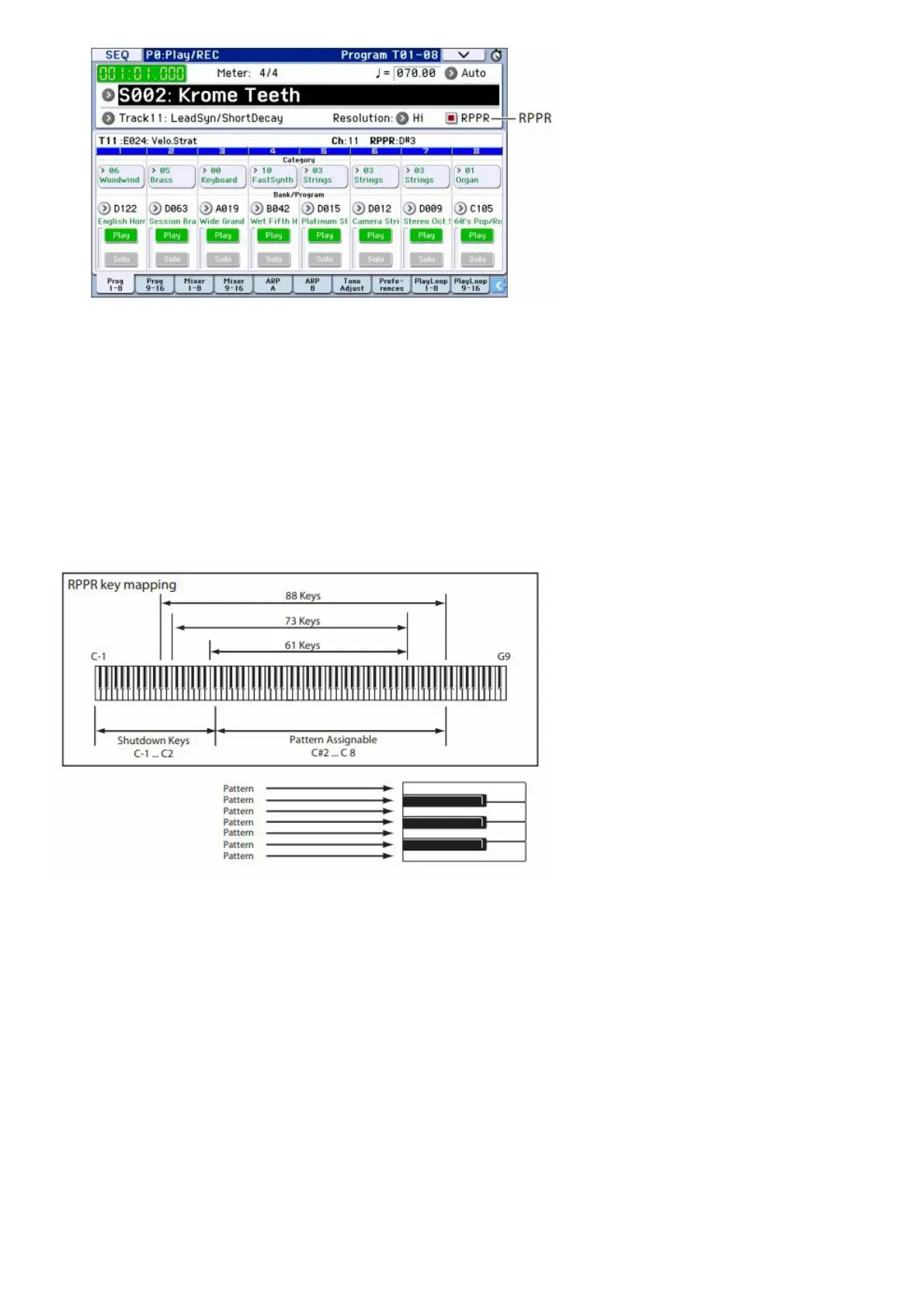
2. Make sure that the “RPPR” check box is checked.
If this is checked, RPPR will be on.
If this is unchecked, RPPR will be off.
3. Press C#2 or a higher key.
The pattern that’s assigned to that key will begin playing. A pattern such as a drum pattern or bass phrase etc. can
be assigned to each of the seventy-two keys C#2C8 (indicated in the illustration as Pattern Assignable). Keys that
are not assigned will play normally.
In some cases, the pattern will continue playing even after you release the key. If so, you can stop playback by
playing any key C2 or lower (the Shutdown Keys) twice in rapid succession (indicated in the illustration as Shutdown
Keys).
This completes our quick start. Of the KROME’s wide range of functionality, this operation guide explains how to use
some of the most typical operations. We highly recommend that you take the time to read it completely.
Main Specifications
Keyboard:
61-note or 73-note Semi-Weighted Keyboard (velocity sensitive, aftertouch not supported) 88-note NH (Natural
Weighted Hammer Action) keyboard (velocity sensitive, aftertouch not supported)
Power supply:
AC adapter connector (DC 12V,), power switch
Dimensions (width × depth × height):
61-note 1,027 × 313 × 93 mm / 40.43″ × 12.32″ × 3.66″
73-note 1,191 × 313 × 93 mm / 46.89″ × 12.32″ × 3.66″
88-note 1,448 × 383 × 131 mm / 57.01″ × 15.08″ × 15.16″
Weight:



 To Next Page