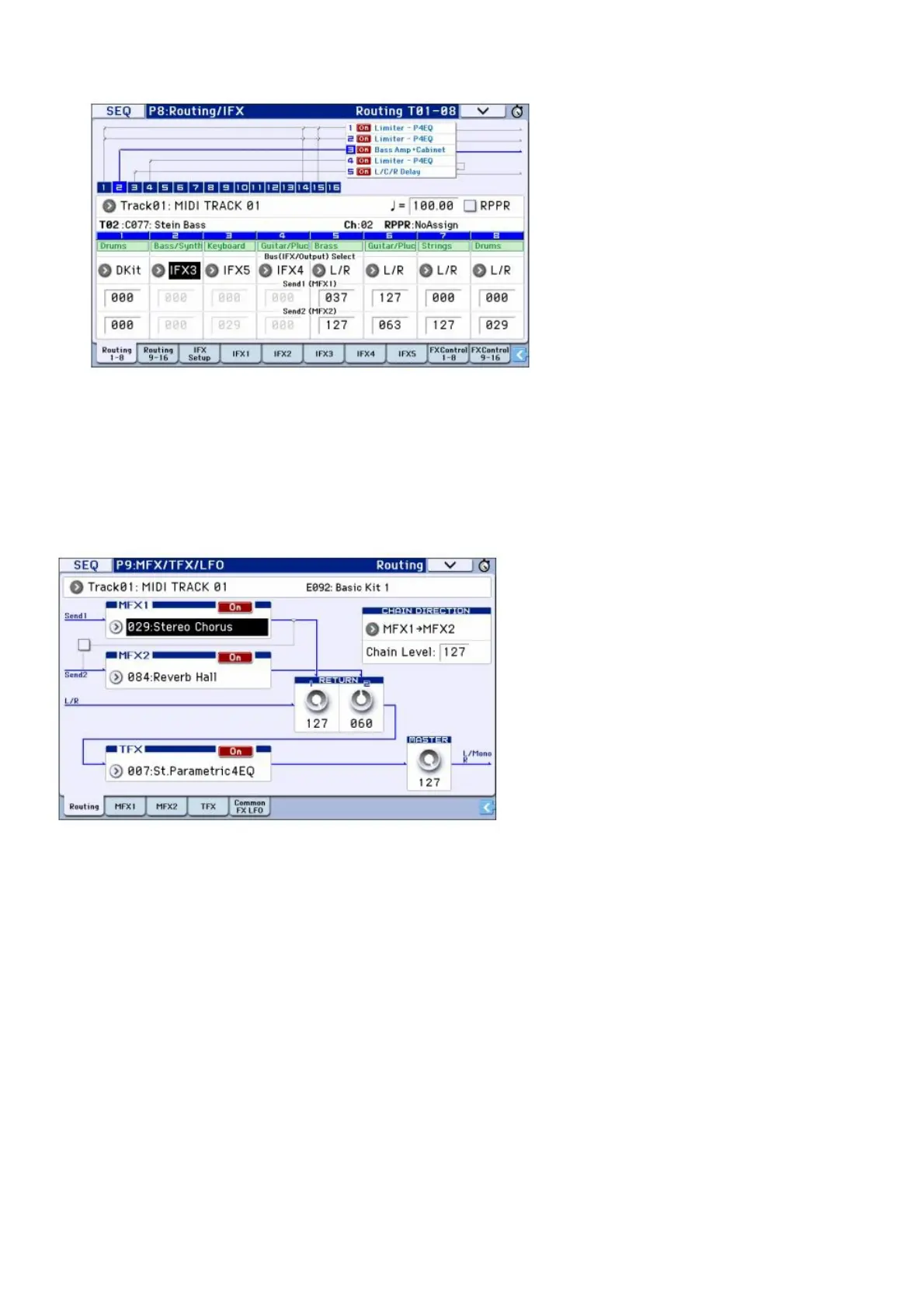
T01 (track 1) is assigned to DKit, and uses IFX1 and 2. This uses the settings of the drum kit. T02 is connected
to IFX3, and T04 is chain-connected to IFX4 and IFX5.
3. “Send1” and “Send2” specify the send levels to the master effect for each track. “Send1” corresponds
to MFX1, and “Send2” corresponds to MFX2.
In this page, “Send1” and “Send2” can be selected only if “Bus (IFX/Output) Select” is set to L/R or Off. If “Bus
(IFX/Output) Select” is set to IFX15, the send levels are specified by “Send1” and “Send2” after the signal has
passed through the insert effects (P8: Routing/IFX Insert FX Setup page).
4. Seq P9: MFX/TFX/LFO Routing page. Here you can select the master effects and the total effect that will
be used. This page also shows the signal flow.
Saving and loading data
Saving your edits
Understanding Write and Save
There are two ways to store your work on the KROME: Write and Save. Note: If you turn off the power before you
Write or Save, the data you modified will be lost. Be sure to save important data to internal memory or an SD card.
“Writing” refers to saving data to the internal memory of the KROME itself. You can use the Write operation for
programs, combinations, arpeggio patterns, drum kits, and global settings. Note: Song data cannot be written to
internal memory (see “Saving data on the KROME” on page 113 of the Operation Guide). “Saving” refers to saving
data on an SD card. You can use the Save operation to save the song data that cannot be written to internal memory
as well as the data that can be written to internal memory. Note: The Save operation allows you to save individual
items of data as well as all of the KROME’s data together. By saving the entire set of sound data (i.e., programs and
combinations), global settings, and sequencer song data, you can manage the entire current state of the KROME as
a single set of data. This is a useful way to manage your settings for separate projects or live performances.
Writing
Writing Programs



 To Next Page