4-46 BA 35203_04 * 3.0 * 35203_04_04_Inbetriebnahme_04.fm
4 Putting into operation
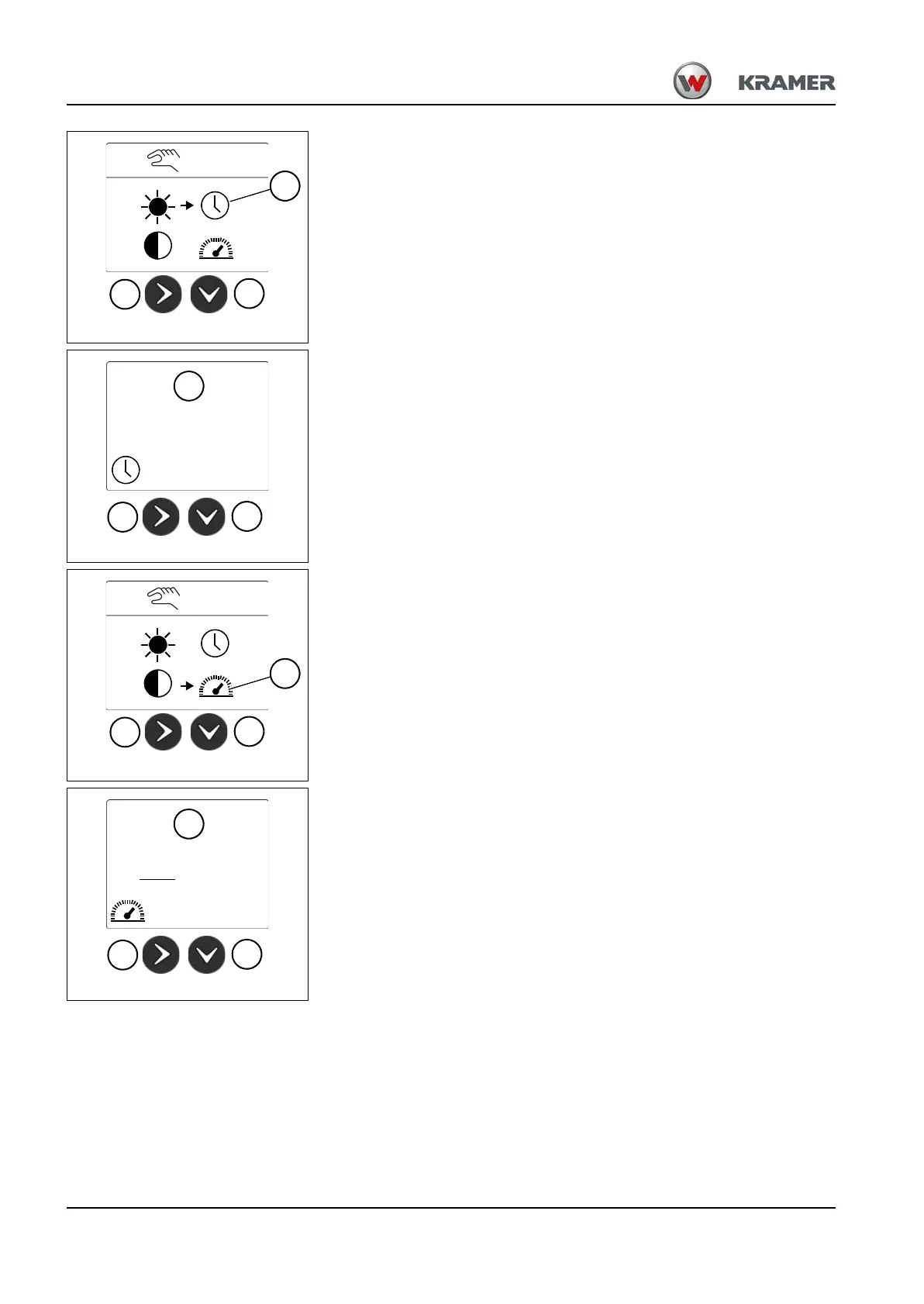
Digital display settings – adjusting time
1. Press touch button 61 repeatedly until the settings display appear.
2. Press push button 62
until symbol Y is selected.
3. Press push button 61.
➥ Indication Z appears. The year flashes.
4. Press touch button 62 repeatedly until you have the required year.
5. Press touch button 61 to confirm the input.
6. Repeat steps 3 to 5 for the month, day, hours and minutes.
Digital display settings – adjusting mph or kph.
1. Press touch button 61 repeatedly until the settings display appear.
2. Press push button 62
until symbol a is selected.
3. Press push button 61.
➥ Indication b appears.
4. Press touch button 62 repeatedly until the desired setting is chosen.
5. Press touch button 61 to confirm the input.
6. Press the touch button 61
to leave the display b.
Fig. 92
62
61
Z
13:00
01.01.2015



 To Next Page