2 INSTALLATION
6
OPTISONIC 8300
www.krohne.com 03/2020 - 4008065101 - QS OPTISONIC 8300 R01 en
2.3 Nameplates
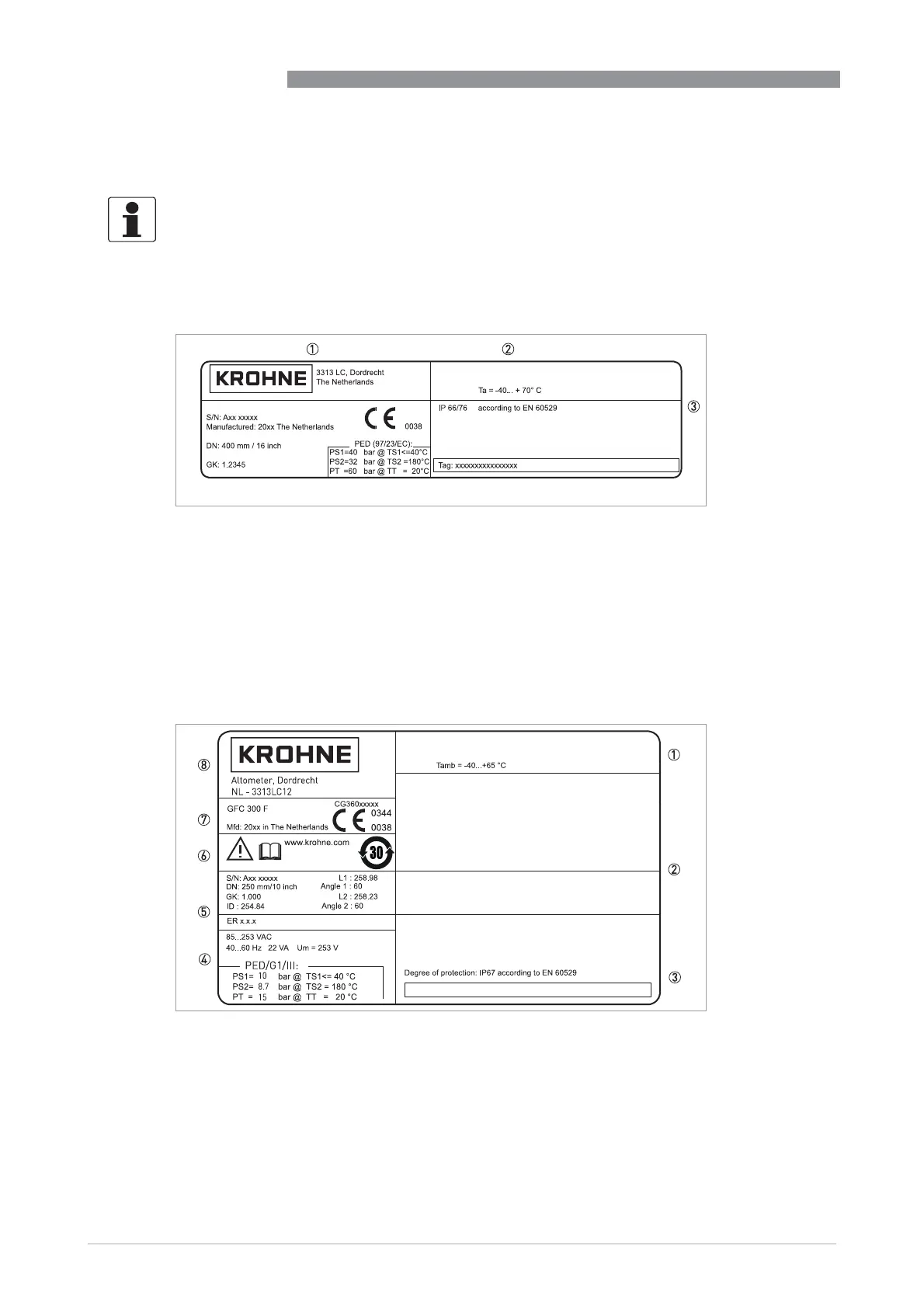
2.3.1 Example of nameplate for the flow sensor
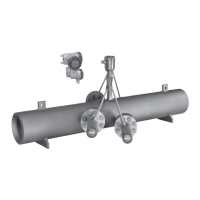
2.3.2 Examples of nameplates on the signal converter (field housing)
INFORMATION!
Look at the device nameplate to ensure that the device is delivered according to your order.
Check for the correct supply voltage printed on the nameplate.
Figure 2-3: Example of nameplate
1 Name and address of the manufacturer
2 Ambient temperature
3 Ingress protection
4 Tag no.
5 PED data
6 Calibration data
7 Type designation of the flowmeter and CE sign with number(s) of notified body / bodies
4
5
6
7
OPTISONIC 8000
Figure 2-4: Example of nameplate
1 Ambient temperature
2 Space for additional information
3 Protection class and Tag number
4 Main supply and PED data
5 Calibration data and electronics revision number (ER)
6 Info / web address and disposal logo
7 Type designation and manufacturer date of the flowmeter / CE sign with number(s) of notified body / bodies
8 Name and address of the manufacturer








 To Next Page