Operation
13
Pos: 4.55 /Übersc hriften/Übersc hriften 3/K-O/M /Menü 1-8 "A uswahl Bindeart" @ 369\mod_ 144178552114 9_78.docx @ 2 703652 @ 3 @ 1
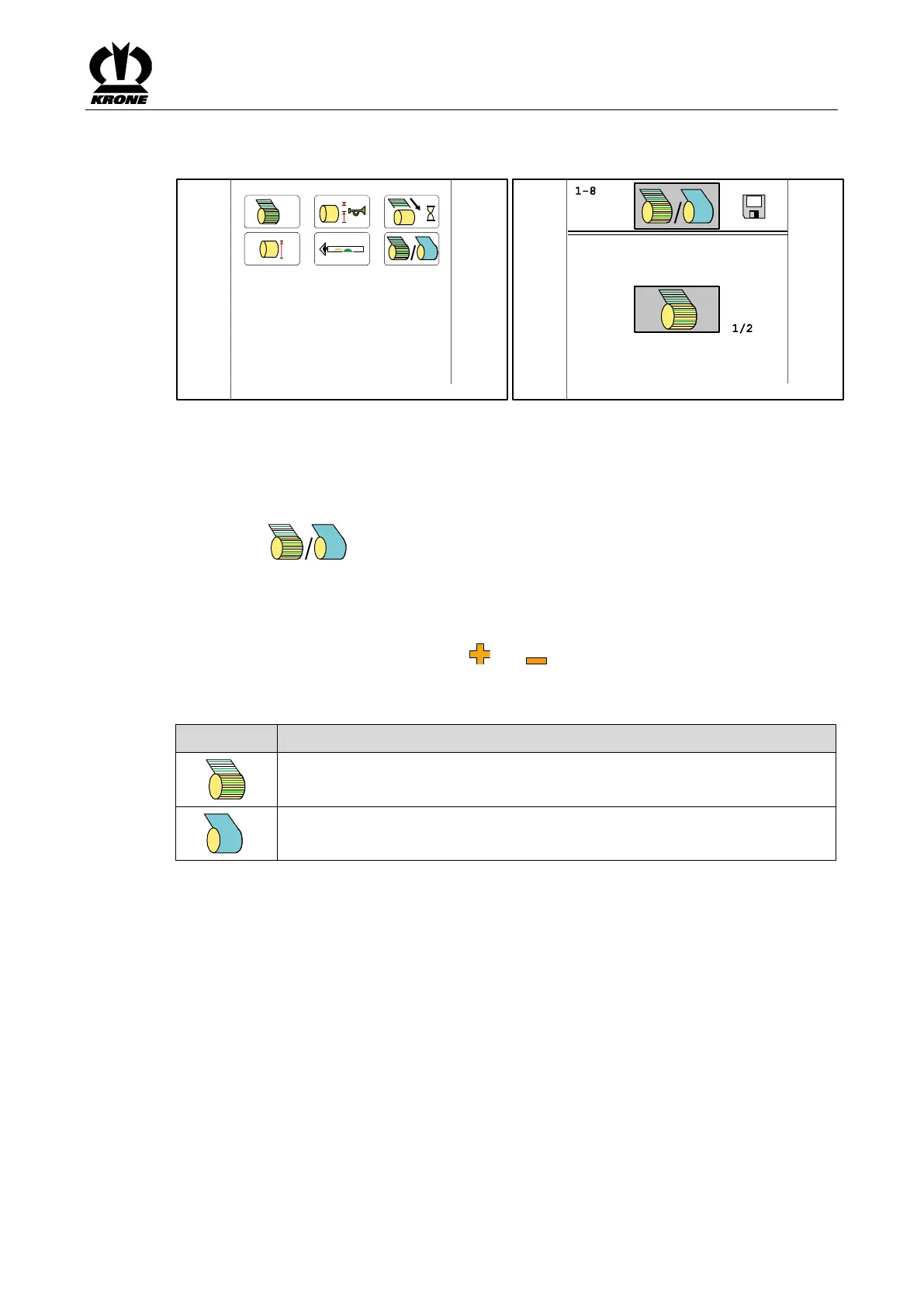
2.2.3 Menu 1-8 “Selection Type of Tying”
Pos: 4.56 /BA/In fo-Center/ALL E Terminals in ei nem - ISOBUS , Delta, BETA I I (ab BJ 15/16)/ ALLE Ter minals/Rundballen pressen/Menü 1-8 Auswahl Bin deart_Netz/Foli e_Bild_ALLE Ter minals_Compri ma CF CV_+ X-treme @ 36 7\mod_14413 52228698_78.d ocx @ 2696926 @ @ 1
Fig.
Pos: 4.57 /BA/In fo-Center/ALL E Terminals in ei nem - ISOBUS , Delta, BETA I I (ab BJ 15/16)/ ALLE Ter minals/Rundballen pressen/Menü 1-8 Auswahl Bin deart_Netz/Foli e_Text_ALL E Terminals_Co mprima CF CV_+ X-treme @ 367\mod_144 1352231084_78.d ocx @ 269695 3 @ @ 1
Prerequisite
– The menu level is called, refer to chapter entitled Terminal - Menus, “Calling the Menu
Level”.
• Select to open the menu.
The display shows menu 1-8 “Selection Type of Tying”.
Selecting type of tying
• Scroll through the both pages using and and select the desired type of tying.
• Save the selection.
The following types of tying can be selected:
Pos: 4.58 /Layo ut Module /---------------Seitenumbruch---------------- @ 0\mod_119617 5311226_0.docx @ 4165 @ @ 1







 To Next Page