6 Operation
26 of 88
BoosterControl Advanced
3. Press OK to confirm the selection.
ð 3-5-1 appears in the top left of the screen.
4. Press OK to confirm the selection.
ð You have called up the required parameter.
Changing the parameter value
1. Press OK.
ð The bar above the entry displays the value currently being entered.
2. Use the arrow keys to increase or decrease the value displayed.
3. Confirm the selected value by pressing OK.
ð The cursor moves to the next position (second position from the left).
4. Make the settings as described for the subsequent positions.
5. Press the OK key to save the new parameter value.
6.1.3.3.4 Access levels
Table20: Access levels
Access level Code displayed Properties
Standard - No login required
Restricted access to parameters
Customer C Login required
Access to main customer parameters
Service S Login required
Access to all service-relevant parameters
Factory F Login required
Access to all parameters
6.1.3.4 Menu: Information
All direct information about PumpDrive is provided in the Information section.
Important details regarding the firmware version are listed here.
6.1.4 Navigation keys
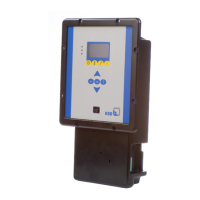
The navigation keys are used for navigating in the menus and for confirming
settings.
Table21: Assignment of navigation keys
Key Function
Arrow keys:
▪ Move up/down in the menu options.
▪ Increase/decrease a numerical value.


 To Next Page