⇨ The LED bar graph display returns to operating parameter display mode, i.e.
the LEDs are steadily lit.
6.1.6 Setting the dynamic pressure setpoint compensation function
1. Press the Func parameterisable function key.
⇨ The dynamic pressure setpoint compensation function (dynamic differential
pressure setpoint compensation) is activated (⇨ Section 7.2.4.1 Page 85) .
2.
Press OK.
⇨ The percentage of the setpoint compensation of the dynamic pressure
setpoint compensation function is displayed in the bar graph display by
flashing yellow LEDs.
3. Press the Func parameterisable function key.
⇨ Display of the dynamic pressure setpoint compensation function is
deactivated.
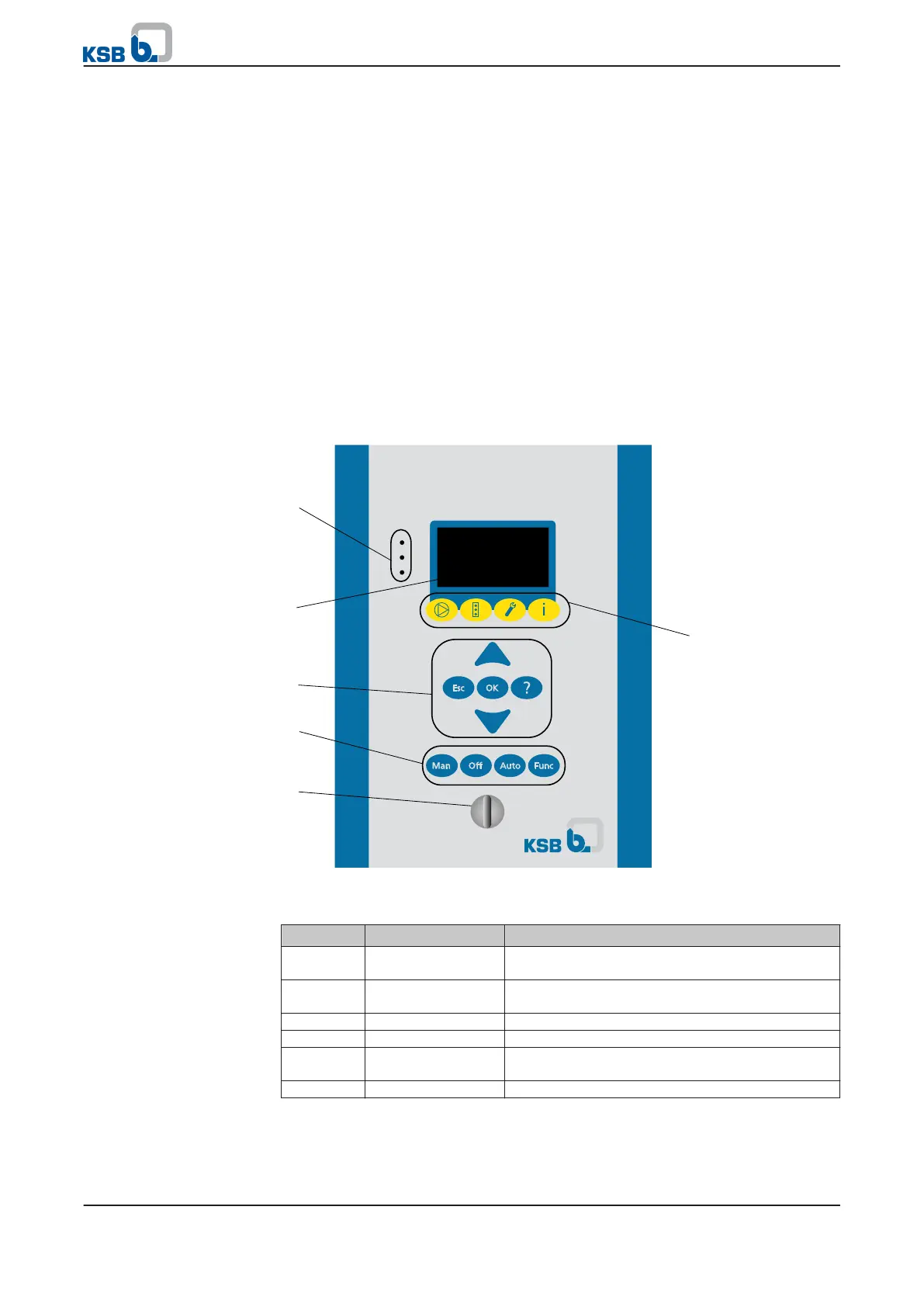
6.2 Graphical control panel
Fig. 22: Graphical control panel
Table 30: Description of graphical control panel
Item Description Function
1 LED traffic light
function
The traffic light function provides information
about the system's operating status.
2 Graphical display Information about PumpDrive operation is
displayed.
3 Navigation keys Navigation and parameter setting
4 Operating keys Toggling operating modes
5 Service interface PumpDrive configuration and parameterisation
via PC/notebook
6 Menu keys Accessing the elements of the first menu level
Graphical control panel
6 Operation
40 of 162
PumpDrive



 To Next Page