71INTELLIPANEL(TM) CONTROL
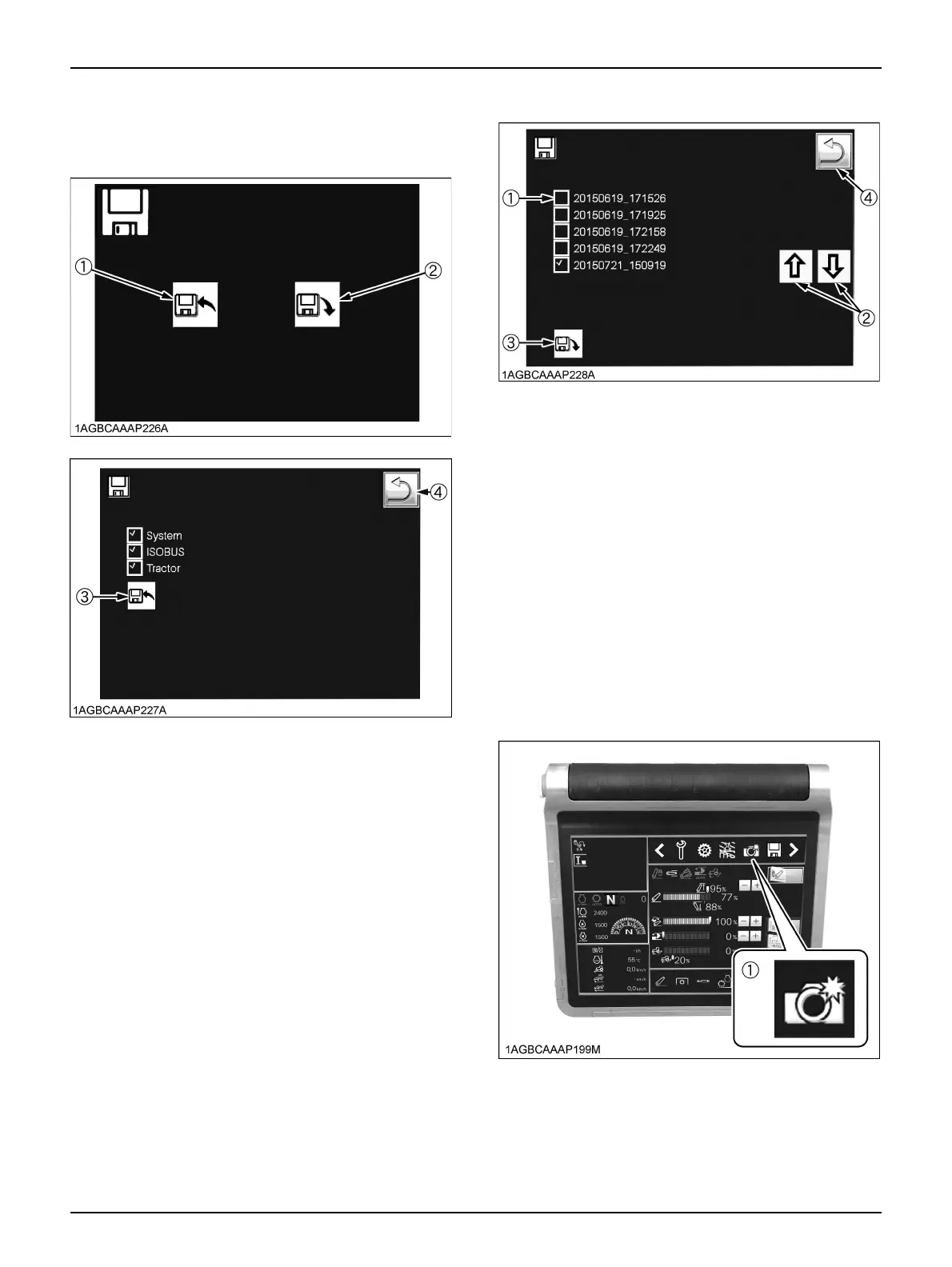
3. Touch the export switch (3) to export to the USB
memory stick. Touch the switch (4) to return to the
previous screen.
C Import Procedure
1. After setting the USB memory stick in the K-monitor,
touch the floppy mark in the display and then the
import switch.
2. Use the scroll switch (2) to select data to import from
the USB memory stick data (1) at the top of the screen.
3. Touch the import switch (3) to copy the data.
Further, note that when importing, the data within the
K-monitor will be overwritten by the USB memory stick
data selected in part 2. of the above procedure.
However, the top limit setting value of the lift arm top
limit cannot be imported.
BScreenshot
The screen data information set on each screen can be
exported as is as graphic data (jpg format). For example,
if you export the details on the PTO or remote control
valves set by implement as screenshots, resetting is
simple.
C Export Procedure
1. Display onscreen the information of which you want
screenshots.
2. Set the USB memory stick.
3. Touch the camera icon at the top of the screen to copy
the data to the USB memory stick.
(1) Export switch
(2) Import switch
(3) Export switch
(4) Return to the previous screen switch
(1) USB memory stick data
(2) Scroll switch
(3) Import switch
(4) Return to the previous screen switch



 To Next Page