41INTELLIPANEL(TM) CONTROL
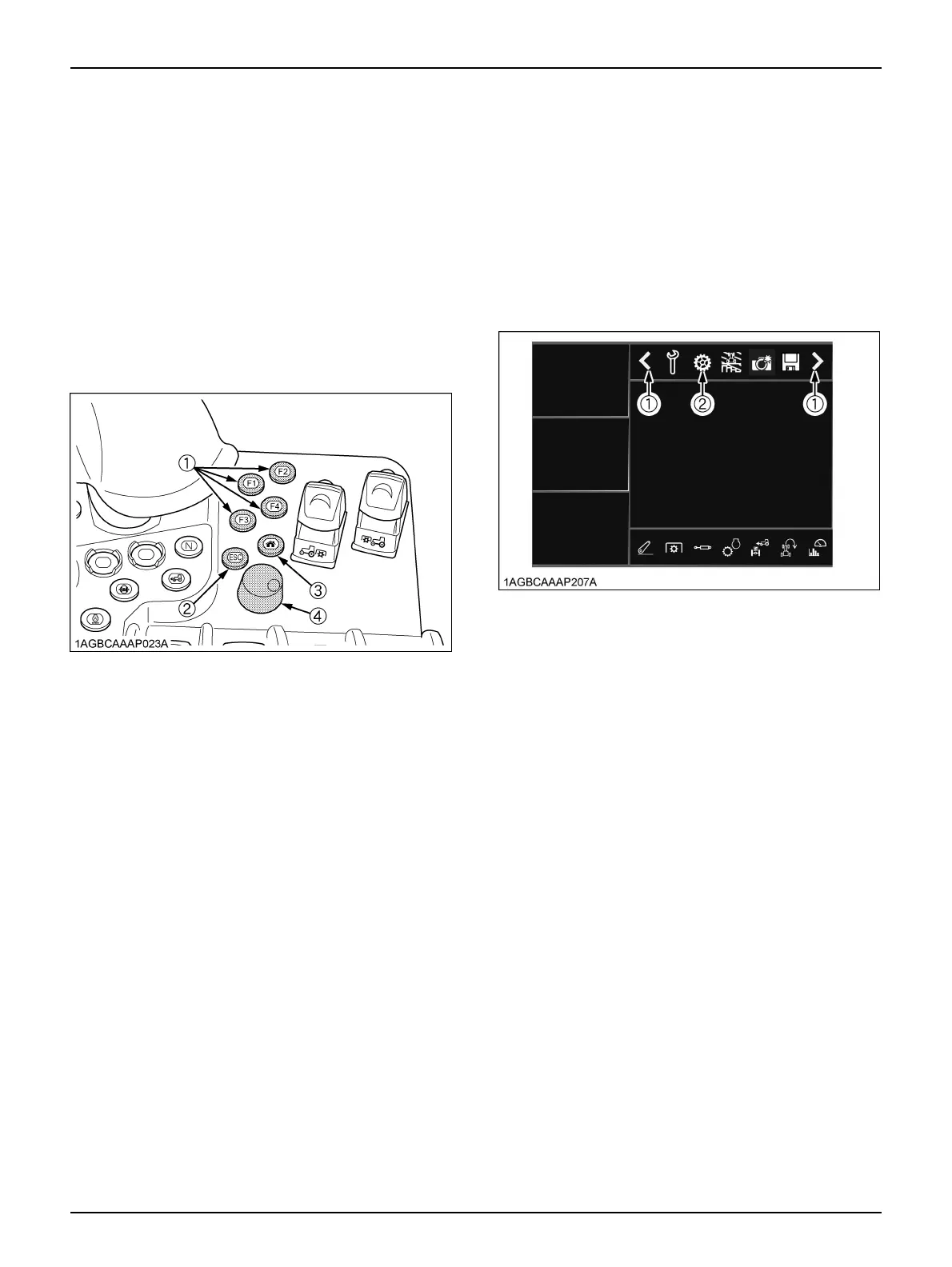
C Function of the F buttons
Routinely-used setting screens can be programmed to the
buttons F1 thru F4.
Regardless of the information currently displayed, just
press an F button and the allocated setting screen
appears.
You can modify and check the settings quickly.
Press the F button again, and the previous screen comes
back.
C Allocating the F buttons
Select the setting screen for allocation and hold down any
of the F1 thru F4 buttons 2 seconds or longer to allocate
that screen.
C Function of the HOME button
Hold down this button for 2 seconds, and your preset
HOME screen appears again. If you have purchased the
tractor but its HOME screen has not been made yet, the
factory-set "Engine, transmission" screen reappears.
Hold down this button between 2 and 4 seconds, and the
currently shown screen replaces the HOME screen.
Hold down this button longer than 4 seconds, and the
same HOME screen as at the time of purchase is
resumed.
C Function of the ESC button
Press this button, and the previous screen reappears.
This works in the same way as with the "Previous screen
resume" switch.
BSystem Basic Settings
The screen brightness, sound volume and other settings
can be adjusted. Modify those settings as required.
C Calling up the setting screen
1. Using the sub-menu scroll switch (1), make the gear
mark icon (2) appear.
2. Touch the gear mark icon (2) first and then the main
display screen, and the system settings (1) screen
shows up.
(1) F button
(2) ESC button
(3) HOME button
(4) Selection dial and button
(1) Sub-menu scroll switch
(2) Gear mark icon



 To Next Page