INTELLIPANEL(TM) CONTROL42
C Setting items and adjustment of the setting mode
screen
Touch the arrow switch " " to switch screens among
"SYSTEM settings (1)", "SYSTEM settings (2)", "Time/
Date settings", "ISOBUS settings" and "Licenses" in that
order.
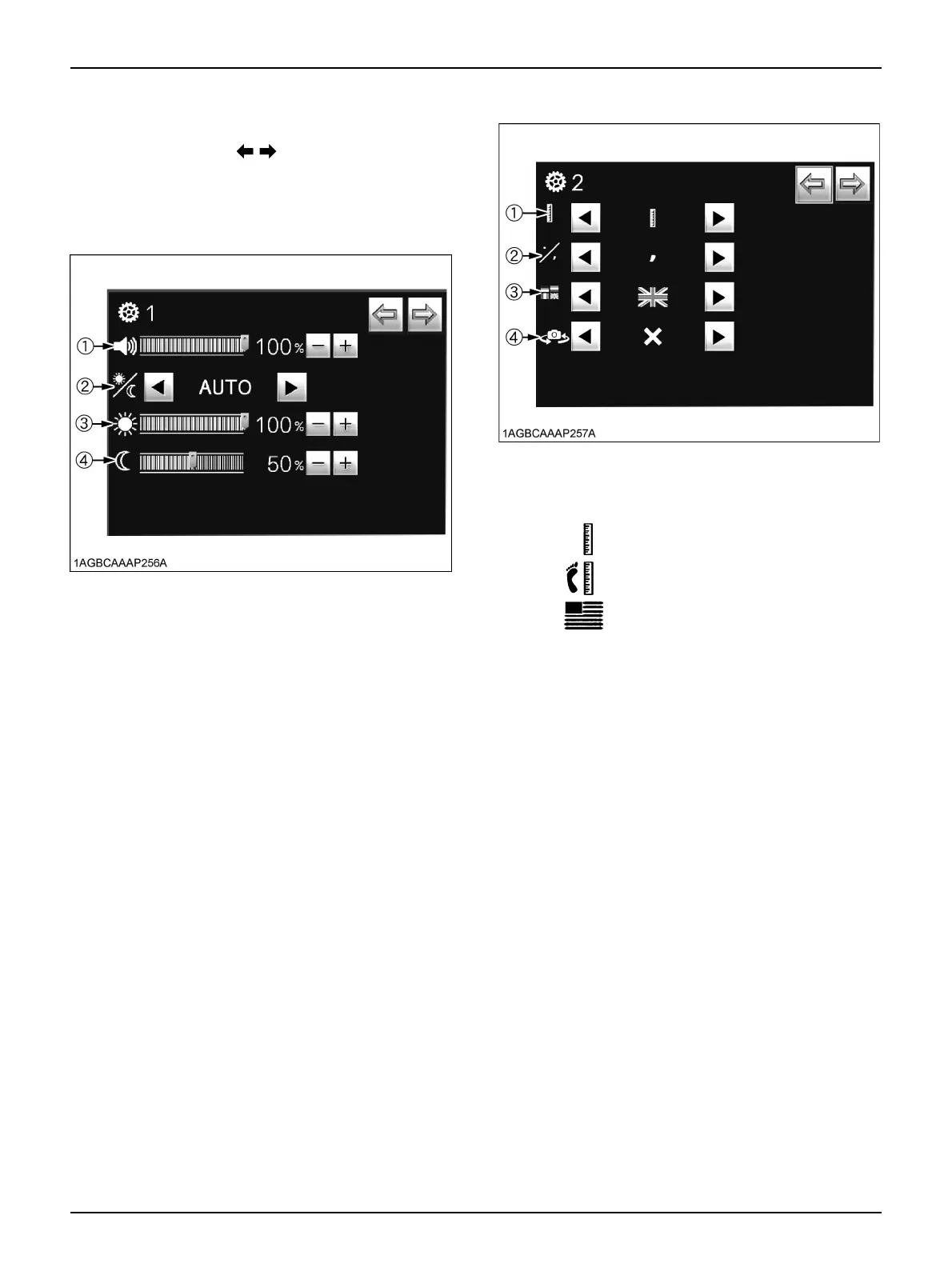
A SYSTEM settings (1) screen
(1) Sound volume
Slide the graph farther to the right to increase the
volume.
(2) Screen brightness
The brightness level can be selected from the
following settings:
Sun icon: Daytime mode,
Moon icon: Nighttime mode,
AUTO: Automatic daytime/nighttime switching
mode.
(3) Daytime mode screen brightness
Slide the graph farther to the right to increase the
brightness.
(4) Nighttime mode screen brightness
Slide the graph farther to the right to increase the
brightness.
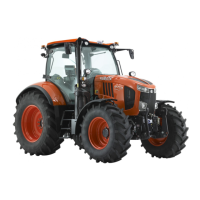
A SYSTEM settings (2) screen
(1) Unit system
The unit system can be chosen from the following
settings:
(2) Decimal marker setting
The choice is between ", (comma)" and ".
(period)".
(3) Languages
There are 9 languages to choose from: English,
Dutch, German, French, Italian, Spanish, Polish,
Portuguese and Japanese.
(4) Live view camera display switching
Live view camera display can be chosen from the
following settings.
Metric unit
Imperial unit
U.S.customary unit
"X": When the camera is installed for front view.
"V": When the camera is installed for rear view.



 To Next Page