OPERATING THE TRACTOR122
BTraveling Operation
Traveling speed control for a tractor with CVT
transmission can be operated with either the ez-command
center or the foot throttle. Choose between them
according to the job.
Note that control using the foot throttle requires the
selection of "Automatic Mode" as discussed below. You
can control both the speed and the engine power by how
deeply you step on the foot throttle, as with an automatic
transmission car; this enables convenient operation of the
trailer and so on.
C Main shift
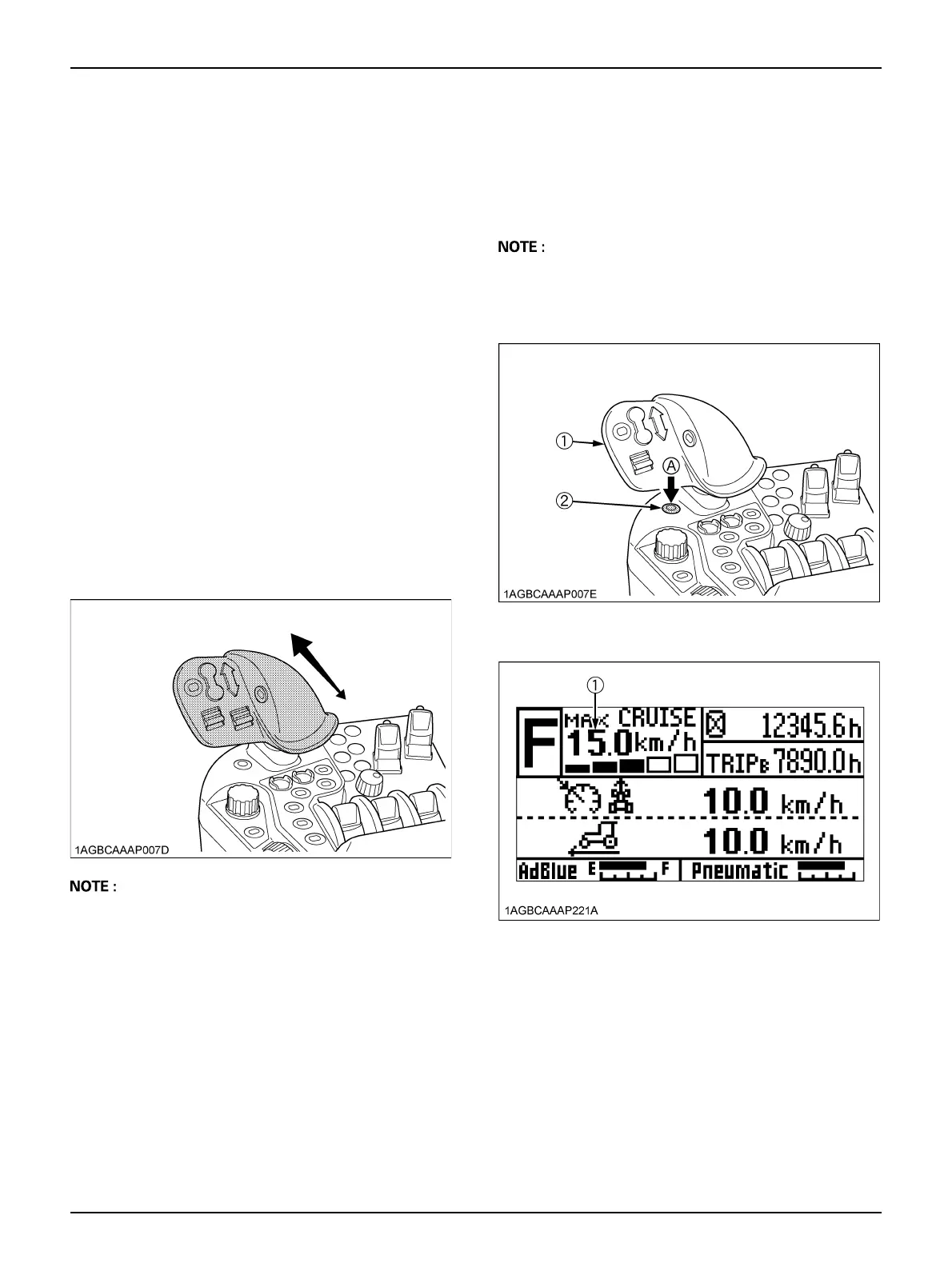
With the ez-command center, the machine can be "sped
up" and "slowed down" easily.
Push the lever forward and pull it backward, and the
traveling speed will increase and decrease respectively.
The traveling speed is fixed at the position where you
release the lever.
The traveling speed changes in proportion to the duration
of moving the lever. The longer the lever is pushed
forward, for instance, the higher the traveling speed
becomes.
A The ez-command center has no neutral position. Even
when the lever is set at the lowest speed position, the
machine runs at the creep speed (about 0.5 km/h (0.3
mph). To bring the tractor to a complete stop, step on
the brake pedal or set the shuttle lever to neutral.
A Allowing for conditions, use the "Cruise Mode"
discussed below when you want to make fine
adjustments to the traveling speed, or to keep the
traveling speed steady for a job with a high traction
load on the tractor.
A When the ez-command center is pushed forward
during the tractor driving by using foot throttle, the
traveling speed is set at the time of ez-command
center operation. But this setting is effective for only
when the tractor has a light load.
C Mode shift
Every time the mode shift button is pressed, the "high
speed" and "low speed" modes switch alternately.
Depending on this selection, the "traveling enable upper
limit speed", shown with the LCD indicator on the
instrument panel, is also switched.
A Switching from the high speed mode to the low speed
mode is not possible if the current traveling speed is
higher than the maximum traveling speed set in the
low speed mode; a buzzer will sound if this is tried.
(1) Ez-command center
(2) Mode shift button
(A) "PUSH"
(1) "Traveling enable upper limit speed"



 To Next Page