INTELLIPANEL(TM) CONTROL24
BInitial Setting
To avoid personal injury or death:
Take the following precautions when starting
initial setting.
A Park the machine on firm and level ground.
A Set the parking brake.
A Lower the implement to the ground.
Before operation, make sure the clock and the working
range of implement are set.
Once registered, the working range of an implement is put
in memory. When the implement is changed to a different
one, the latter’s working range must be entered anew.
Otherwise, the work area and other data will not be
correctly displayed.
C Clock setting
1. Turn on the key switch.
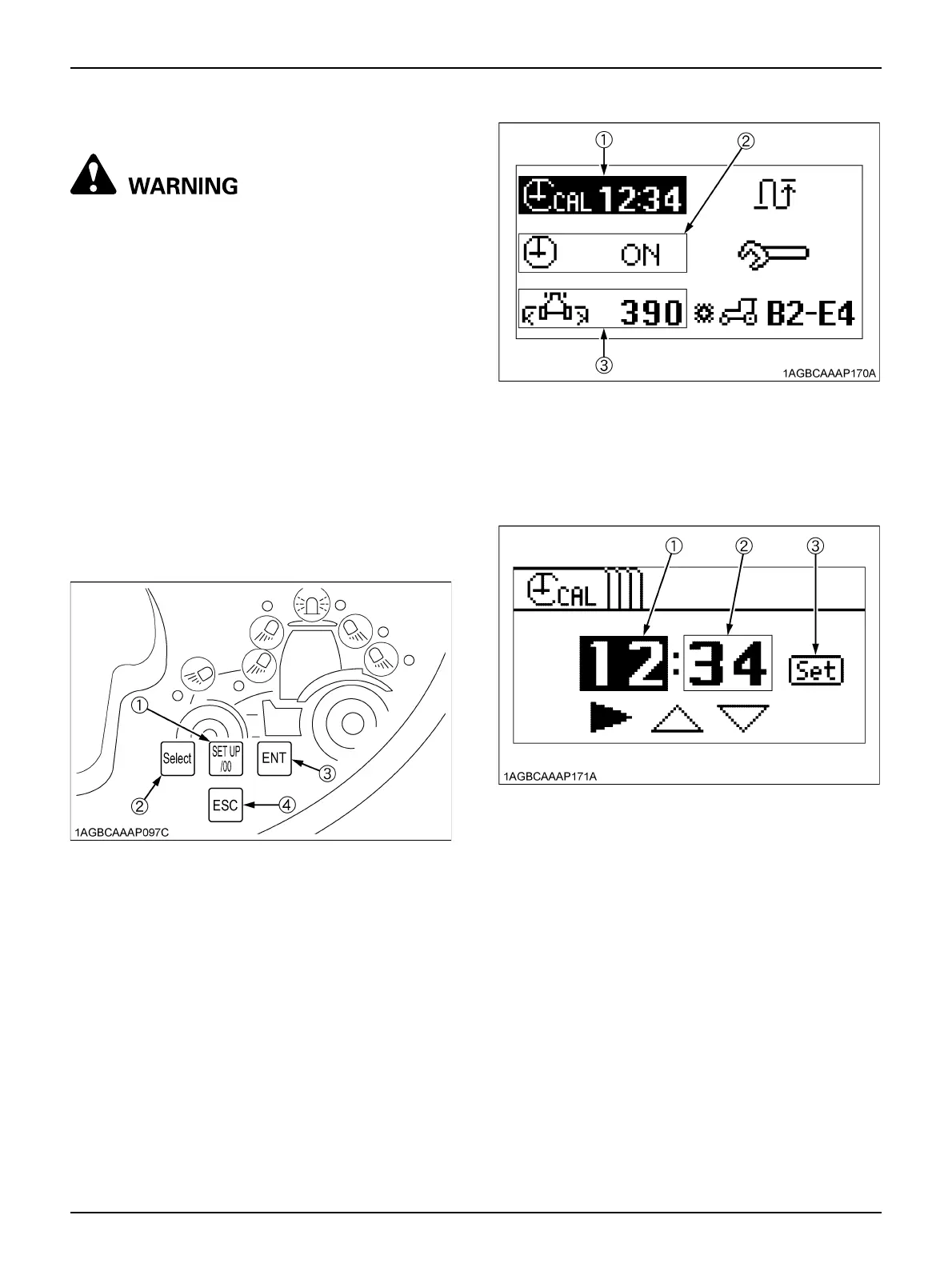
2. Press the "SET UP/00" switch, and the setting mode
screen appears in the LCD (Liquid Crystal Display)
unit.
3. When the "Clock setting" has been selected with the
"Select" switch and then the "ENT" switch pressed, the
clock setting screen shows up.
4. Setting the "Hour" of the clock:
(1) Select "►" with the "Select" switch and then press
the "ENT" switch to choose the "Hour"
(highlighted).
(2) To put the clock forward, select "▲" with the
"Select" switch and then press the "ENT" switch.
The hour continues to change if the "ENT" switch
is held down.
(3) To put the clock back, select "▼" with the "Select"
switch and then press the "ENT" switch. The hour
continues to change if the "ENT" switch is held
down.
5. Setting the "Minute" of the clock:
(1) Select "►" with the "Select" switch and then press
the "ENT" switch to choose the "Minute"
(highlighted).
(1) SET UP/00 switch
(2) Select switch
(3) ENT switch
(4) ESC switch
(1) Clock setting
(2) Clock display ON/OFF setting
(3) Working range of implement
(1) Hour
(2) Minute
(3) Set switch



 To Next Page