39INTELLIPANEL(TM) CONTROL
BBasic Procedures
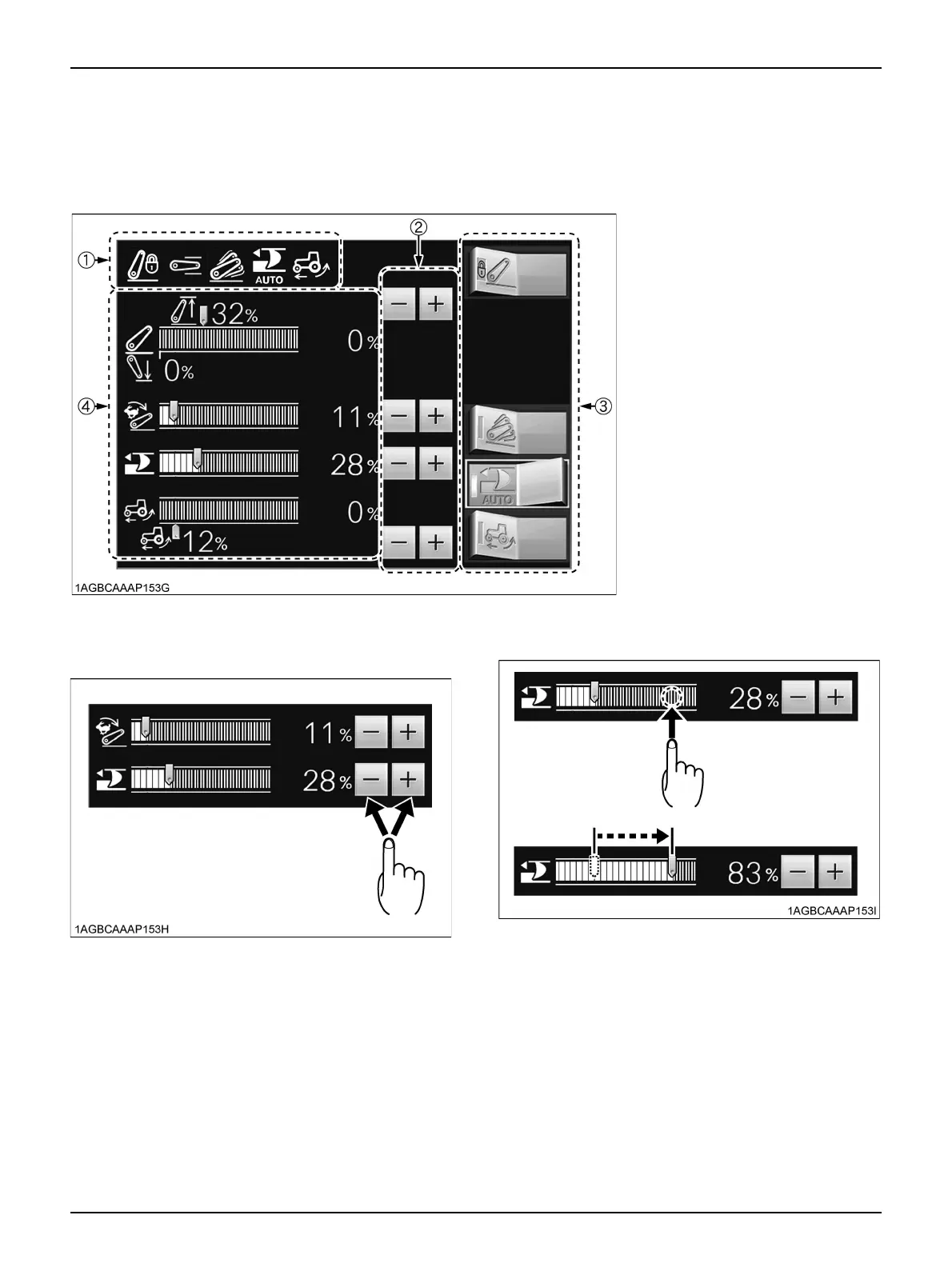
The figure below shows an example in which "3-point hitch" is selected from the main menu.
Familiarize yourself with the basic procedures, such as changing the settings, as discussed below.
C To change the settings on each screen, use any of
the following procedures.
1. Touch the "-" or "+" button.
2. Touch a target point on the bar graph, and the slider of
the graph will move to the touched point.
(1) Indicator
(2) Setting change switches
(3) Select switches
(4) Setting display bar graphs



 To Next Page