INTELLIPANEL(TM) CONTROL38
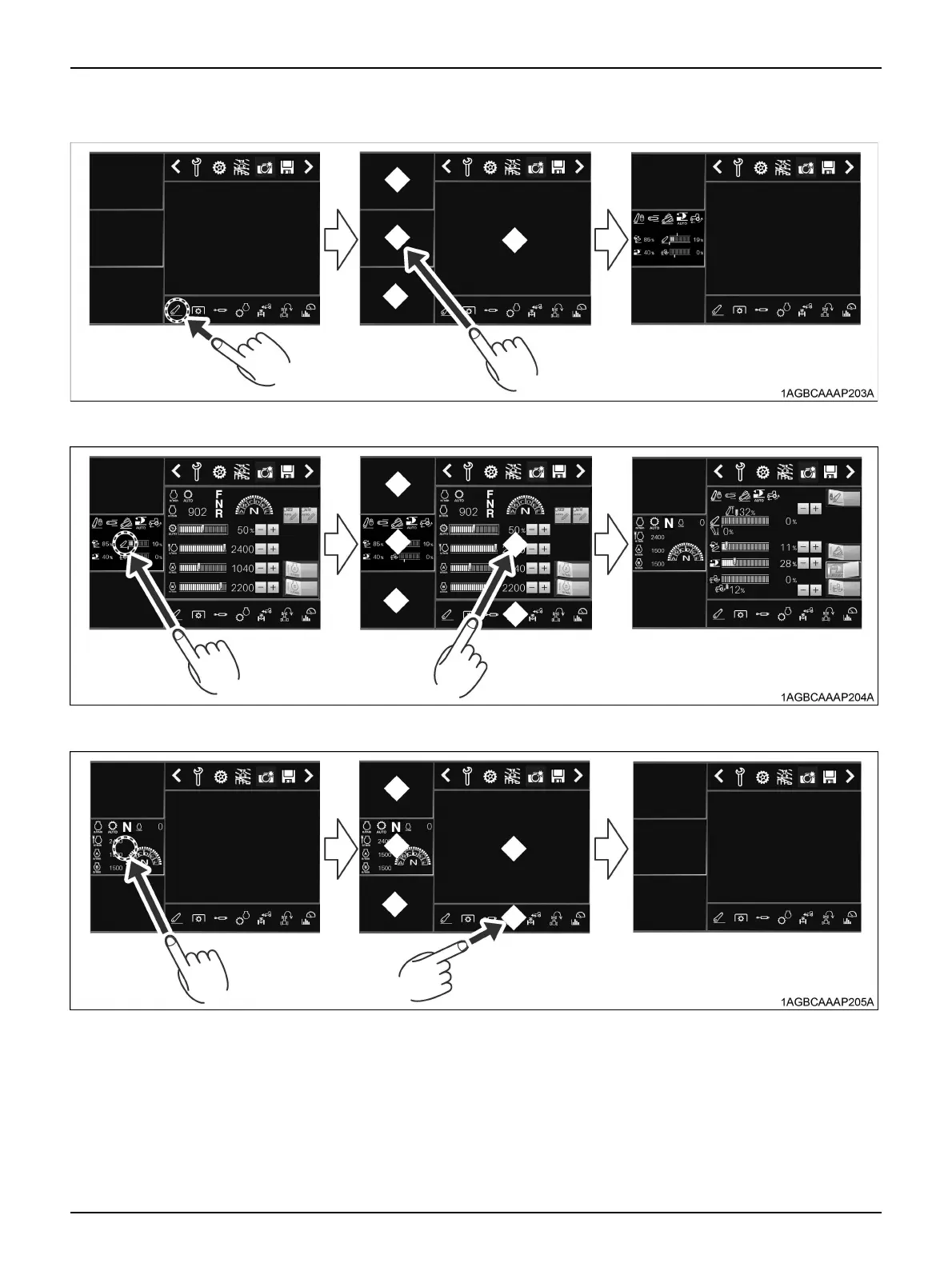
2. Going to the sub-display screen:
Touch the main menu icon you want to display, and touch the sub-display screen.
3. Switching between the sub-display screen and main display screen:
Touch the sub-display screen you want to display on the main display screen, and touch the main display screen.
4. Storing the sub-display screen into the main menu:
Touch the sub-display screen to store, and touch the main menu area.
C Screen switch
Touch the switch to switch between screen ON and
screen OFF.
Turn the screen OFF for night driving, etc.
C ISOBUS emergency shut-off switch
With an ISOBUS-compatible implement in motion, press
this switch to stop the implement in case of emergency.
Emergency stop methods vary according to the type of
implement. For details, check with the instruction manual
of the implement in question.



 To Next Page