115OPERATING THE TRACTOR
BSetting the Traveling Speeds
C Traveling speed ranges
C Setting the traveling speed gear in the road mode
[Standard model]
1. Referring to the traveling speed chart, determine
maximum and minimum traveling speeds that are best
suited for the type of work. On the automatic gear shift
(road mode) setting screen, enter a desired traveling
speed range.
2. The automatic gear shifting will be within the preset
traveling speed range.
For detailed settings, refer to "Setting the Power Shift
Transmission" in "LIQUID CRYSTAL DISPLAY" in
"INTELLIPANEL(TM) CONTROL" section.
A Suppose that while the machine is running, the
traveling speed is increased or decreased out of its
preset range with the ez-command center. When this
happens, the manual mode is resumed. To go back to
the auto shift mode, get the traveling speed back into
the preset range and press the auto shift button again.
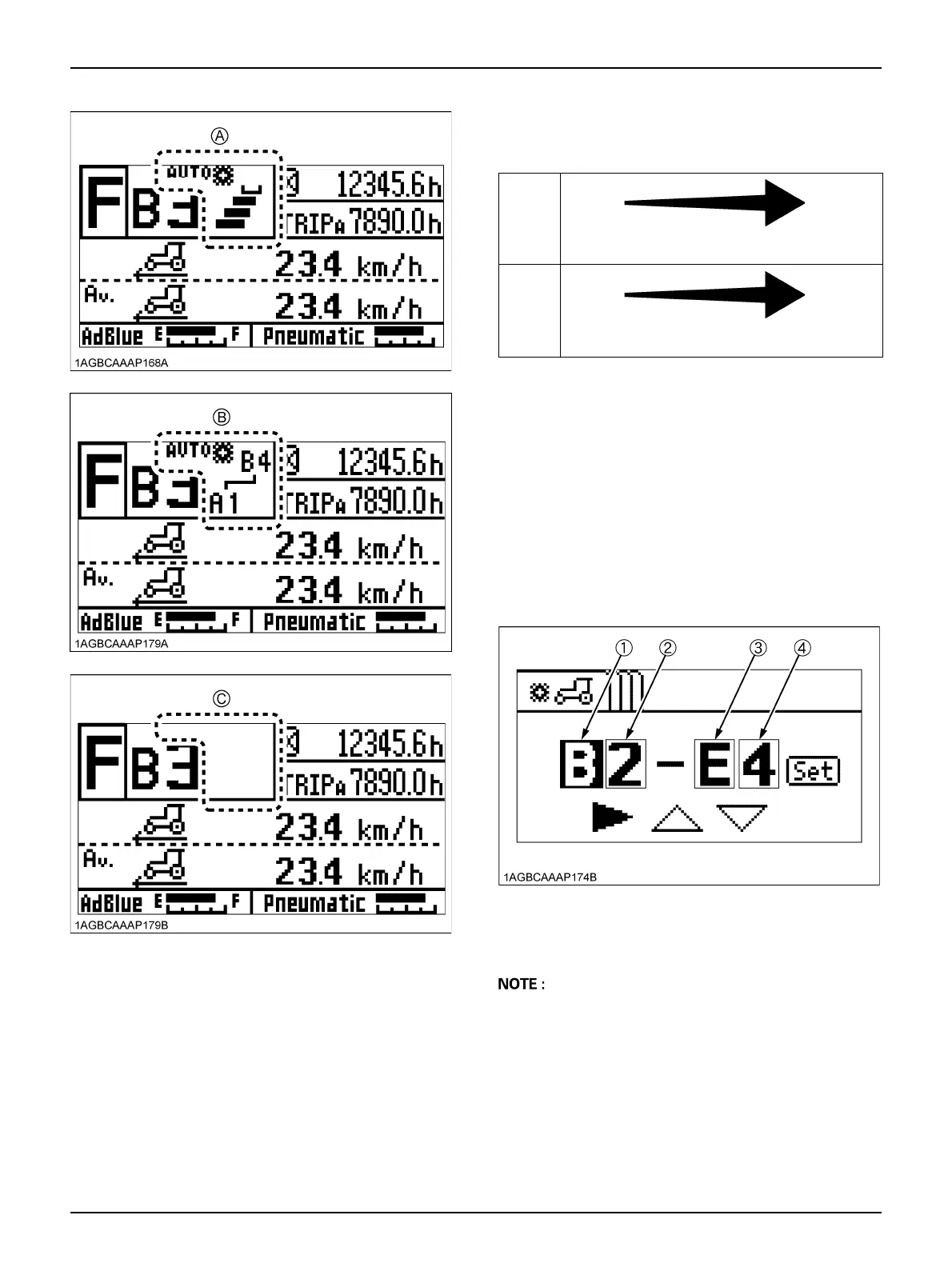
(A) "Auto shift-FIELD MODE"
(B) "Auto shift-ROAD MODE"
(C) "Manual mode"
Main
gear
shift
Lower
speed
Higher
speed
1st → 2nd → 3rd → 4th
Range
gear
shift
Lower
speed
range
Higher
speed
range
A → B → C → D → E → F
(1) Range gear shift for minimum traveling speed
(2) Main gear shift for minimum traveling speed
(3) Range gear shift for maximum traveling speed
(4) Main gear shift for maximum traveling speed



 To Next Page