OPERATING THE TRACTOR116
C Setting the main gear shift range in the field mode
[Standard model]
1. Referring to the traveling speed chart, determine
maximum and minimum main gear shifts that are best
suited for the type of work. On the automatic gear shift
(field mode) setting screen, enter desired traveling
speeds.
2. The automatic gear shifting will be within the preset
traveling speed range.
For detailed settings, refer to "Setting the Power Shift
Transmission" in "LIQUID CRYSTAL DISPLAY" in
"INTELLIPANEL(TM) CONTROL" section.
A The automatic gear shift range in the field mode may
be preset only for the main gear shift.
A Suppose that while the machine is running, the
traveling speed is increased or decreased out of its
preset range with the ez-command center. When this
happens, the manual mode is resumed. To go back to
the auto shift mode, get the traveling speed back into
the preset range and press the auto shift button again.
C Setting the range gear shift in the field mode
[Standard model]
The range gear shift consists of 6 speeds. Determine the
range gear shift range that is best suited for the working
speed.
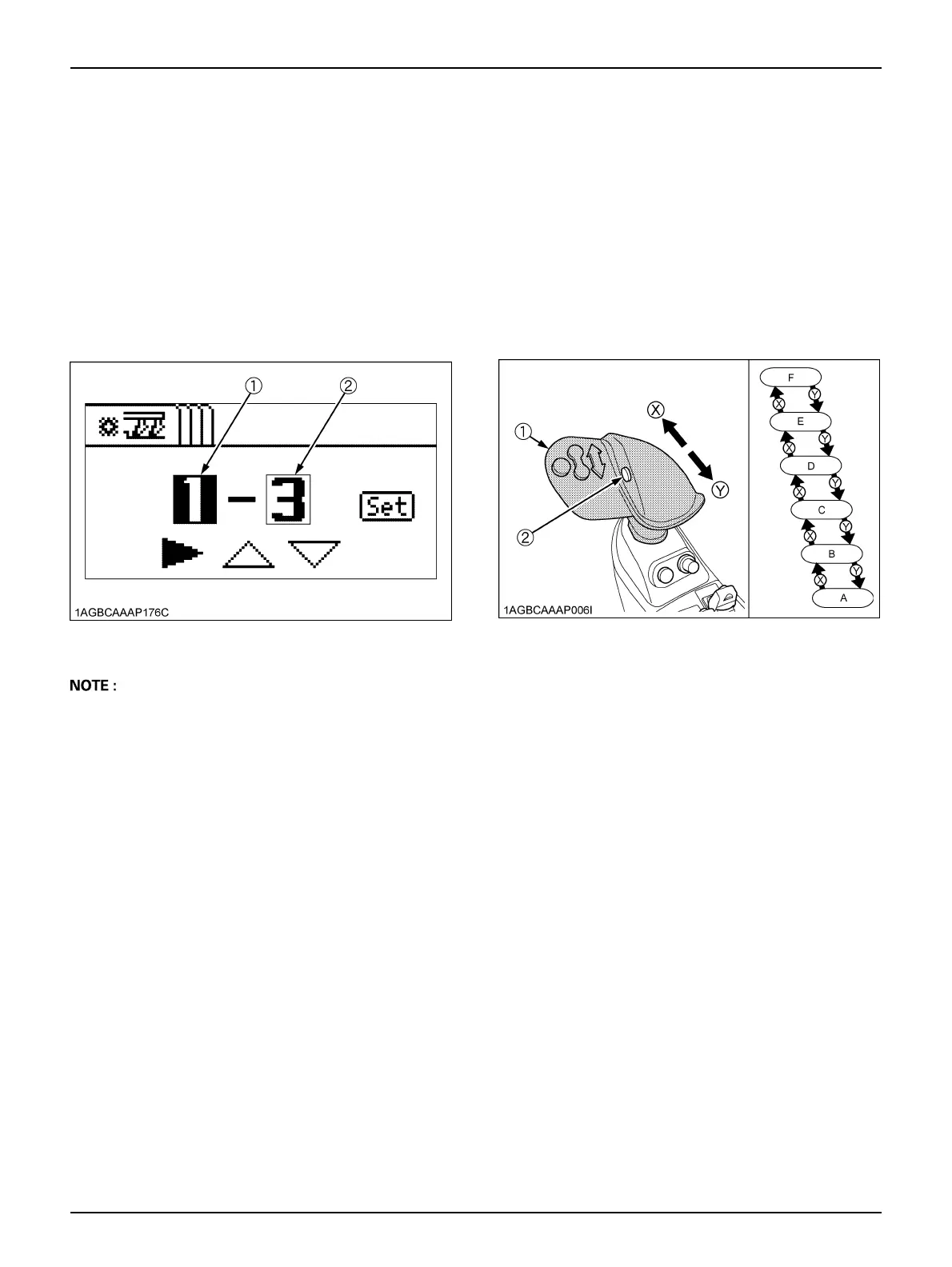
Hold down the range gear shift button and push the ez-
command center forward, and the range gear shift goes
up. Pull this lever backward, and this shift comes down.
Before setting the range gear shift in the field mode, bring
the tractor to a complete stop.
The selected range gear shift stage can be checked with
the LCD indicator on the instrument panel.
(1) Minimum main gear shift
(2) Maximum main gear shift
(1) ez-command center
(2) Range gear shift button
(X) "Shift up"
(Y) "Shift down"



 To Next Page