INTELLIPANEL(TM) CONTROL40
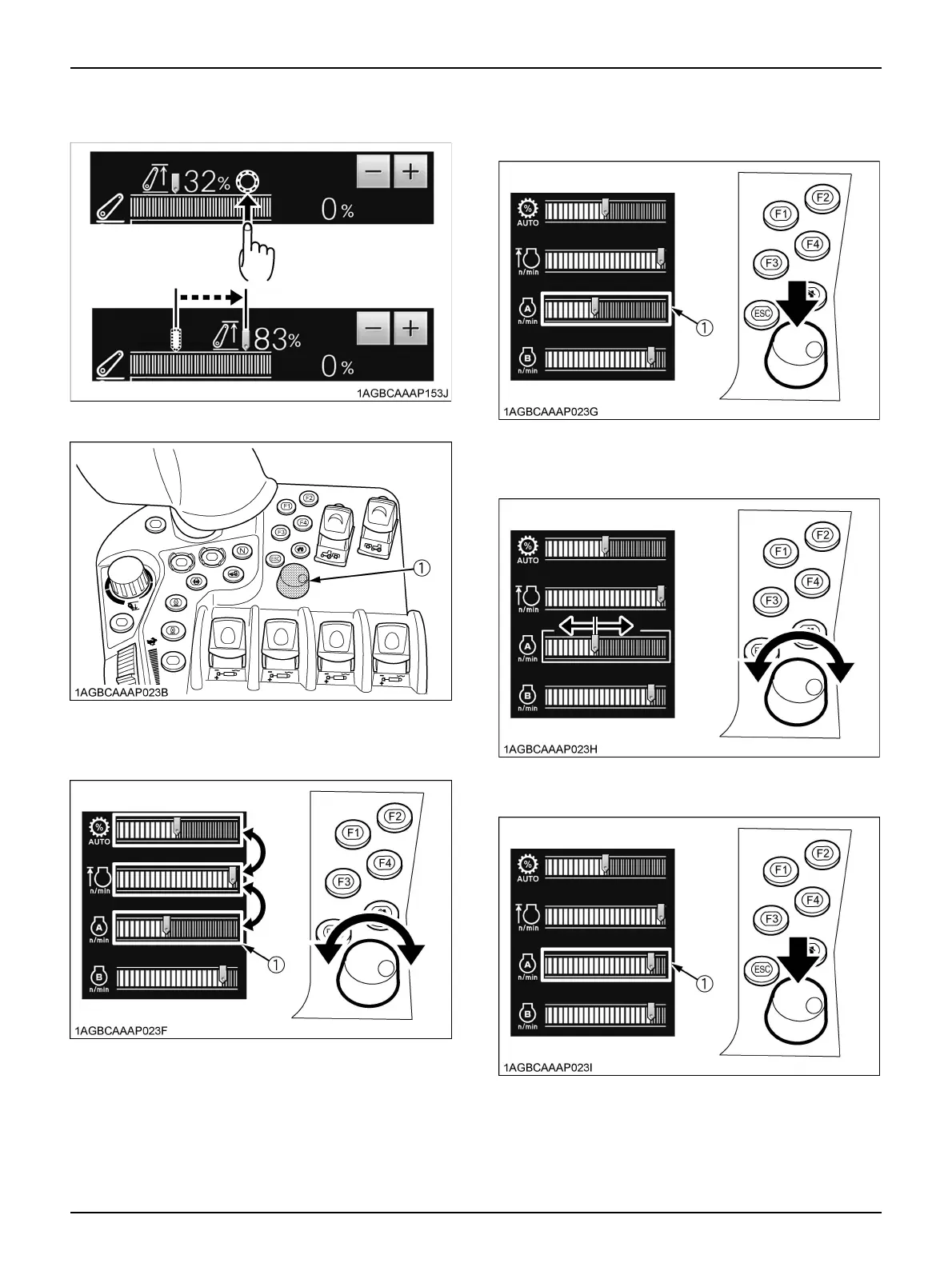
3. Touch the right or left side of the setting-pointing slider,
and the slider will move to the touched point.
4. Use the selection dial and button.
(1) Turn the selection dial and button until the orange
selected frame reaches the desired item.
(2) Press the selection dial and button to make a
selection. The orange selected frame turns
yellow-green, which means the editing mode.
(3) Turn the selection dial and button clockwise or
counterclockwise to change the setting.
(4) Press the selection dial and button to complete
the setting. Now the new setting is effective.
5. To cancel a new item or a new setting, just press the
"ESC" button.
(1) Selection dial and button
(1) Orange selected frame
(1) Orange selected frame turns yellow-green
(1) Yellow-green selected frame turns orange



 To Next Page