HYDRAULIC UNIT160
BPosition/Mix Draft Mode Select
Select the position control or the draft control depending
on the types of work. Choose the draft control for jobs
requiring traction such as plowing and sub-soiling.
[Standard model]
[Premium, Premium KVT models]
A For the setting procedure, refer to "Setting the 3-point
hitch" in "K-MONITOR" in "INTELLIPANEL(TM)
CONTROL" section.
C Position control
mode in use
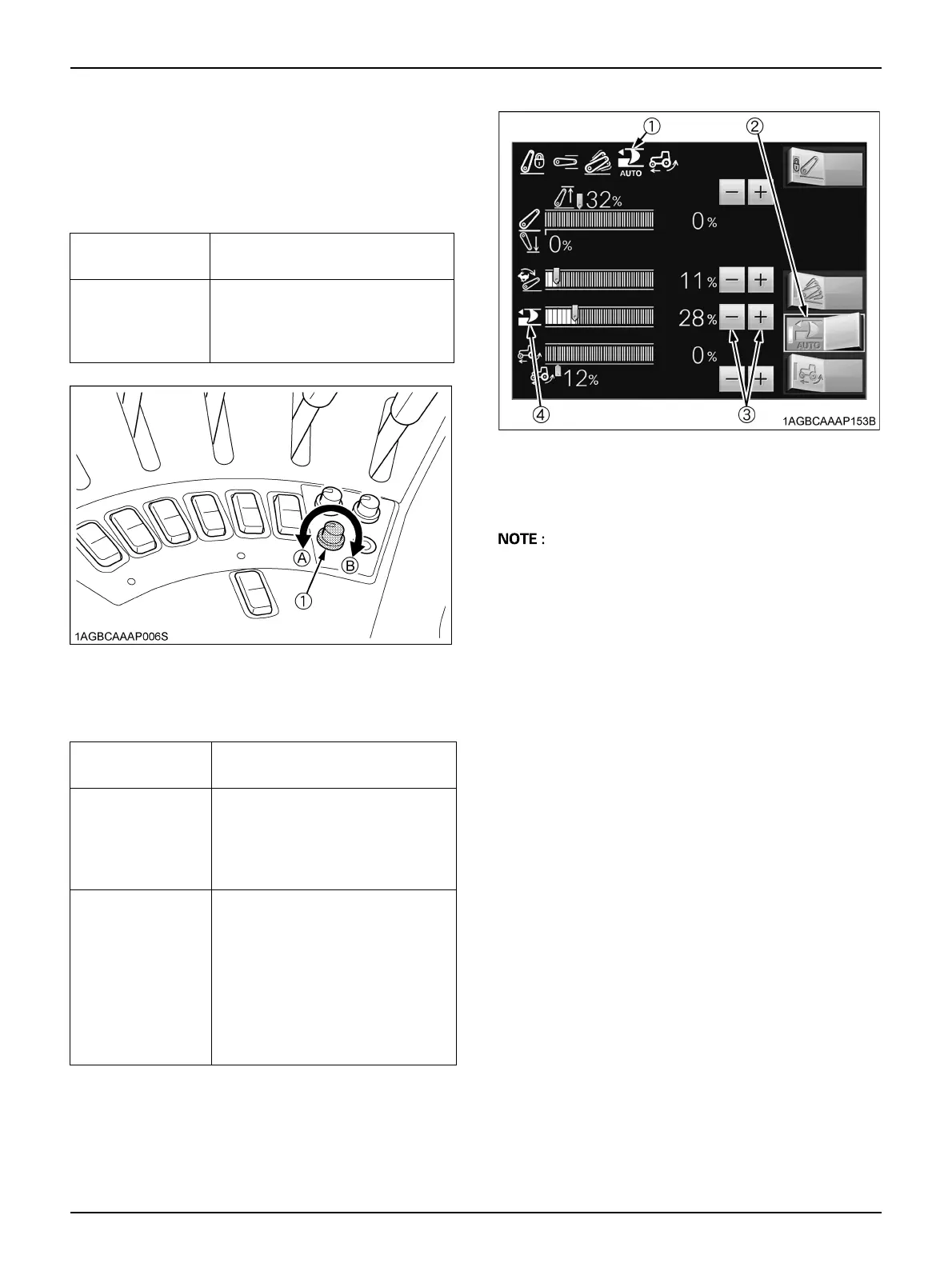
Turn the dial fully
counterclockwise.
C Mix draft
control mode in
use
Turn the dial farther to the right to
increase the percentage of work
done in draft control versus that in
position control.
(1) Draft ratio adjustment dial (A) "Position control mode"
(B) "Mix draft mode"
C Position control
mode in use
Move the draft sensitivity slider
fully to the left at 0%.
C Mix draft control
mode in use
Move the draft sensitivity slider
further to the right to increase the
percentage of work done in draft
control versus that in position
control.
C Auto draft mode
in use
Touch the left half of the switch (2),
and the auto draft mode is selected
and the indicator (1) lights up. In
auto draft mode, the percentage of
the mix control is automatically
adjusted although the value on the
monitor doesn’t change. Touch the
right half of the switch (1), and the
auto draft mode is canceled.
(1) Auto draft mode indicator
(2) Auto draft mode switch
(3) Draft sensitivity adjustment switch
(4) Draft sensitivity control



 To Next Page