HYDRAULIC UNIT170
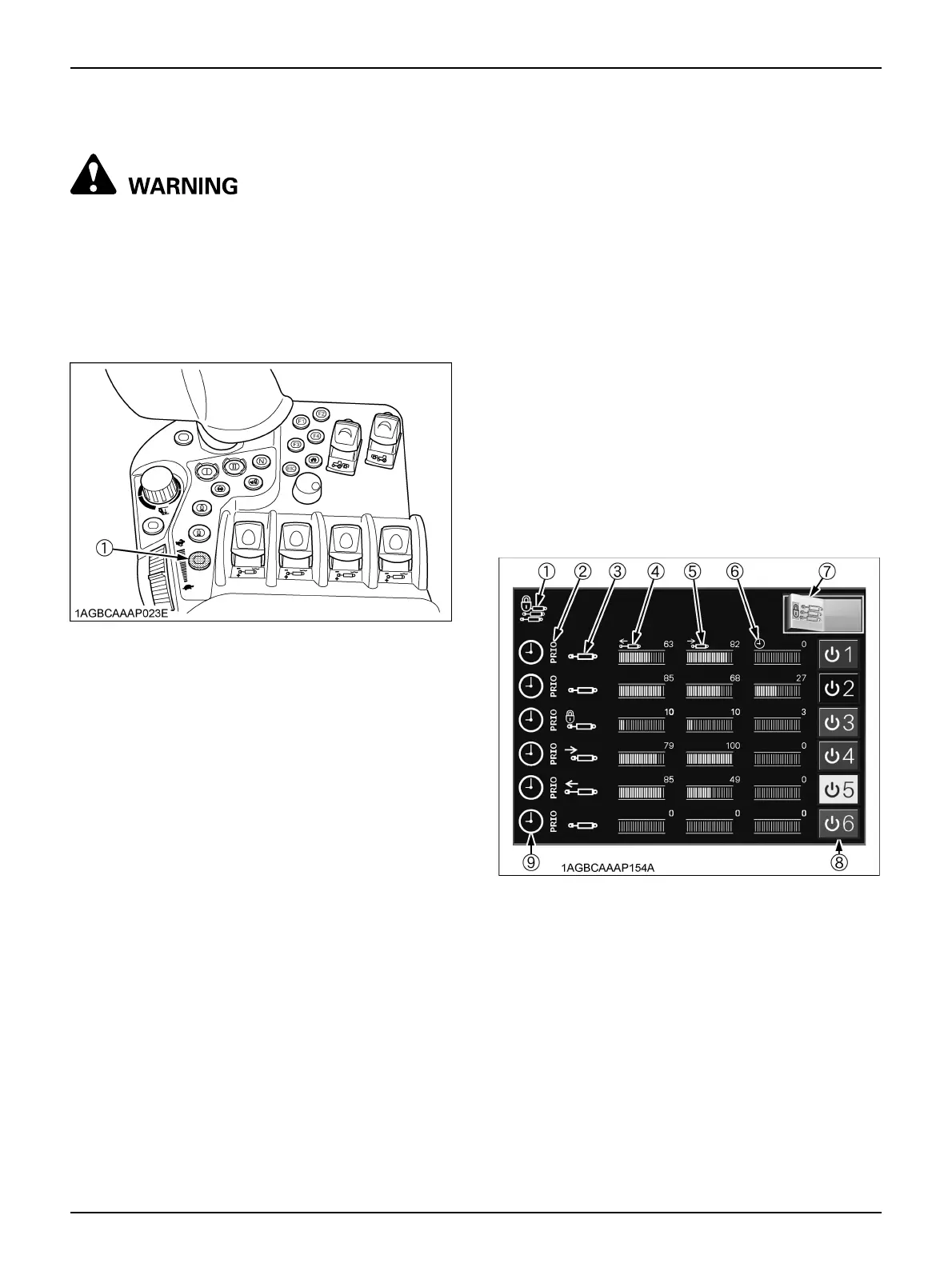
BRemote Control Valve Lock Button
To avoid personal injury or death:
A Before road traveling, be sure to lock the
remote control valve with this button to avoid
accidentally dropping the implement.
Each time you press the switch, the lock and unlock status
switch. The indicator of the switch stays on while in the
lock status.
BDetailed Setting of Remote Control Valves
All the remote control valves can be preset in detail and
their settings can be confirmed.
For the setting procedure, refer to "Setting the Remote
Control Valve" in "K-MONITOR" in "INTELLIPANEL(TM)
CONTROL" section.
C Locking and unlocking all the remote control
valves
Touch the left half of the switch (7), and all the remote
control valves are locked and cannot be used for raising
and lowering. Touch the right half of the switch, and the
valves are unlocked.
While the remote control valves are locked, the indicator
(1) lights up.
C Locking and unlocking each of the remote control
valves
Touch any of the remote control valves lock/unlock
switches (8), and the relevant remote control valve can be
locked and unlocked. (The figure below shows that the 3rd
segment is being locked.)
(1) Remote control valve lock button
(1) Collective remote control valve lock indicator
(2) Priority valve indicator
(3) Valve operating status indicator
(4) Discharge rate from cylinder (extend) port
(5) Discharge rate from cylinder (retract) port
(6) Valve operating time
(7) Collective remote control valve lock switch
(8) Individual remote control valve lock/unlock switch
(9) Timer mode indicator



 To Next Page