55INTELLIPANEL(TM) CONTROL
C Modifying the cruise control speed setting
For modifying the cruise control speed setting, refer to
"Cruise Control" in "CVT (Continuously Variable
Transmission) CONTROL" in "OPERATING THE
TRACTOR" section.
C Setting the engine rev-limit
1. Touch the engine rev-limiter control (15) in the above
figure, and the setting screen shows up.
2. Slide the graph to the right (increasing the value) to
increase the engine rev-limit.
3. When the rpm is set at MAX, the rev-limiter control is
cancelled.
4. Press the switch (1), and the setting is saved and the
previous screen reappears.
C Setting the engine rpm memory
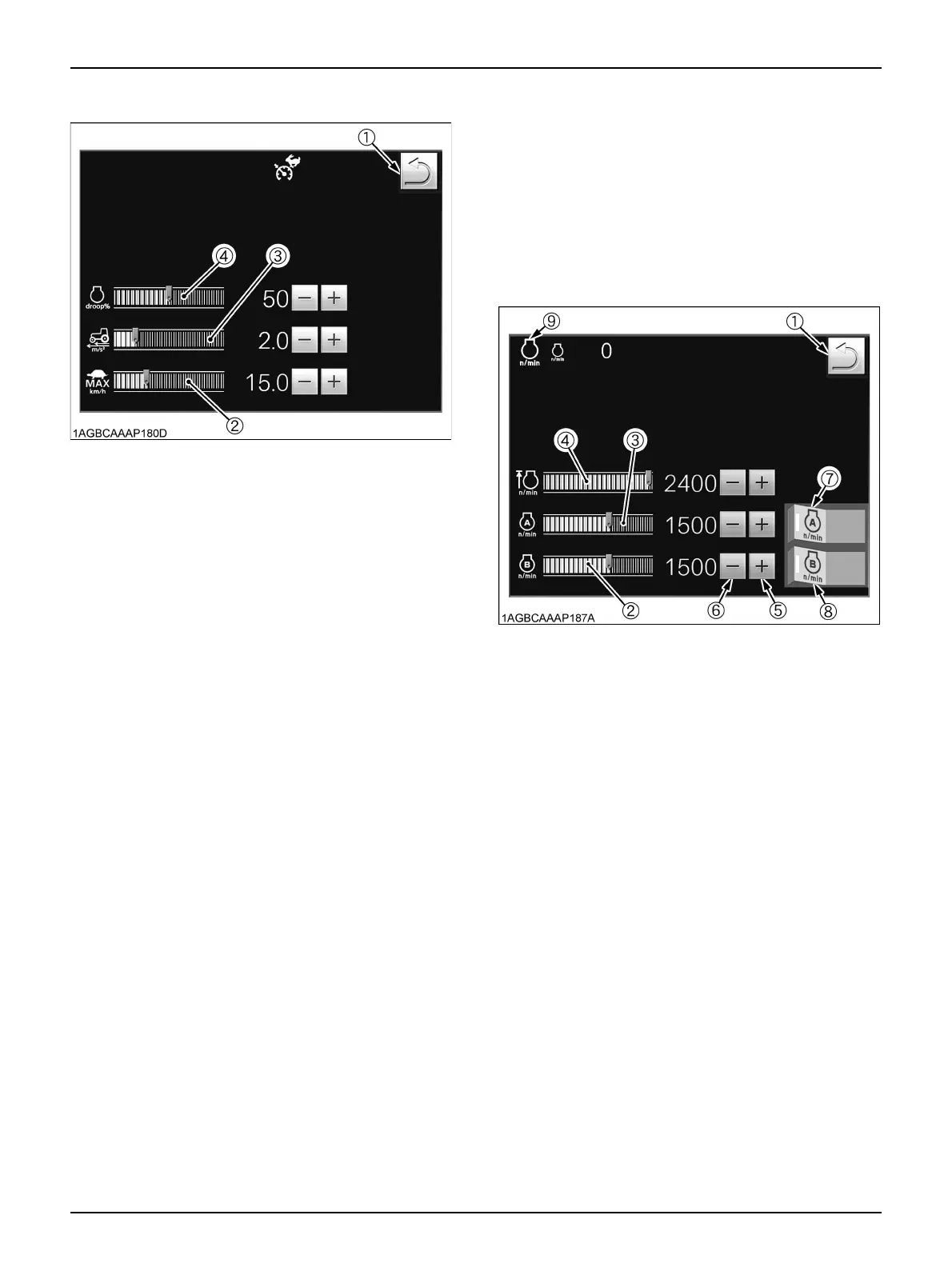
1. Touch the target engine rpm point on the engine rpm
memory control graph (3), and the slider will move to
the touched point.
2. With the "Plus (+)" or "Minus (-)" switch (5 or 6), finely
adjust the rpm memory setting.
Every time the switch is pressed, the speed varies in
10-rpm increments or decrements.
3. The engine RPM memory control (B) can also be
preset with the same procedure.
(1) Previous screen resume switch
(2) CVT Low-range max. speed control
(3) CVT response control
(4) CVT sensitivity control
(1) Previous screen resume switch
(2) Engine RPM memory (B) control
(3) Engine RPM memory (A) control
(4) Engine rev-limiter control
(5) Plus (+) switch
(6) Minus (-) switch
(7) Engine RPM memory (A) switch
(8) Engine RPM memory (B) switch
(9) Engine RPM memory (A/B) indicator



 To Next Page