EasyManua.ls Logo

Kyocera 255b - Page 143

Kyocera 255b
366 pages
Print Icon
To Next Page IconTo Next Page
To Previous Page IconTo Previous Page
Loading...
4-13
Copying > Copying Functions
1
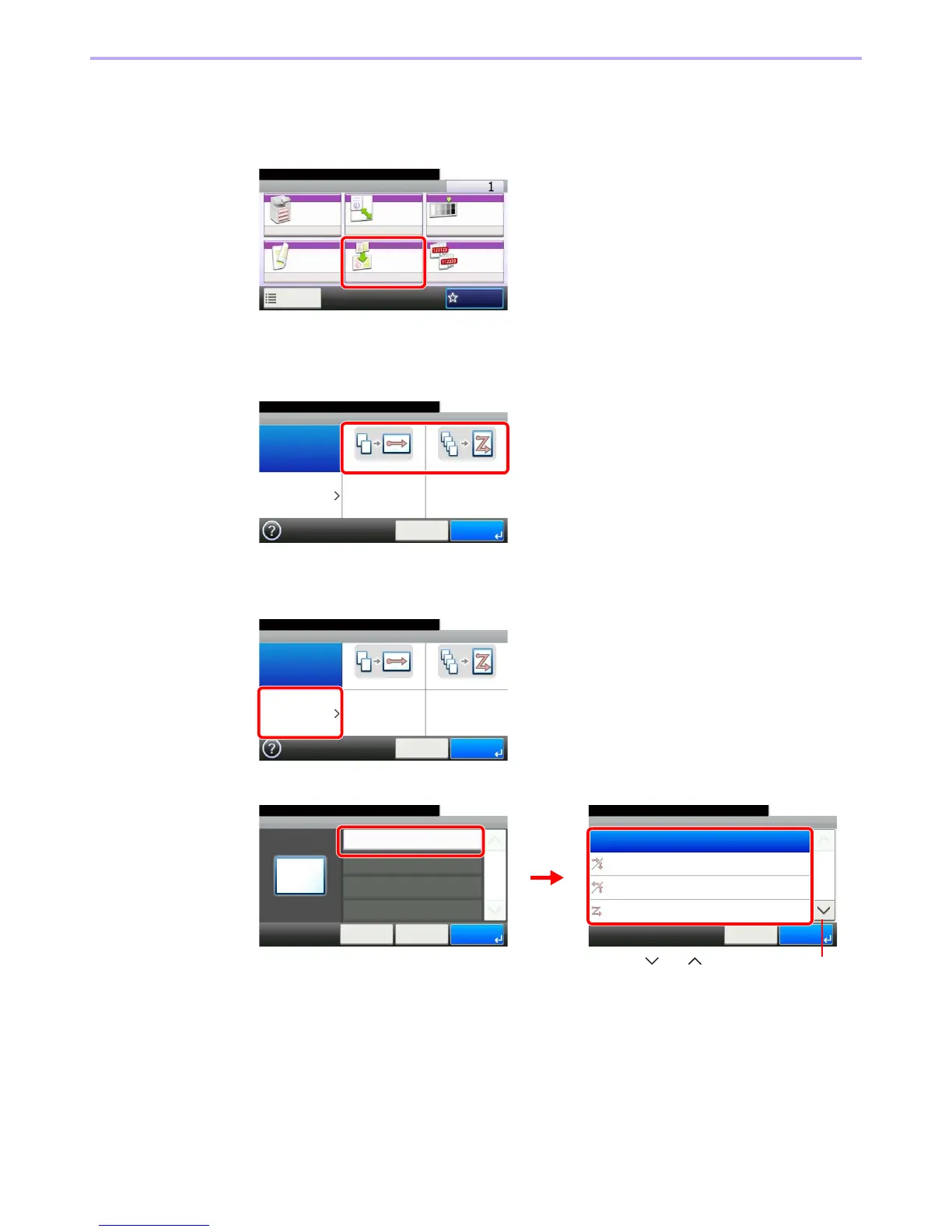
Display the screen.
1 Referring to Basic Operation on page 4-2, display the screen.
2
2
Select the function.
[2 in 1] or [4 in 1]
[Others]
1
2 Select the desired Combine option.
Ready to copy.
Copy Copies
Paper
Selection
Zoom Density
Duplex Combine Collate/
Offset
1-sided>>1-sided
Auto 100% Normal 0
CollateOff
Functions
10:10
Favorites
GB0001_01
GB0016_00
Ready to copy.
Combine
Off 2 in 1 4 in 1
Others
10:10
Cancel OK
GB0016_00
Ready to copy.
Combine
Off 2 in 1 4 in 1
Others
10:10
Cancel OK
Ready to copy.
Combine - Combine
Off
10:10
2 in 1 (L to R/T to B)
2 in 1 (R to L/B to T)
4 in 1 (Right then Down)
1/2
OK
OKCancel
Combine - Others
Combine
10:10
Cancel
Ready to copy.
< Back
1/1
OK
Off
GB0017_00
GB0018_00
1 2
Use [ ] or [ ] to scroll up and down.

Table of Contents

Other manuals for Kyocera 255b

Related product manuals