EasyManua.ls Logo

Kyocera 255b - Using Shortcuts

Kyocera 255b
366 pages
Print Icon
To Next Page IconTo Next Page
To Previous Page IconTo Previous Page
Loading...
3-25
Common Operations > Shortcuts
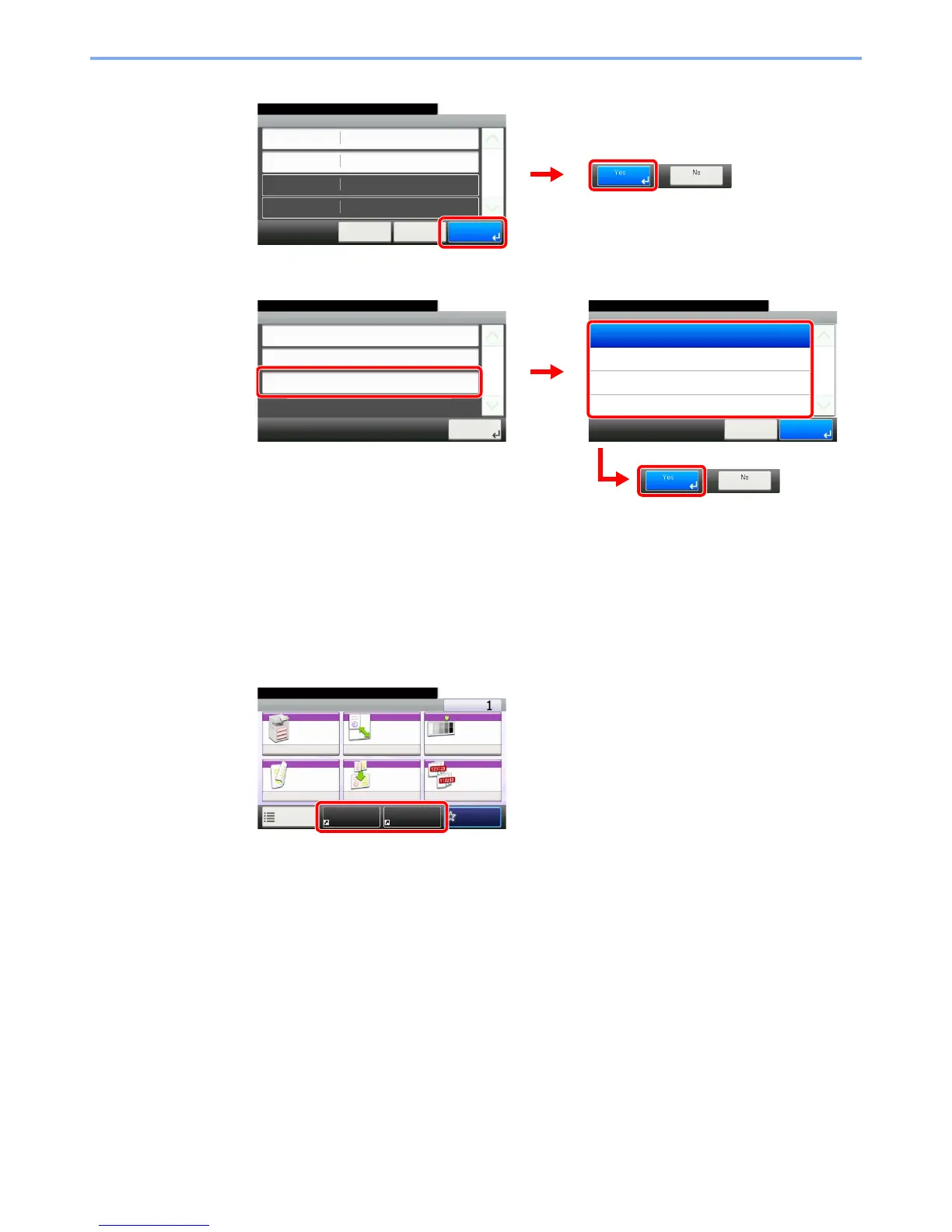
3 Register the shortcut.
To delete
Select the shortcut you wish to delete.
Using Shortcuts
The registered shortcut will be displayed on the Copy, Send, FAX*, Print from USB Memory, or
Save to USB Memory or Polling Box* initial screen. Pressing [Shortcut] will switch to the
registered function's screen.
* Requires the optional fax kit.

Edit - Confirmation
Shortcut 1
10:10
Cancel
Ready to copy.
Name
Functions
Number
< Back
1/1
Save
Zoom
Shortcut 1
GB0797_00
1
2
10:10Ready to copy.
Cancel
1/1
OK
Delete
Private Shortcut 2
Private Shortcut 1
Shared Shortcut 2
Shared Shortcut 1
Add/Edit Shortcut
Add
10:10Ready to copy.
Edit
1/1
Close
Delete
GB0790_01
2
1
3
GB0798_00
Ready to copy.
Copy Copies
Paper
Selection
Zoom Density
Duplex Combine Collate/
Offset
1-sided>>1-sided
Auto 100% Normal 0
CollateOff
Functions
10:10
FavoritesShortcut 1 Shortcut 2
GB0001_04

Table of Contents

Other manuals for Kyocera 255b

Related product manuals