5-4
Printing > Printing from Applications
3
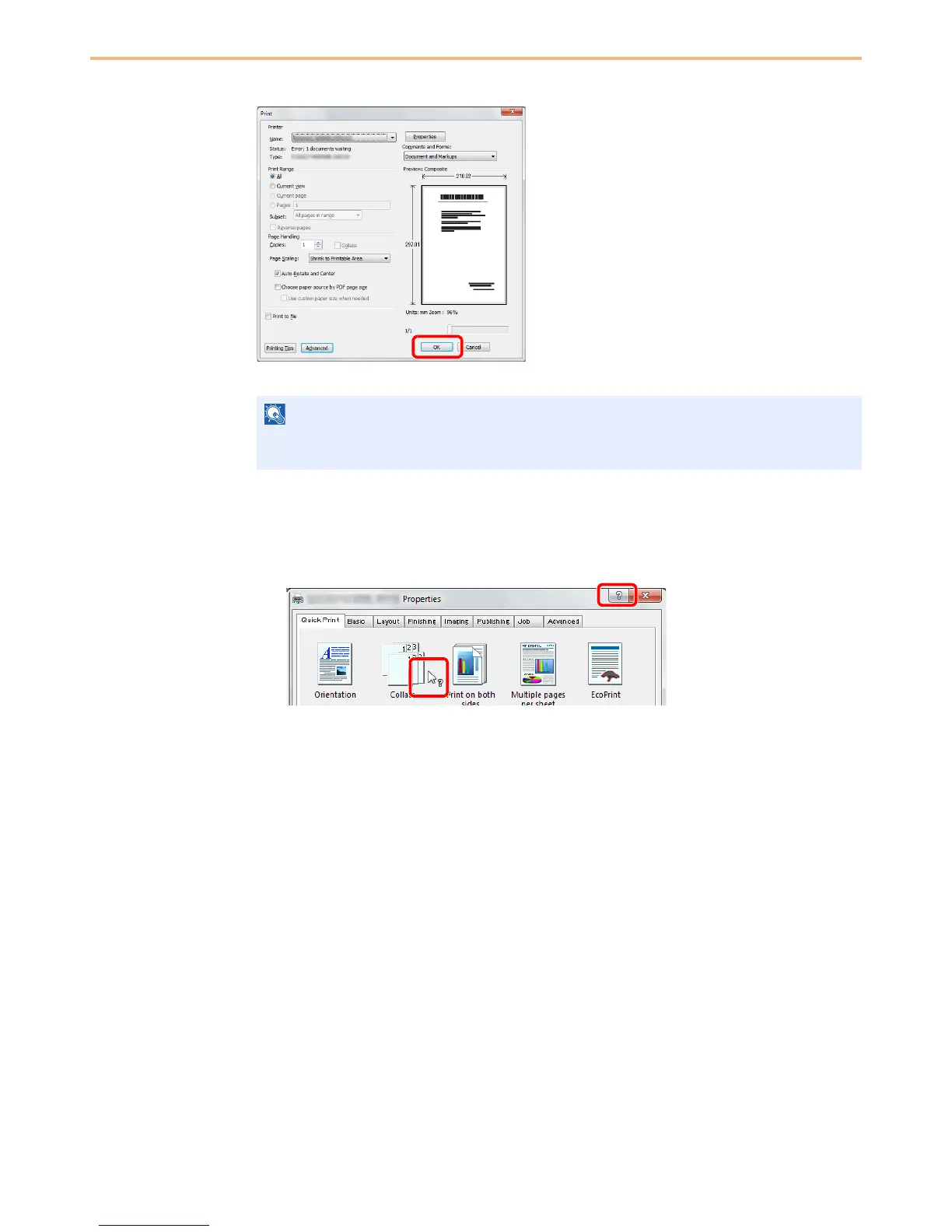
Start printing.
Click OK button.
Printer Driver Help
The printer driver includes Help. To learn more about print settings, display the printer driver print settings screen and
display Help using either of the methods explained below.
• Click the ? button in the upper right corner of the screen and then click the item you want to
know about.
• Click the item you want to know about and press the [F1] key on your keyboard.
Click the tabs on the print settings screen and configure the print settings as necessary. For
more information, refer to the Printer Driver User Guide.











 To Next Page