3-9
Common Operations > Loading Originals
2
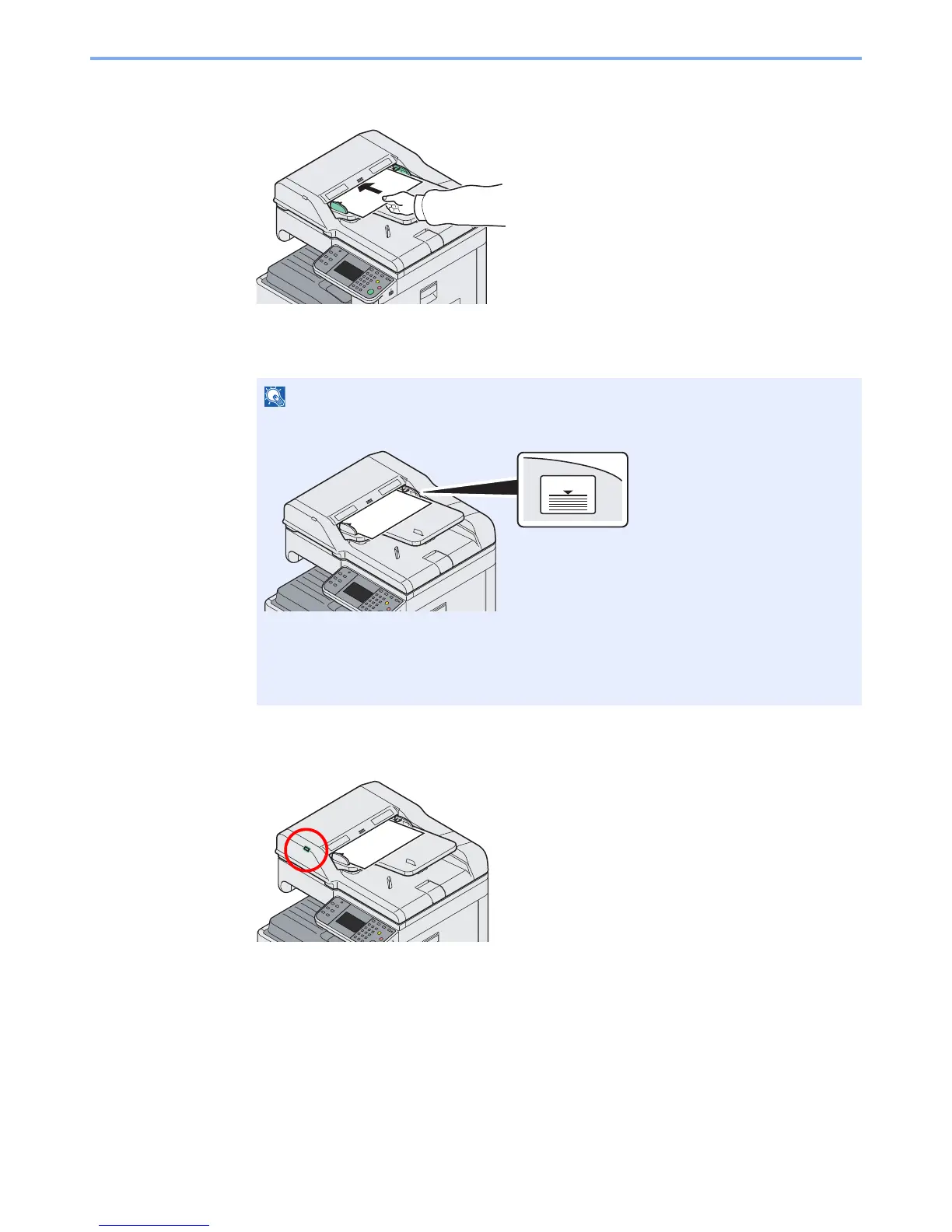
Load Originals.
?
Put the side to be scanned (or the first side of two-sided originals) face-up. Slide the leading
edge into the document processor as far as it will go.
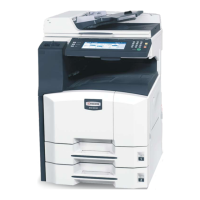
Original Loaded Indicator
The original loaded indicator lits depending on how originals are placed.
Indications and their status are as follows.
• Green (left indicator) lit: Original is placed properly.
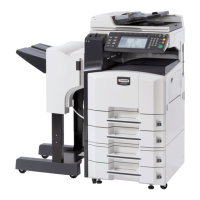
Ensure that loaded originals do not exceed the level indicator. Exceeding the maximum
level may cause the originals to jam (see the figure).
Confirm that the original width guides exactly fit the originals. If there is a gap, readjust the
original width guides. The gap may cause the originals to jam.
Originals with punched holes or perforated lines should be placed in such a way that the
holes or perforations will be scanned last (not first).











 To Next Page