2-15
Preparation before Use > Installing Software
3
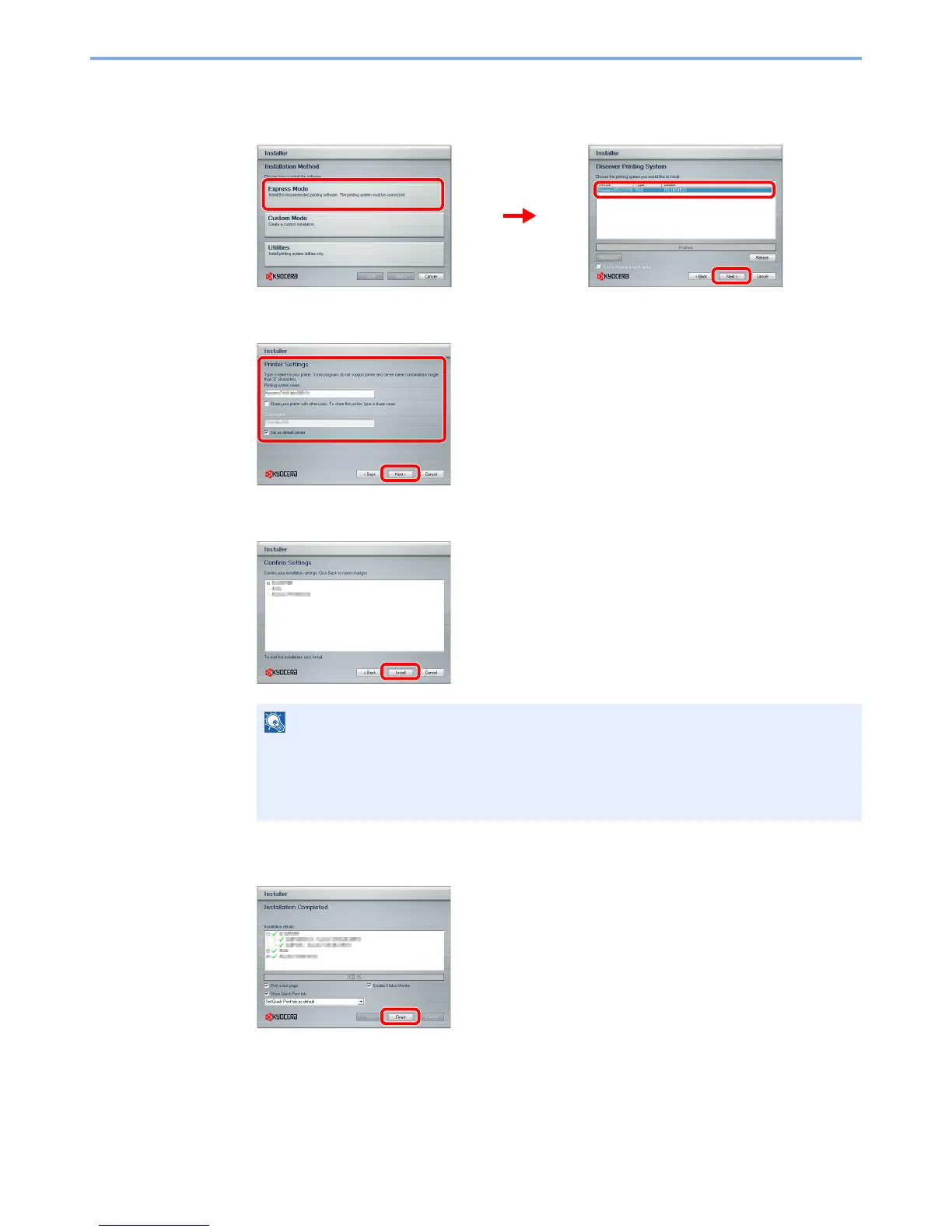
Install using Express Mode.
1 Select the print system to be installed.
2 Customize the print system name if the print system is connected via a network.
3 Start installing.
4
Finish the installation.
This completes the printer driver installation procedure. Follow the on-screen instructions to
restart the system, if required.
The TWAIN driver and WIA driver can be installed if the machine and computer are connected
via a network. You can install the WIA driver using Custom Mode.
The machine cannot be detected unless it is on. If the computer fails to detect the machine,
verify that it is connected to the computer via a network or USB cable and that it is turned on
and click Reload.
If the Windows security window appears, click Install this driver software anyway.











 To Next Page