Phone Basics 12
Install the Battery
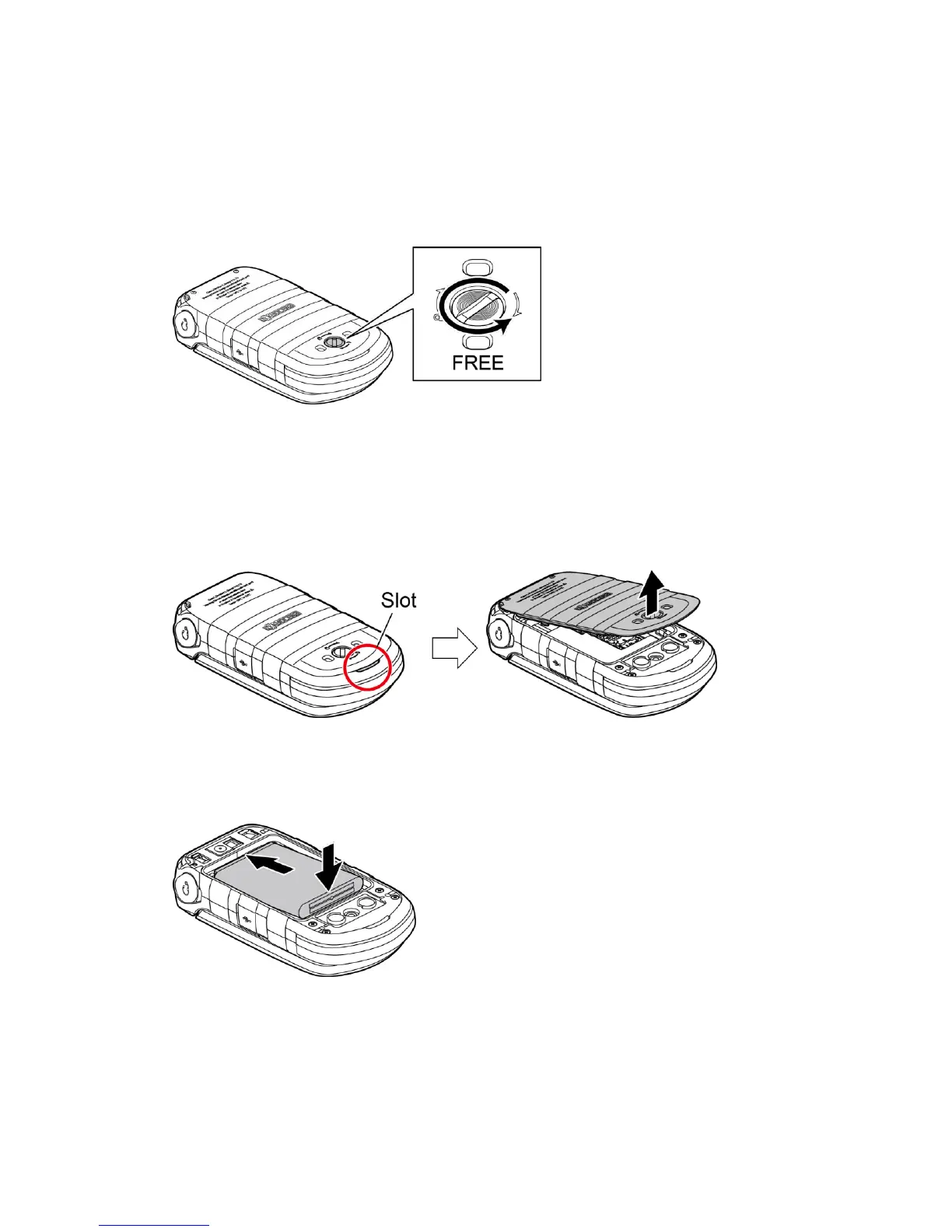
1. Using a coin, rotate the battery door screw on the back of the phone counter-
clockwise several times to loosen (you should hear a 'click' sound when the screw is
loose).
Note: The battery door screw is permanently mounted on the door and cannot be
removed.
2. Insert your fingernail into the slot at the bottom of the battery door and lift the
battery door.
3. Insert the battery into the battery compartment, making sure the connectors align.
Gently press down to secure the battery.















 To Next Page