Phone Basics 18
Back Up Within a Menu
To go to the previous menu:
►
Press .
To return to Home screen:
►
Press .
Navigation Key Shortcuts
From the Home screen, press the Up, Down, Left or Right Navigation keys to launch its
corresponding application. The Up, Down, Left or Right Navigation keys can be reassigned
to create customized shortcuts. See Navigation Key Shortcuts for more information.
Display Your Phone Number
You can display your phone number and other information about your phone.
From the Home screen, press Menu (center softkey) > Settings > System >
About phone > Status > My phone number.
Your Home Screen
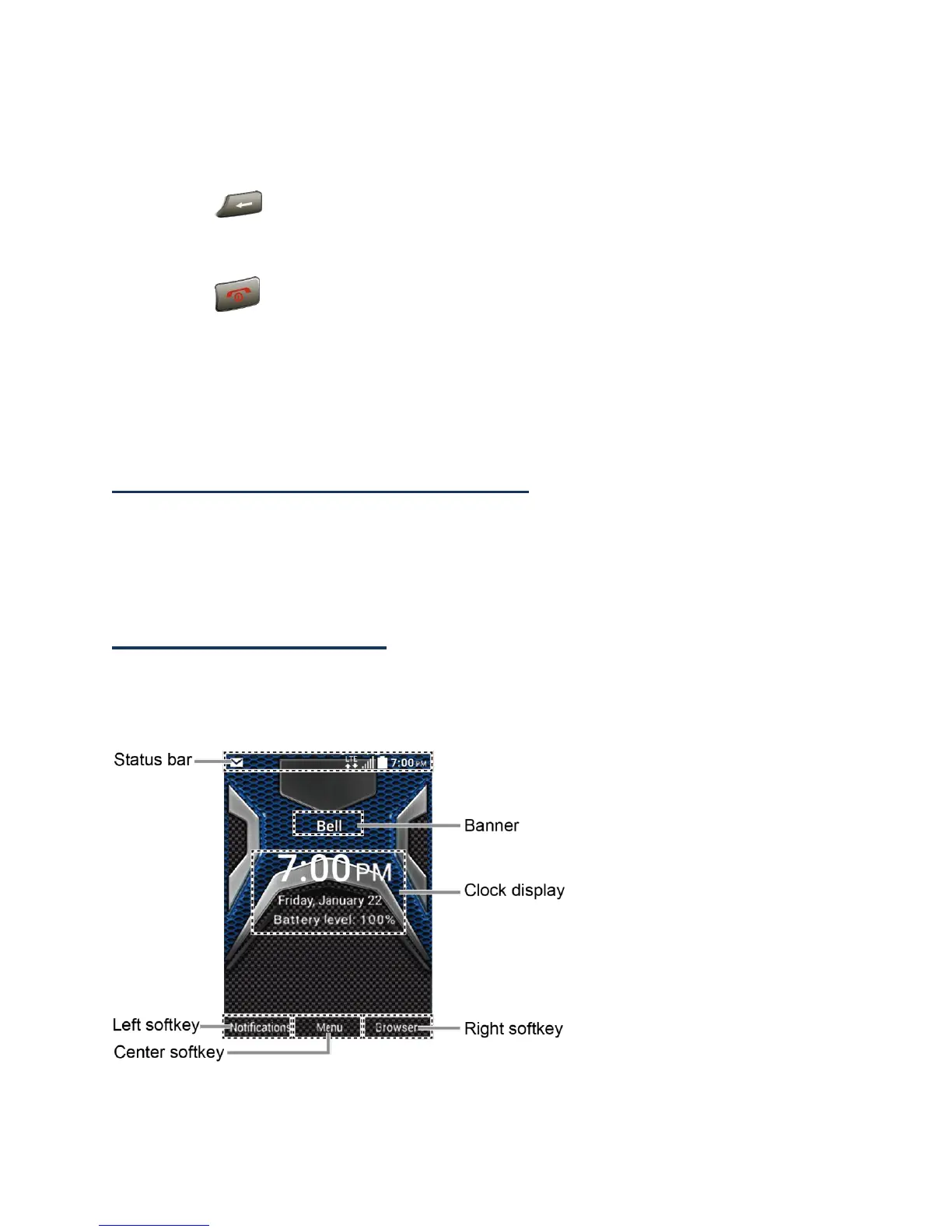
The Home screen is the starting point for your phone’s functions and menus.
Home Screen Overview
● Status bar: Displays the time and phone status icons.















 To Next Page