2P7/2R0/3PN
1-2-10
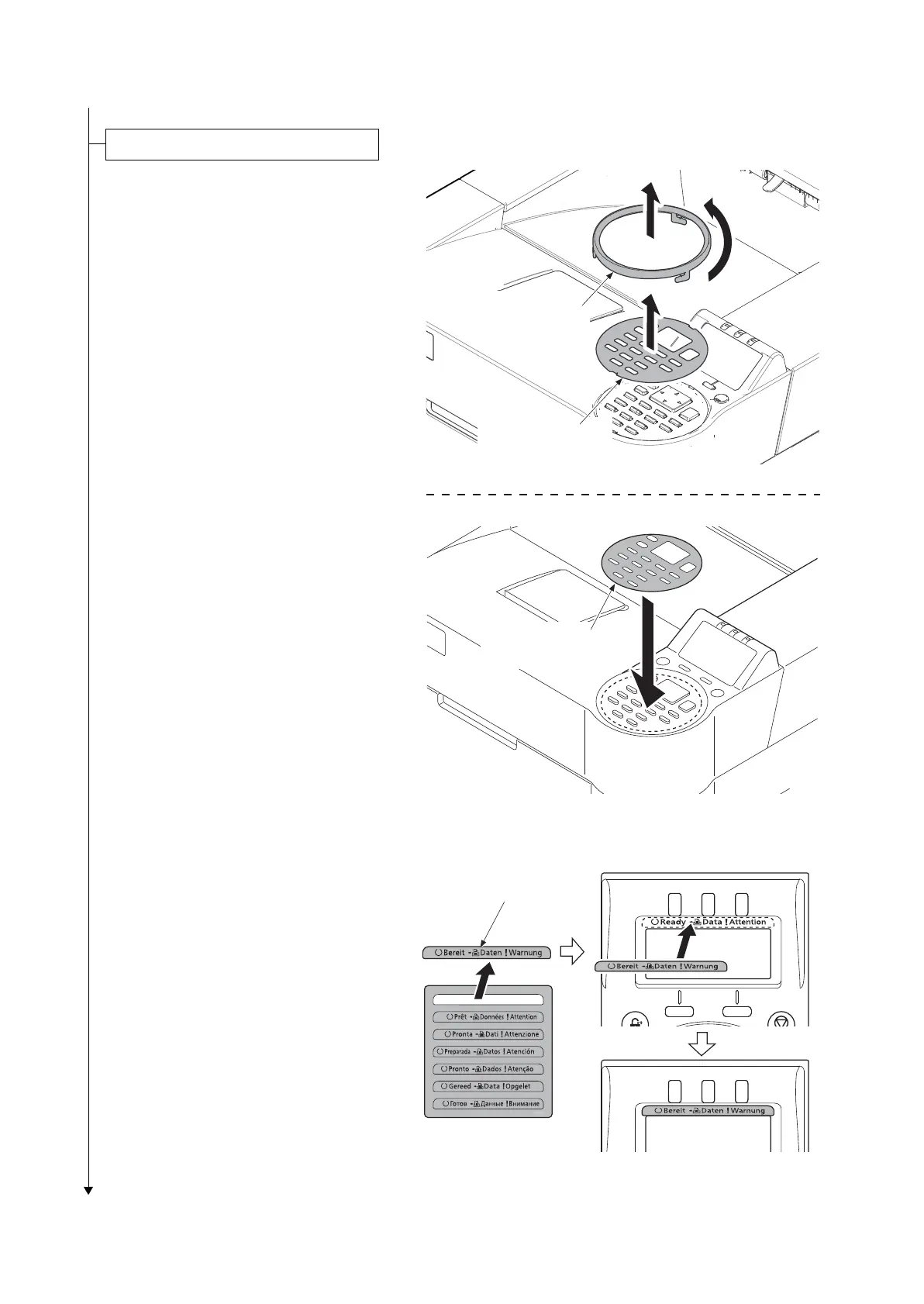
1. Rotate the operation panel ring in the
counterclockwise direction.
2. Remove the operation panel cover.
3. Replace it to the operation panel sheet
of the corresponding language.
4. Refit all the removed parts.
Figure 1-2-15
5. Stick the language sheet of the corre-
sponding language.
Figure 1-2-16
Replace the operation panel sheet
Operation panel
sheet
Operation panel
cover
Operation panel
ring
Language sheet


 To Next Page
 Loading...