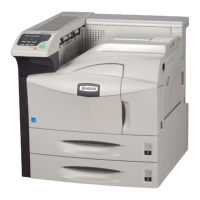
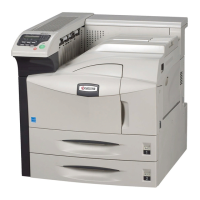
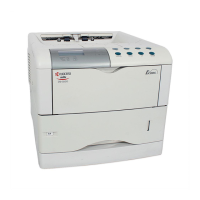
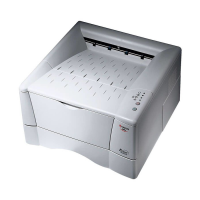
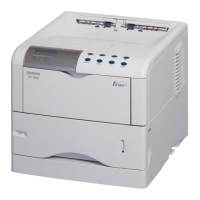
2GL/2FV/2FW
CONTENTS
1-1 Specifications
1-1-1 Specifications..........................................................................................................................................1-1-1
1-1-2 Parts names............................................................................................................................................1-1-7
(1) Printer................................................................................................................................................1-1-7
(2) Operation panel.................................................................................................................................1-1-8
1-1-3 Cross section view..................................................................................................................................1-1-9
1-2 Handling Precautions
1-2-1 Drum unit and developer unit..................................................................................................................1-2-1
1-2-2 Installation environment..........................................................................................................................1-2-1
1-3 Installation
1-3-1 Unpacking and installation.....................................................................................................................1-3-1
(1) Installation procedure........................................................................................................................1-3-1
1-3-2 Installing expansion memory (optional for 16/18 ppm printers) ..............................................................1-3-6
1-3-3 Installing a memory card (optional for 16/18 ppm printers).....................................................................1-3-7
1-4 Maintenance Mode
1-4-1 Service mode..........................................................................................................................................1-4-1
(1) Executing service mode....................................................................................................................1-4-1
1-5 Troubleshooting
1-5-1 Paper misfeed detection.........................................................................................................................1-5-1
(1) Paper misfeed indication...................................................................................................................1-5-1
(2) Paper misfeed detection....................................................................................................................1-5-2
1-5-2 Self-diagnosis .........................................................................................................................................1-5-3
(1) Self-diagnostic function .....................................................................................................................1-5-3
(2) Self diagnostic codes ........................................................................................................................1-5-4
1-5-3 Electric problems ..................................................................................................................................1-5-14
1-5-4 Image formation problems....................................................................................................................1-5-17
1-5-5 Mechanical problems............................................................................................................................1-5-23
1-6 Assembly and Disassembly
1-6-1 Precautions for assembly and disassembly............................................................................................1-6-1
(1) Precautions .......................................................................................................................................1-6-1
1-6-2 Outer covers ...........................................................................................................................................1-6-2
(1) Detaching and refitting the top cover.................................................................................................1-6-2
1-6-3 Paper feeding/conveying section............................................................................................................1-6-4
(1) Detaching and refitting the paper feed roller .....................................................................................1-6-4
(2) Detaching and refitting the transfer roller ..........................................................................................1-6-5
1-6-4 Process section.......................................................................................................................................1-6-6
(1) Detaching and refitting the developer unit and drum unit..................................................................1-6-6
(2) Drum unit optimization.......................................................................................................................1-6-7
(3) Detaching and refitting the main charger unit....................................................................................1-6-8
1-6-5 Fuser unit................................................................................................................................................1-6-9
(1) Detaching and refitting the fuser unit.................................................................................................1-6-9
(2) Detaching and refitting the heater lamp, heat roller, fuser thermistor, thermal cutout,
and press roller................................................................................................................................1-6-11
1-6-6 PWBs....................................................................................................................................................1-6-15
(1) Detaching and refitting the main PWB (16 ppm GDI printer) ..........................................................1-6-15
(2) Detaching and refitting the main PWB (16/18 ppm printers)...........................................................1-6-16
(3) Detaching and refitting the engine/high voltage PWB and power source PWB ..............................1-6-17
1-6-7 Others ...................................................................................................................................................1-6-20
(1) Detaching and refitting the laser scanner unit.................................................................................1-6-20
(2) Detaching and refitting the eraser lamp (PWB)...............................................................................1-6-22
(3) Detaching and refitting the drive unit...............................................................................................1-6-23
(4) Detaching and refitting the main motor ...........................................................................................1-6-24



 To Next Page