6-8
Sending > Preparation for Sending a Document to a PC
2
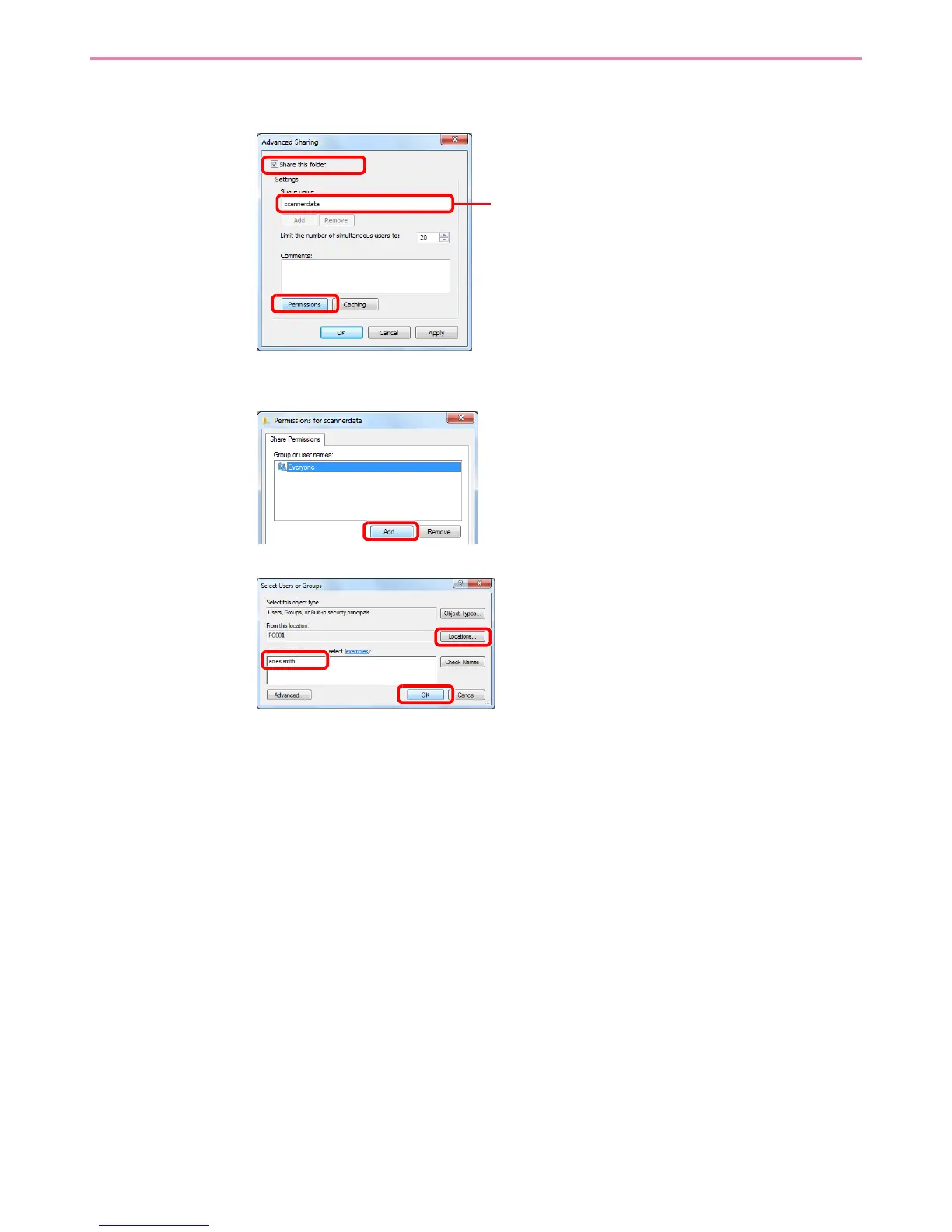
Configures permission settings.
1
In Windows XP, select Share this folder and click the Permissions button.
2
3
Enter the user name in the text box.
Click the [Location] button and select the desired location. To select the search target, click a
location to select it. When you are a member of a domain, your current domain will be set as
the search target by default.
1
2
Make a note of the Share name.
1
3
2


 To Next Page