6-9
Sending > Preparation for Sending a Document to a PC
4
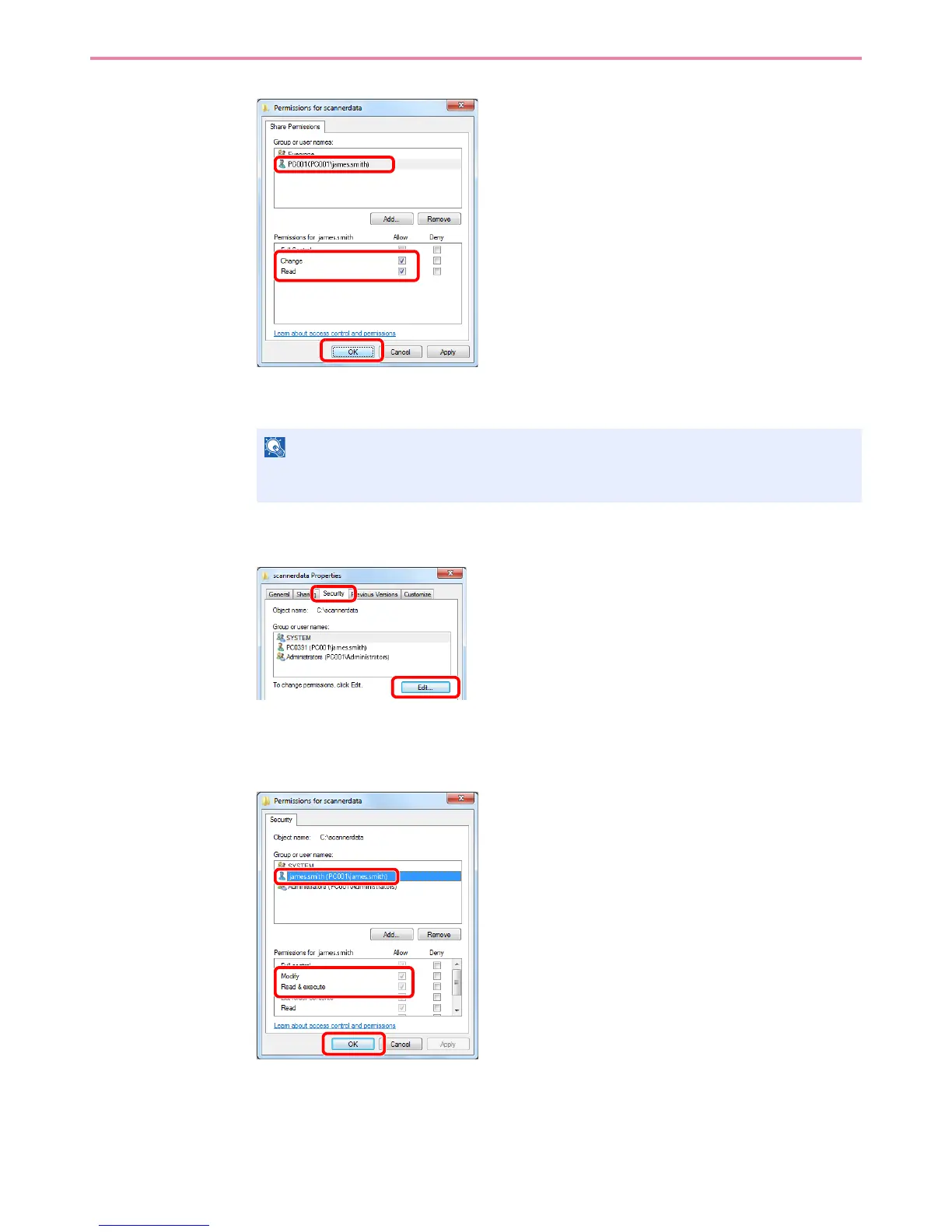
Select the entered user, select the Change and Read permissions.
In Windows XP, go to step 6.
5 Click the OK button in the Advanced Sharing screen to close the screen.
6
In Windows XP, click the Security tab and then click the Add button.
7 Proceed in the same way as in step 3 to add a user to Group or user names.
8
Select the added user, select the Modify and Read & execute permissions.
NOTE
"Everyone" gives sharing permission to everyone on the network. To strengthen security, it
is recommended that you select Everyone and remove the Read permission checkmark.
1
2
3
1
2
1
2
3



 To Next Page