6-25
Sending > Registering Destinations in the Address Book
Refer to Character Entry Method on page 11-7 for details on entering characters.
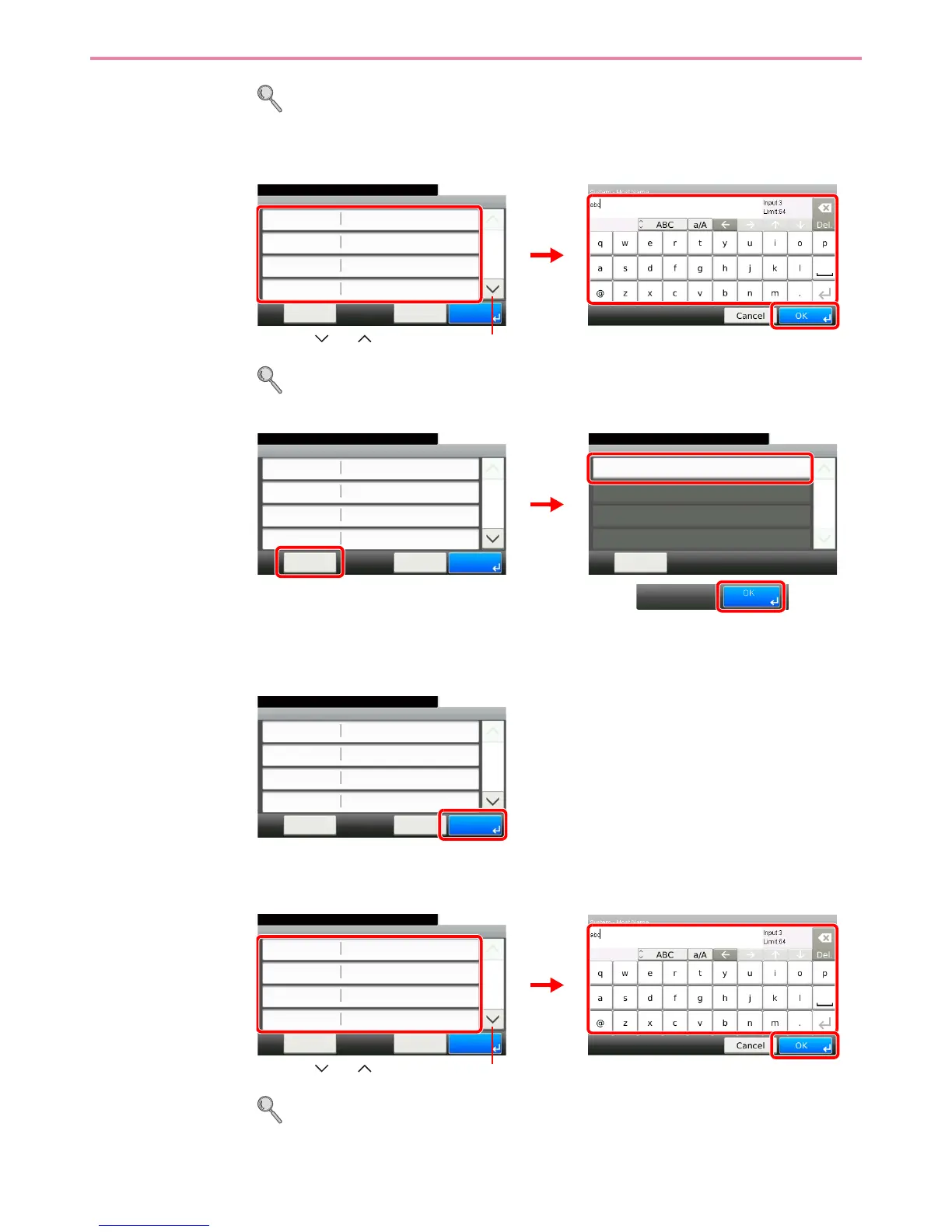
The Folder (SMB) Address
1 Enter Host Name, Path, Port, Login User Name and Login Password.
For more information, refer to Specifying a New PC Folder on page 6-18.
2 Confirm the connection status.
Connected. appears when connection to the destination is correctly established. If Cannot
connect. appears, review the entry.
3
The Folder (FTP) Address
1 Enter Host Name, Path, Port, Login User Name and Login Password.
For more information, refer to Specifying a New PC Folder on page 6-18.
SMB
10:10
Menu
Ready to send.
Path
Port
Login User Name
Host Name
139
Cancel
1/2
OK
GB0705_02
1
GB0057_15
2
3
Use [ ] or [ ] to scroll up and down.
Menu
Connection Test
10:10
Close
1/1
SMB
10:10
Menu
Ready to send.
Path
Port
Login User Name
Host Name
139
Cancel
1/2
OK
abc
abc
abc
GB0705_03
GB0696_00
2
1
3
SMB
10:10
Menu
Ready to send.
Path
Port
Login User Name
Host Name
139
Cancel
1/2
OK
abc
abc
abc
GB0705_03
FTP
10:10
Menu
Ready to send.
Path
Port
Login User Name
Host Name
21
Cancel
1/2
OK
GB0709_02
1
GB0057_15
2
Use [ ] or [ ] to scroll up and down.
3


 To Next Page
 Loading...








