ESI-2000
Pilot’s Guide 3-3
Operating Instructions
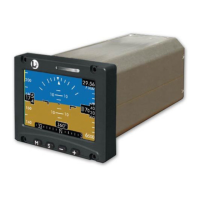
ALIGNMENT (Refer to Figure 3-3)
During alignment indicated airspeed, altimeter, and barometric pressure
begin displaying information while the attitude data is replaced with
an “Aligning” message along with a status bar and heading window (if
congured) has a red “X” displayed.
Figure 3-3: Alignment Screen (Not In Flight)
NOTES
While the indicator is aligning, the user may enter the Menu
window to adjust brightness levels, set the baro value, and
view the status screen.
Release 1.2. The heading tape and readout is available
during alignment if the ESI-2000 is congured to receive
external digital heading and heading data is valid.
1.
2.
Within 3 minutes of application of power, the “Aligning” message
and status bar are replaced by attitude display elements. The
attitude aligns to less than or equal to 1° of vertical in pitch and roll.
If the indicator is congured for a magnetometer and receiving heading
information; within 3 minutes of application of power, the heading tape
and readout align to less than or equal to 2° of the heading reference.
•
•
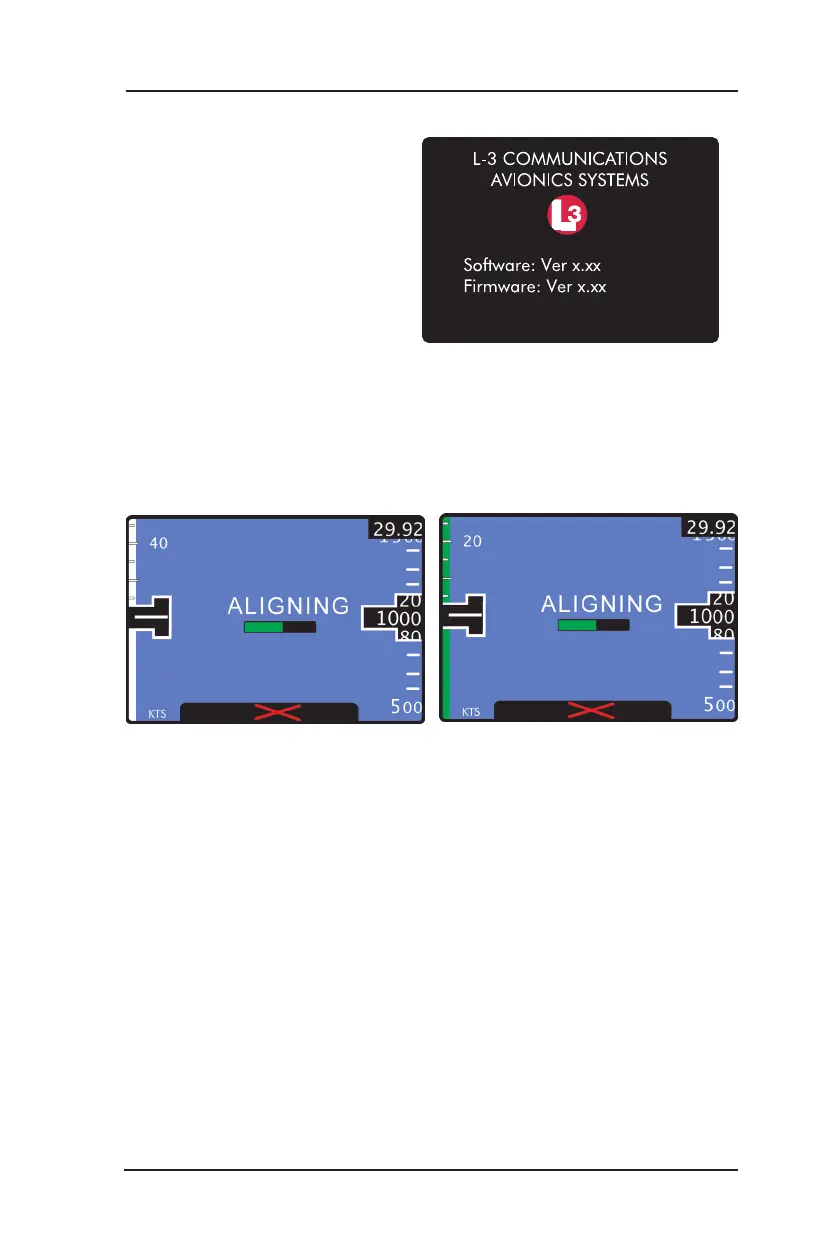
SYSTEM IDENTIFICATION (Refer to Figure 3-2)
The system identication splash
screen display’s the following
information: Company logo,
software and rmware version
information. After about 15
seconds the indicator begins to
align itself.
Figure 3-2: Example of System ID Screen
Alignment Screen for Part 23/25 Aircraft Alignment Screen for Part 27/29 Aircraft


 To Next Page