ESI-2000
Pilot’s Guide 3-7
Operating Instructions
IN-FLIGHT SCREEN EXAMPLES (Continued)
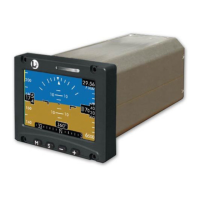
Figure 3-8
depicts a display
congured with heading, xed roll pointer,
metric altitude readout,
and gray colored tape areas The display is shown
ascending while banking to
the right with the airspeed
awareness bar in the normal
operating range (appearance
similar for both Part 23/25
and Part 27/29 aircraft).
Notice how the roll scale has
rotated in the same direction
as the pitch ladder.
Figure 3-8: Display Ascending Right Bank
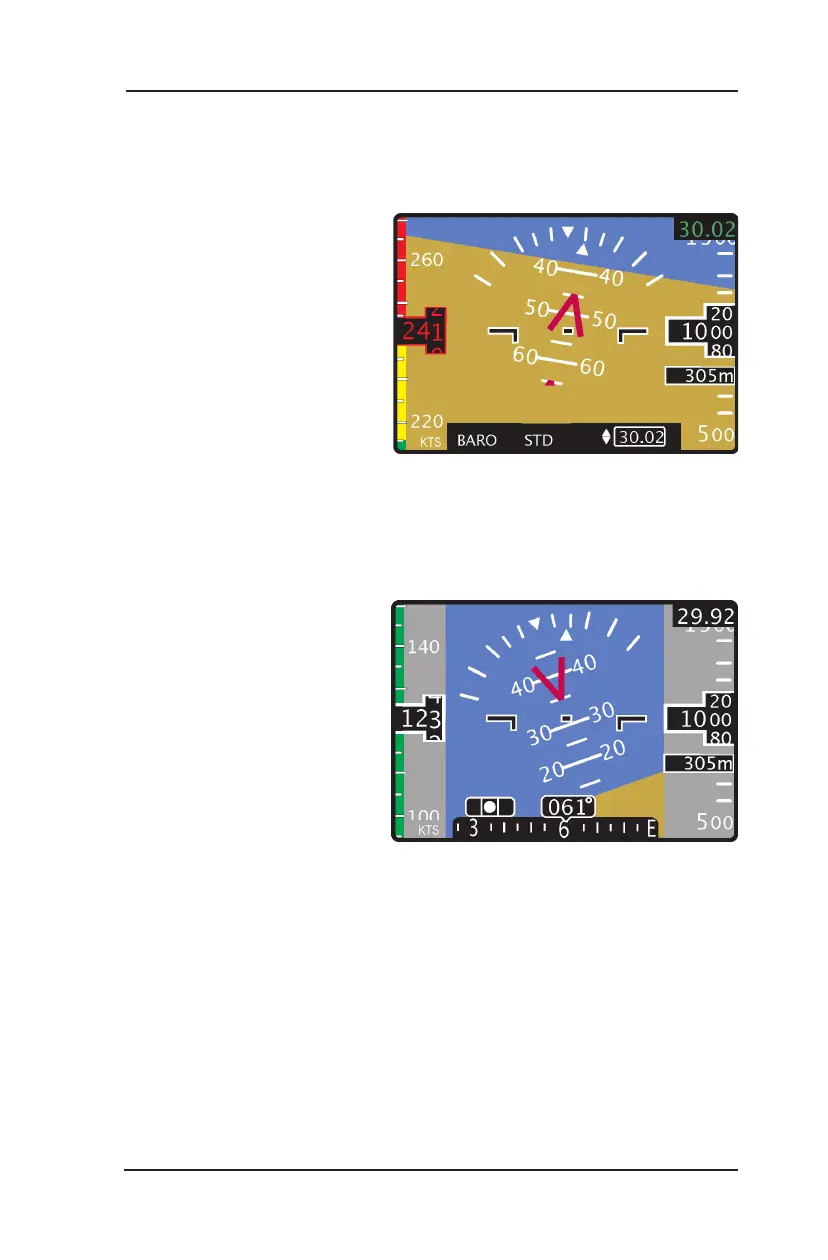
Figure 3-7
)
depicts a display congured with heading, rotating roll pointer,
metric altitude readout,
the baro color congured green, and airspeed
congured for V
NE
. (Part 23
aircraft). The display is shown
with the baro menu window
active causing the heading
information to be removed.
In addition the airspeed
awareness bar is indicating a
high speed warning.
Figure 3-7: Display Showing Menu Window


 To Next Page