ESI-2000
Pilot’s Guide 3-15
Operating Instructions
ERRORS AND INVALIDITIES (Continued)
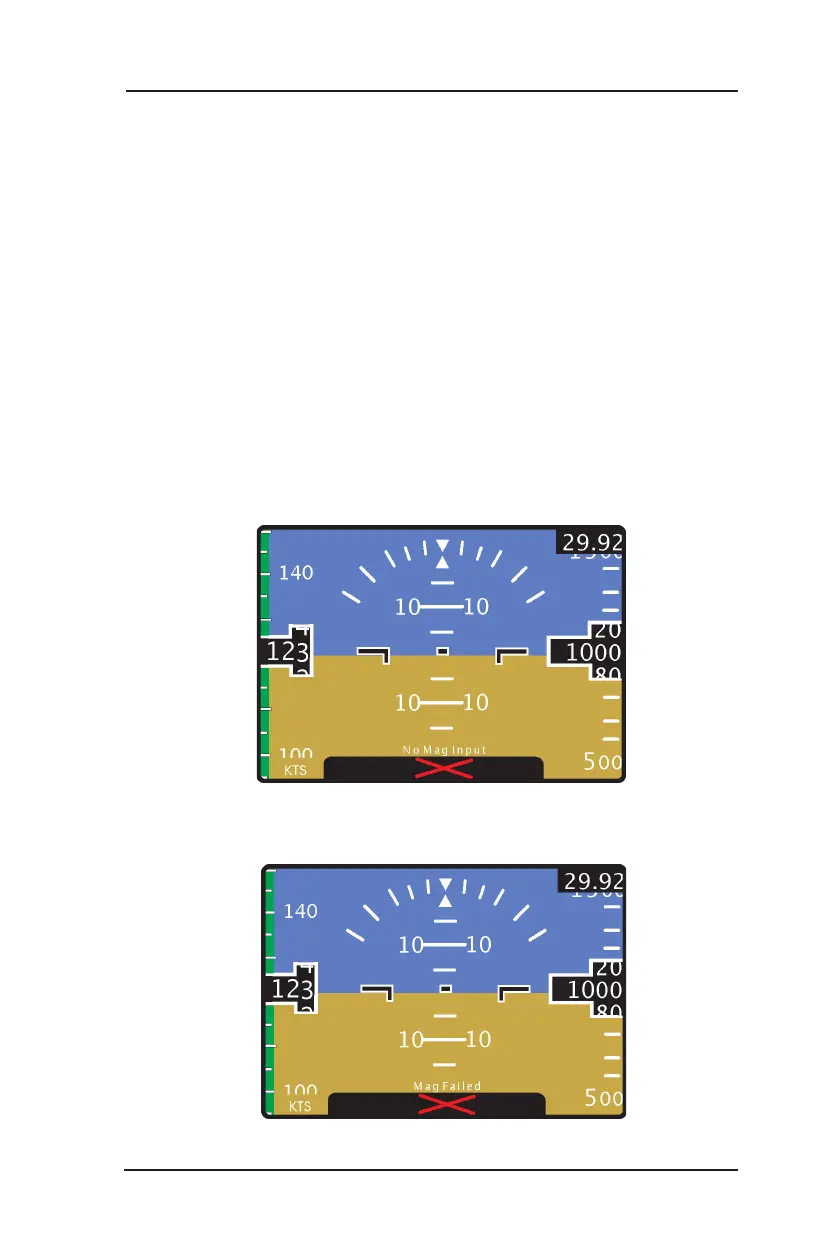
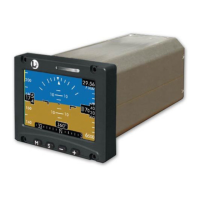
Magnetic Heading Invalidity with Message (Refer to Figure 3-18 & 3-19)
If magnetic heading data becomes invalid during operation, the heading tape
is lled with a red X and the heading digital readout is removed, replaced by
either a “No Mag Input” or “Mag Failed” message.
If magnetic heading data becomes valid the display elements automatically
reset to normal operation. A re-alignment is recommended.
NOTE
Release 1.0 & 1.1. The alignment menu select is not
available while the heading is invalid for part 27/29
Rotorcraft.
If invalidity continues to be observed refer to Chapter 4 Troubleshooting.
Figure 3-18: Heading Invalidity (No Mag Input)
Figure 3-19: Heading Invalidity (Mag Failed)


 To Next Page