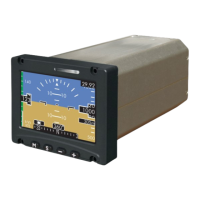
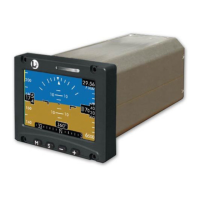
ESI-2000
Pilot’s Guide 4-5
Troubleshooting
CONDITION CAUSE/CORRECTIVE ACTION
Continued from
previous page.
• If the invalidity continues to be ob-
served after power cycle there may
be a problem with the Mag connec-
tion or the Mag may be defective.
Have Mag checked by certied
service center.
Release 1.0 & 1.1: For Part 27/29 rotor-
craft the alignment menu selection is not
available.
Release 1.2: For Part 27/29 rotorcraft the
alignment menu selection is available.
Re-alignment through the alignment
menu is recommended if the heading
tape and digital readout return.
Heading digital readout
is removed and heading
tape elements replaced
with red X during
normal operation (after
aligning is complete).
Version 1.2 only.
ESI-2000 congured for
external heading source
only.
One of the following conditions are de-
tected.
1. If a “No 429 Input” message is shown
above the heading tape, then external
429 data is not being received.
• If the LRU providing external
heading input data begins working
the message is removed and the
heading tape and digital readout
return.
• If the heading tape and readout do
not become active, check break-
ers for the LRU providing external
heading input data.
• If the breakers are closed; cycle
power to the ESI-2000 and the
LRU providing external heading
input data.
• If the invalidity continues to be
observed after power cycle, the
LRU providing external heading
input data or the wiring between
the LRU and the ESI-2000 may be
defective.
< Continues on next page >
Corrective Actions (continued)


 To Next Page
 Loading...