Chapter 2 - Hand Controller Controls TM00358 Rev. A
October 2007 L-3 WESCAM
10 All Rights Reserved
2.1 HAND CONTROLLER CONTROLS
Operators can use the Hand Controller to perform the following functions:
• Turn turret power ON or OFF
• Steer the turret
• Control system sensors
• Change mode settings
• Access and navigate the user menus
• View power and laser status indicator LEDs
The Hand Controller is used for the most common operator functions. All operator control descriptions, assume
default settings of the Level 2 Operator Gimbal Menu. A number of parameters in the Level 2 Operator Gimbal
Menu can be used to tailor operation of the Hand Controller; however, tailoring is optional and not normally required.
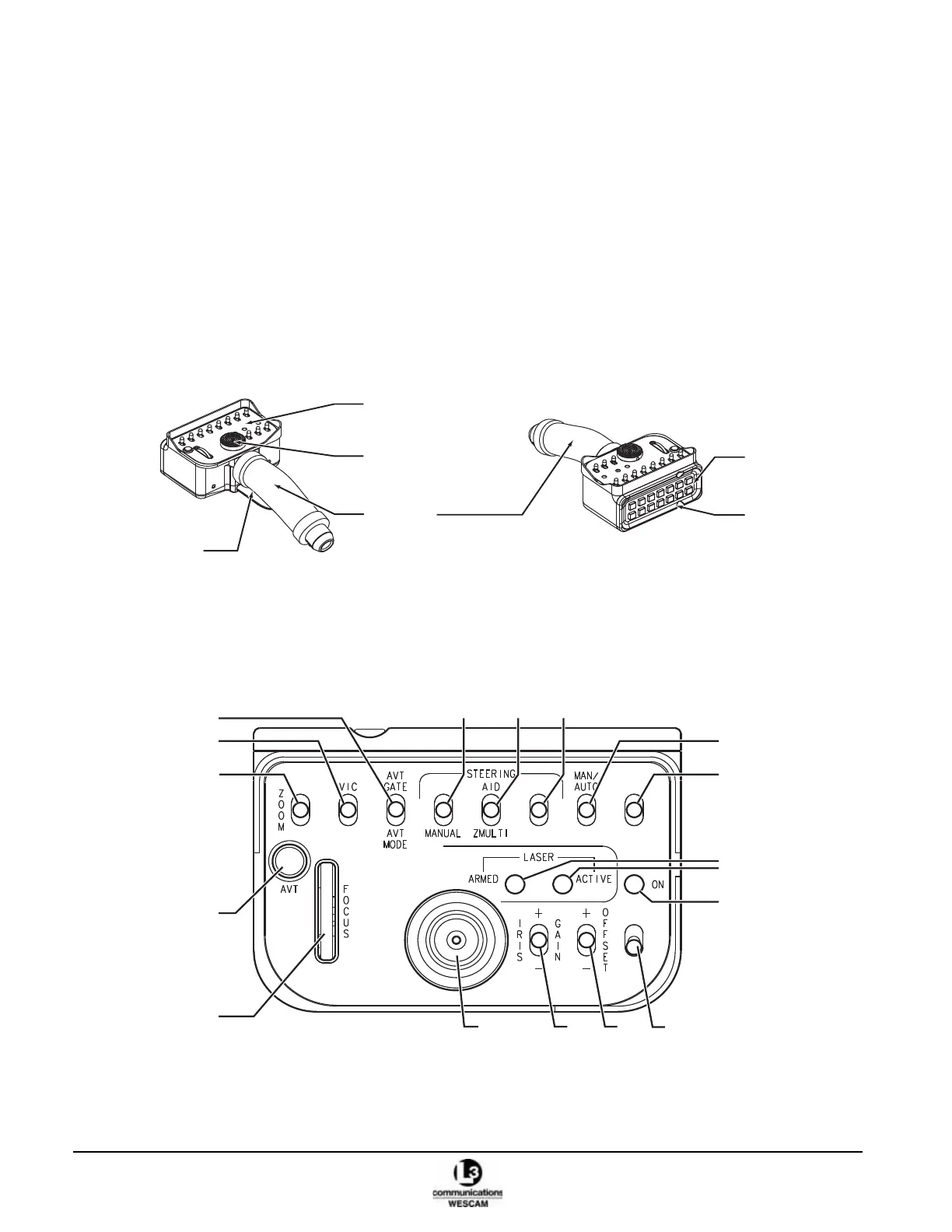
Figure 2-1 Hand Controller
2.1.1 Hand Controller – Primary Switch Controls
Figure 2-2 Hand Controller Face Plate Switches
Joystick
Face plate controls
Top buttons
Handle Position detents
Deadman lever
IMAGE
MODE
FWD
IMAGE
INT
FILTER
AUTO
SLEW
1
2
3
456
7
8
1011
15
16
17
12
13
14
9



 To Next Page