Chapter 2 - Video Status Overlays TM00358 Rev. A
October 2007 L-3 WESCAM
24 All Rights Reserved
2.2.5 System and Sensor Status Graphics
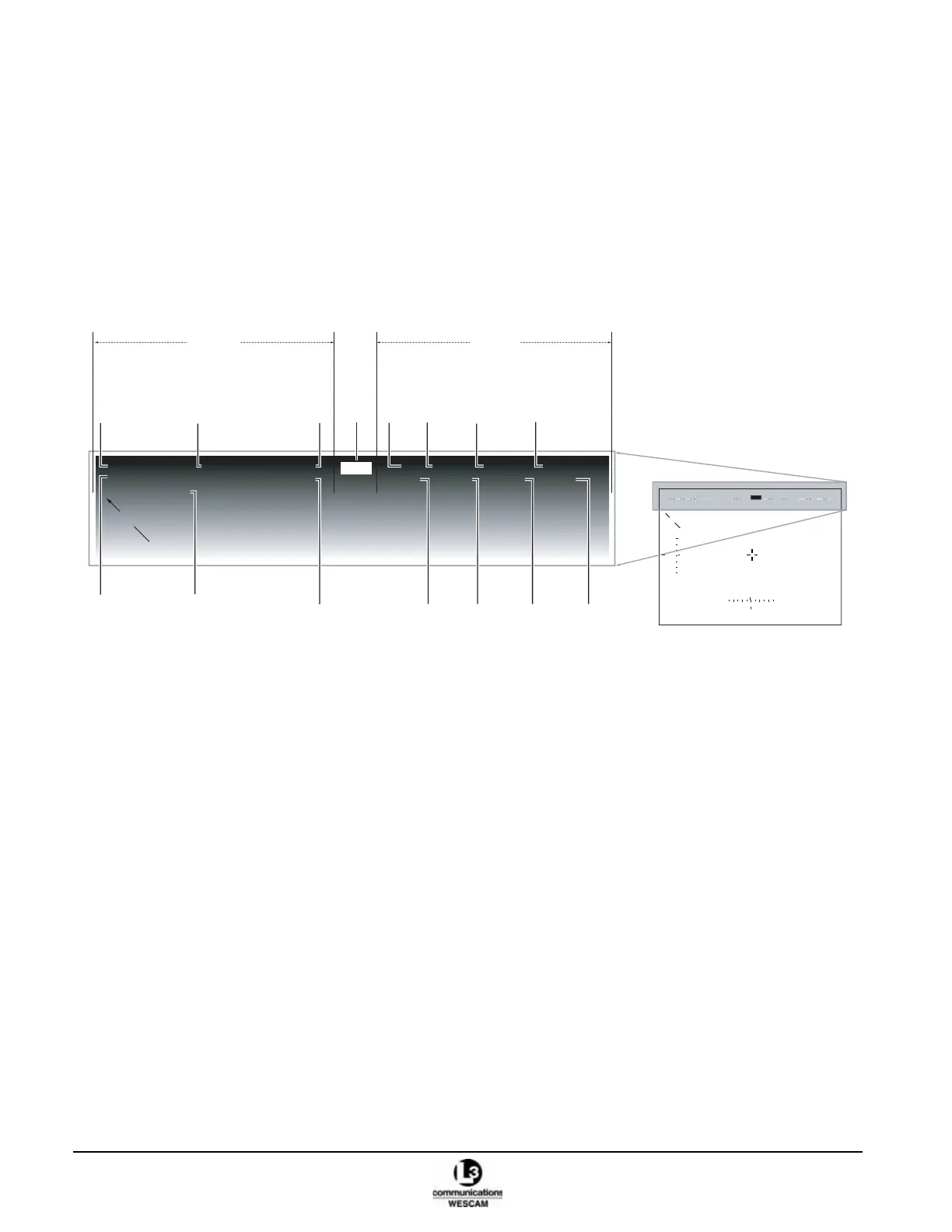
The MX-15i system status information is located at the top of the video display. System status information is
presented to the left side:
• Date & time, steering modes, and video image optimization.
Sensor optic settings are presented on the right side:
• Focal length, filtering, sensitivity mode, and focus distance.
The video-in-control is presented at top-center:
• Current sensor being controlled by the operator.
Figure 2-15 MX-15i System Video Overlay
Date and Time. Displays the current date and time. The values can be set by the operator.
UTC Offset. The UTC (Coordinated Universal Time) is based on Greenwich Mean Time (GMT). The offset allows
local time setting to be shown by inputting the offset value from GMT. This field will only display UTC when a GPS
time-code is being received. If no GPS time-code is being supplied this graphic will be displayed as USER.
Steering Modes. Displays the current turret steering mode. Possible values can be:
• SCAN – Autoscan mode.
• MAN – Rate (Manual) mode. When ZMULTI is enabled, the MAN graphic will be displayed in reverse video.
• FWD – Forward mode.
• RAID – Rate Aid mode.
• AUTO – Auto Track (Geo-Position) or Geo-Slew (Auto Slew) mode (same status symbol for both).
• AAID – Auto Aid mode.
• STOW – Stow mode.
• DIS – Disable mode.
Note: When ZMULTI is enabled, the MAN, RAID & AAID graphics will be displayed in reverse video.
22NV2006
09:45:12
USER+0.0
MAN
TEM
SPA
EOW
90
2X
COL
DFLT
AUTO
50
2000
2%
ACFT
27:46:12N
82:57:16W
352°
11050FT 679FT
153°
35.3NM
TGT LOS
27:46:05N
82:57:22W
01
00
-01
N
34 35 00 01 02
N
Date
Time
UTC
Offset
Steering
Mode
Temporal
Processor
Video
in
Control
Focal
Length Filter
Sensitivity
Mode
Focus
Distance
Spatial
Processor
Digital
E-Zoom
Scene
Setup
Black
Level
Focus
Trim
System
Status
Sensor
Optics
22NV2006
09:45:12
UTC+0.0
MAN
TEM
SPA
EOW
90
2X
COL
DFLT
AUTO
50
2000
2%
NV
:4
:1
U
ER+0.
TE
PA
W
T



 To Next Page