TM00358 Rev. A Chapter 2 - User Menu Navigation
L-3 WESCAM October 2007
All Rights Reserved 27
2.3 USER MENU NAVIGATION
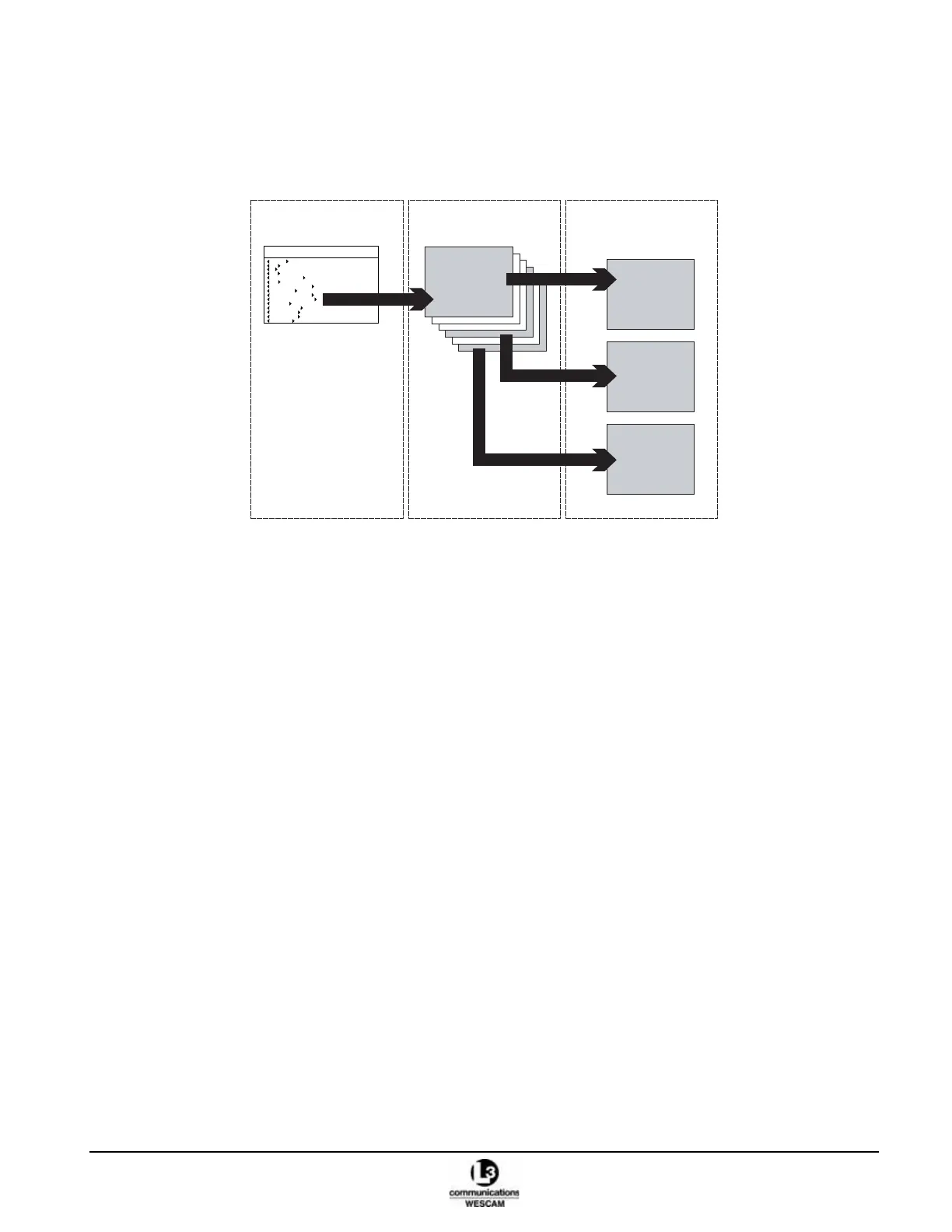
Menus provide access to system status information and other infrequently used operator controls. The user menus
are structured in a three-level hierarchy where a main menu provides entry access to two levels of sub menus.
Figure 2-19 Menu Structure
2.3.1 Menu Components
Each menu will display four functional elements:
• Title Bar – identifies the navigational position level within the menu hierarchy.
• Status Indicators – software measured feedback information related to a sensor or system control. These
fields cannot be modified.
• Value Fields – configuration parameters the operator can modify to set new values. These fields are
identified by
XinwardW pointing arrows.
• Action Fields – commands that operators execute to either initiate an action or display a new menu. These
fields are identified by
WoutwardX pointing arrows.
SYSTEM STATUS
(Main menu)
2
nd
LEVEL
(Sub menu)
3
rd
LEVEL
(Sub menu)
LEVEL 1 - SYSTEM STATUS
EOW OK OPERATIONAL
IR OK OPERATIONAL
RANGE FINDER OK OPERATIONAL
AVT OK OPERATIONAL
IMAGE PROCESSOR OK OPERATIONAL
VIDEO I/O OK OPERATIONAL
OPERATOR GIMBAL
GIMBAL OK OPERATIONAL
EON OK OPERATIONAL
OPERATOR PAYLOAD
MISSION
OVERLAY EOW
OVERLAY IR
OVERLAY ON
PROFILES DEFAULT



 To Next Page