Chapter 2 - Hand Controller Controls TM00358 Rev. A
October 2007 L-3 WESCAM
14 All Rights Reserved
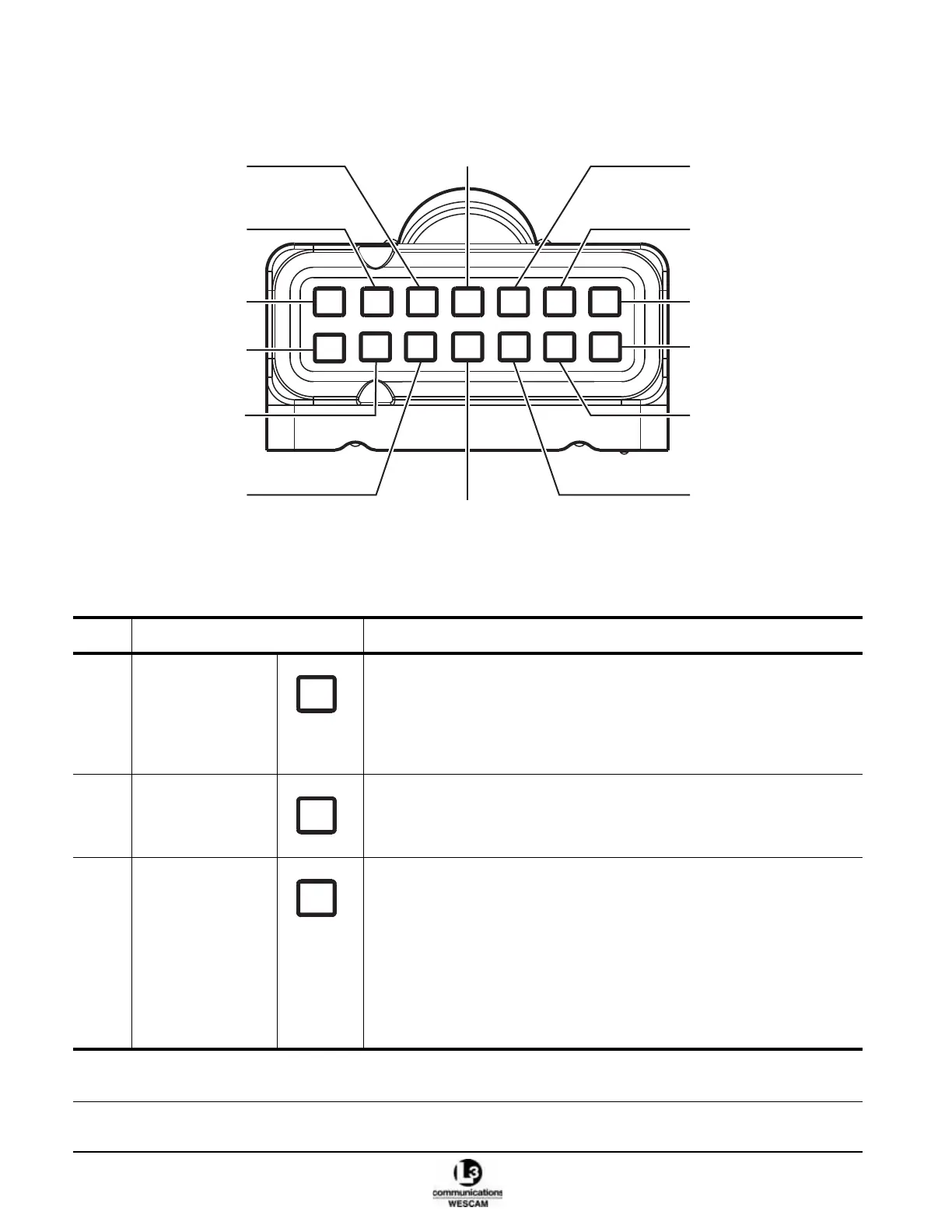
2.1.2 Hand Controller – Secondary Button Controls
Figure 2-3 Hand Controller Top Buttons
Table 2-2 Hand Controller Secondary Button Control Functions
Item Control Description
(1) MENU button Menu:
• Press once to display the user menus.
• When in a user menu, press once to select a menu option.
• Press and hold for 2 seconds to exit from all user menus.
Sensor:
• For the Video-In-Control, press to clear displayed Pop-up alerts.
(2) *LASER button • Press and hold for 2 seconds to fire the Laser Illuminator.
Note: Laser will only fire when all arming conditions are met.
(3) *GEO FOCUS
button
• Press to enable or disable sensor Geo Focus.
• Push and hold for 2 seconds to enable Geo Focus Trim mode. Use the
focus wheel to adjust the sensor’s focus.
• When in Trim mode, press once to return to Geo Focus with trim settings
applied.
Note: In Geo-focus mode, all sensors are auto-focused to a distance set by
the range-to-target value.
Note: In Trim mode, the focus wheel sets a trim offset that compensates for
errors in calculated or measured target distances.
* Optional functions. These controls will have no effect if the hardware or software features have not been integrated as part
of the turret system.
1
2
3
4
5
6
7
8
9
10
11
12
13
14
2X
LASER
GEO
FOCUS
LRF
MAP
IR
GATE
STOW
TX
CNTRL
AUTH
POL
IR
CAL
SCENE
MENU



 To Next Page