Echo Liquid Handler Software 5-53
5.5 Advanced window
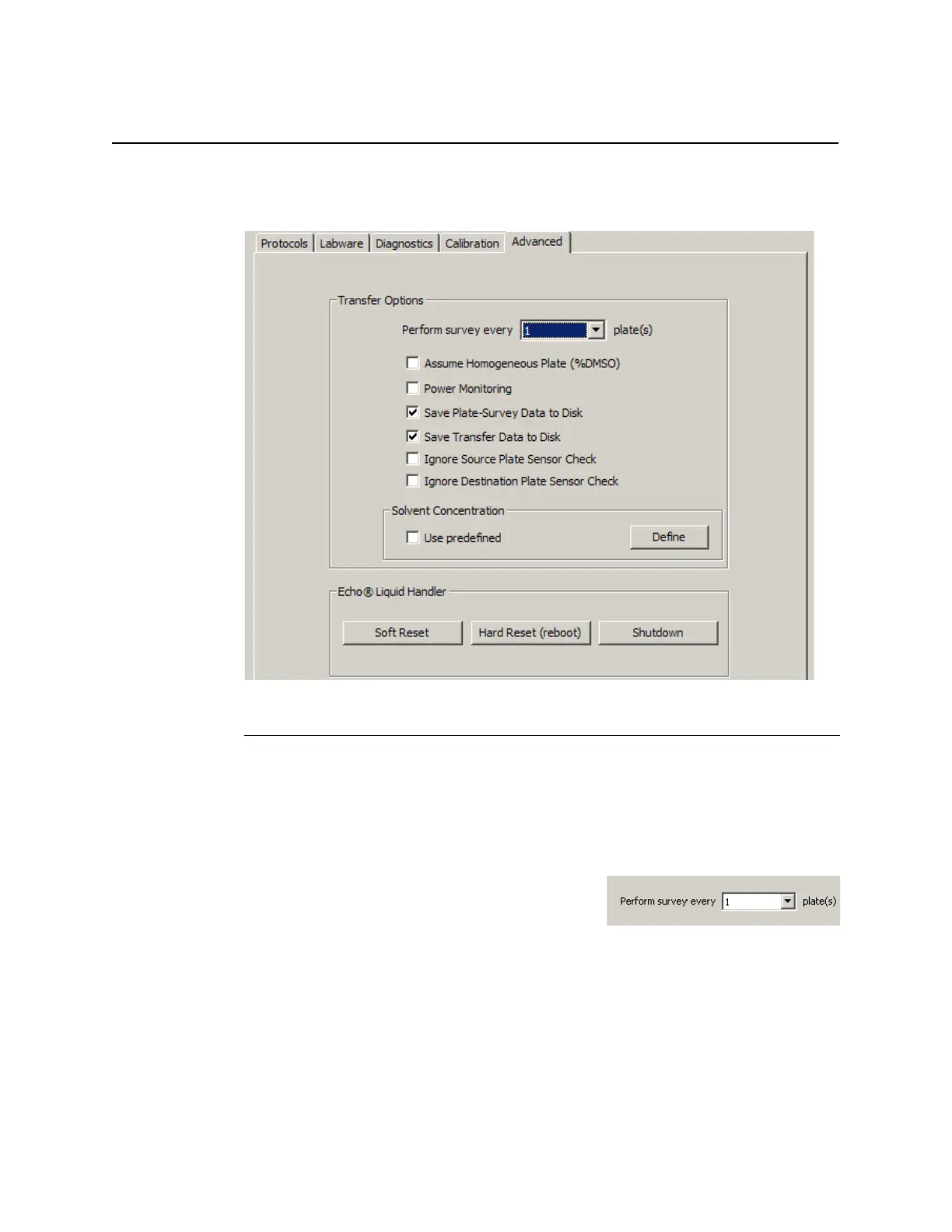
The ADVANCED window provides additional controls that may be useful to
the experienced Echo user.
Figure 5.49 Advanced window
5.5.1 Advanced liquid transfer controls
Each of these controls affects transferring fluids from a source plate to a
destination plate. They are global in scope, and affect the execution of each
liquid transfer protocol that is run. Each setting has a default state enforced
when the Echo software is launched or restarted. User choices are not
stored or remembered upon shutdown.
Survey interval: Select the interval
between source plate surveys by choosing
a value from the PERFORM EVERY SURVEY
drop-down list.
The default setting of “every 1 plate” causes the source plate to be
surveyed every time a new source or destination plate is loaded. A survey
can take anywhere from 60 seconds to 2 minutes.
A survey will always be performed when a new source plate is loaded.



 To Next Page