Installation and Relocation 2-7
2.3.1 Install the software
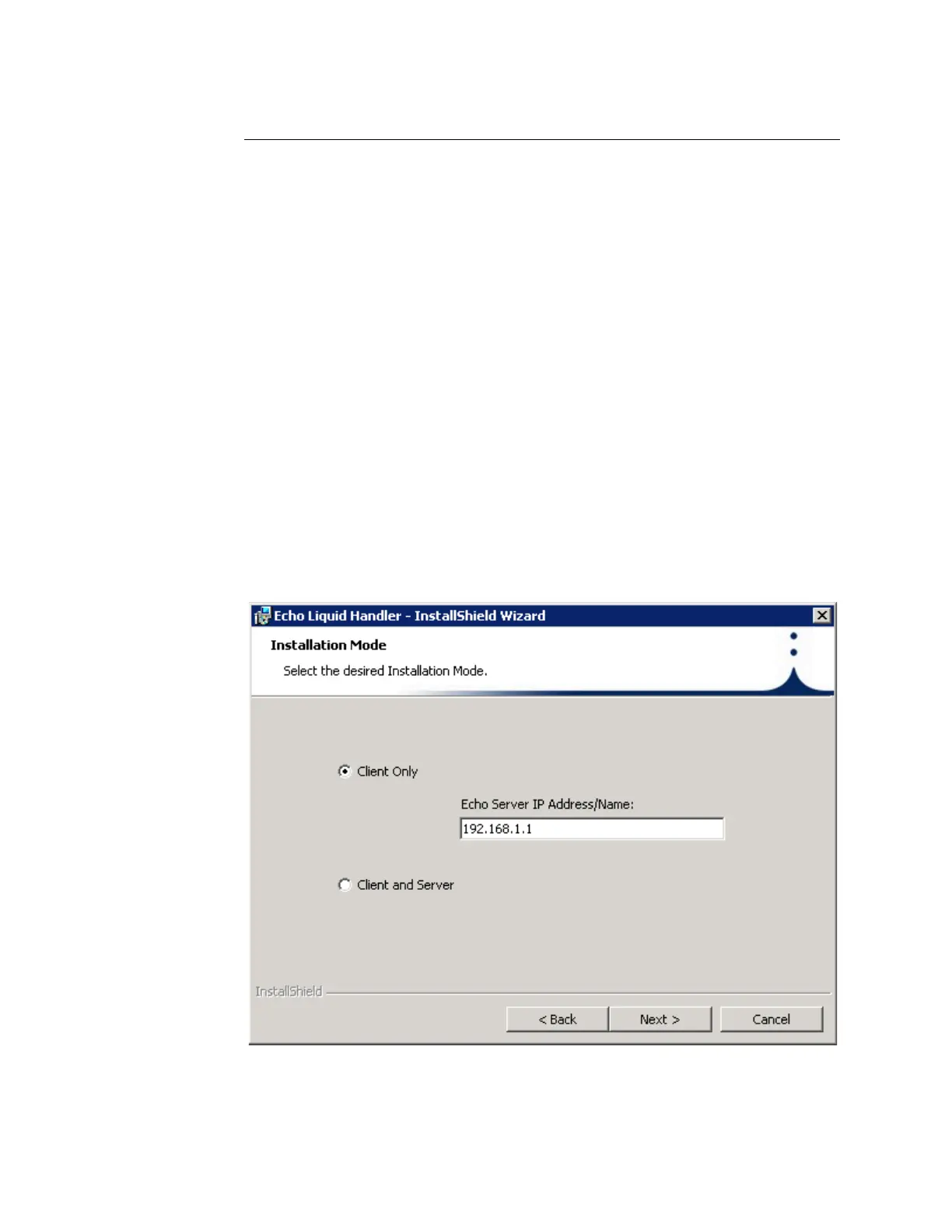
The following procedure describes installation of Client (Only) software. For
information on installing Client + Server software, refer to the Labcyte Echo
Integration Guide.
To install Echo liquid handler software:
1. Insert the Echo liquid handler software installation CD into the CD drive.
The installation should automatically start.
If the installation does not start:
a. Go to My Computer and double-click the drive icon for the CD drive.
b. Look for setup.exe in the directory on the CD and double-click the
icon.
c. Select Install Client (Only)
2. Enter the Host Name or IP address that will be used by the Echo server.
The Echo liquid handler comes pre-configured with IP address
192.168.1.1 and a subnet mask of 255.255.0.0. If you cannot use this IP
address, run the Echo Admin Client on the Echo Server 2.4 disk to enter
a different IP address.
Figure 2.3 Entering host name



 To Next Page