System Description 3-3
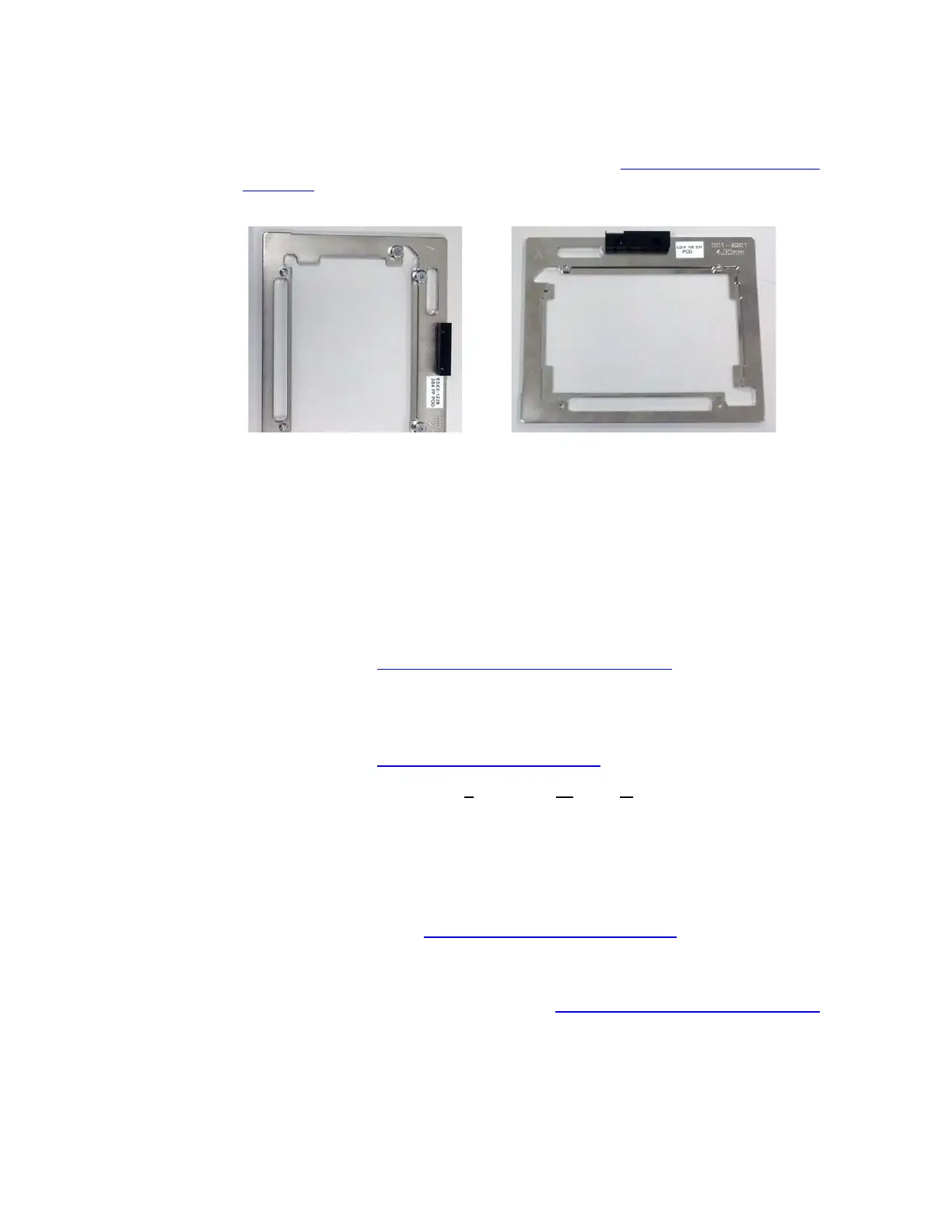
Source plate insert: The plate insert fits between the source plate and
plate gripper to ensure that the source plate is properly positioned. For
more information and table of insert types, see “
Source plate insert” on
page 3-6.
Figure 3.2 Plate inserts
Status indicator lights: There are three status indicator lights on the front
of the Echo liquid handler:
Power (green): The Echo liquid handler is on and ready.
Warning (yellow): A component is out of position or a parameter is
out of range and requires attention.
Fault (red): A problem has occurred that stops the current task and
requires immediate attention.
These status indicator lights are also provided on the back panel. For more
information, see “Status indicator lights” on page 3-9.
LCD screen: The LCD screen on the front of the Echo liquid handler
reports what the Echo liquid handler is doing or what operator action is
required. This display is also provided on the back panel. For more
information, see “LCD screen” on page 3-11.
Emergency off: The EMO (E
mergency Motion Off) switch shuts down all
mechanical Echo liquid handler activity. This switch is also available on the
rear panel.
Upper and lower anti-static bars: The upper and lower anti-static bars
remove any electrostatic charge from the source and destination
microplates. Electrostatic charge can affect the travel of the droplet. For
more information, see “
Anti-static bars” on page 3-12.
Barcode scanner option: An Echo liquid handler can be purchased with
one or more barcode scanners that will read and report barcoded
microplates. For more information, see “Barcode scanner” on page 3-12.



 To Next Page