EasyManua.ls Logo

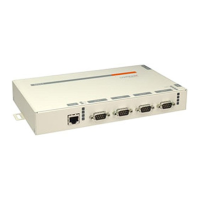
Lantronix XPress DR - User Manual

Lantronix XPress DR
109 pages
Print Icon
To Next Page IconTo Next Page
Loading...
Part Number 900-772-R
Revision C December 2017
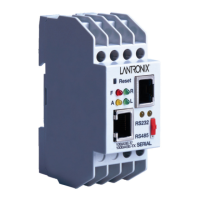
XPress DR
Industrial Device Server
User Guide

Table of Contents

Other manuals for Lantronix XPress DR

Questions and Answers

  • S
    stephaniechapmanAug 15, 2025
    What to do if DeviceInstaller shows “No response from device!” message for Lantronix Network Hardware?
    • M
      Melissa BrownAug 15, 2025
      This message usually appears because the hardware address is incorrect, the IP address is invalid for your subnet, or the subnet mask is wrong. Double-check the parameters you've entered. Note that you cannot assign an IP address to a device server through a router.
  • B
    Brett Elliott Jr.Aug 18, 2025
    Why can I ping but not Telnet to Lantronix Network Hardware on port 9999?
    • C
      Curtis EstradaAug 18, 2025
      This could be due to an IP address conflict on your network, or you are not Telneting to port 9999. It is also possible that the Telnet configuration port (9999) is disabled in the device server security settings or a network device, like a router, is blocking port 9999. To resolve this, turn off the device server, then use the DOS prompt on your computer to enter the commands ARP -D X.X.X.X (where X.X.X.X is the device server's IP address) and PING X.X.X.X. If you get a response, there's a duplicate IP address on the network. If you don't get a response, use the serial port to verify that Telnet is not disabled.
  • C
    Colleen GomezAug 21, 2025
    How to fix Lantronix Network Hardware not communicating with serial device?
    • A
      alancopelandAug 21, 2025
      The most likely reason is the wrong serial settings were chosen. The serial settings for the serial device and the device server must match. The default serial settings for the device server are RS232, 9600 Baud, 8 Character Bits, No Parity, 1 Stop Bit, No Flow Control.
  • K
    Kathleen BryantAug 25, 2025
    What to do if nothing happens when I press Enter after seeing “Press Enter to go into Setup Mode” on Lantronix Network Hardware?
    • S
      Sandy MyersAug 25, 2025
      This happens because you didn't press Enter quickly enough. You only have 5 seconds to press Enter before the connection is closed. Telnet to port 9999 again, but press Enter as soon as you see the message “Press Enter to go into Setup Mode.”
  • L
    Lisa BoydAug 27, 2025
    Why is my Lantronix Network Hardware not communicating with my device across the network?
    • B
      Bonnie JohnsonAug 28, 2025
      If the serial port settings are correct, you might not be connecting to the correct socket of the device server. Check the cables and wiring. To check whether there is a socket connection to or from the device server, look at the Ready LED. If the Ready LED is blinking consistently, there is a good socket connection. If the Ready LED is solid green, the socket connection does not exist. Use the Connect Mode option C0 for making a connection to the device server from the network. Use Connect Mode option C1 or C5 for a connection to the network from the device server.
  • H
    Heidi IbarraAug 30, 2025
    How to fix “The ARP entry addition failed: 5” error on Lantronix Network Hardware?
    • G
      gardnernicholasAug 30, 2025
      This message indicates that your currently logged-in user does not have the correct rights to use this command on this PC. To resolve this, have someone from your IT department log you in with sufficient rights.
  • S
    sweberSep 2, 2025
    What to do if Telnet connection fails after assigning IP via ARP method on Lantronix Network Hardware?
    • B
      bjacksonSep 2, 2025
      When you Telnet into port 1 on the device server, you are only assigning a temporary IP address. When you Telnet into port 9999 and do not press Enter quickly, the device server will reboot, causing it to lose the IP address. Telnet back into Port 1. Wait for it to fail, then Telnet to port 9999 again. Make sure you press Enter quickly.
  • M
    margaretgonzalezSep 5, 2025
    Why do I get a “No Connection With CoBox” message when connecting to the Web-Manager in Lantronix Network Hardware?
    • C
      cassandra85Sep 5, 2025
      Your computer is not able to connect to port 30718 (77FEh) on the device server. Make sure that port 30718 (77FEh) is not blocked with any router that you are using on the network. Also make sure that port 77FEh is not disabled within the Security settings of the device server.
  • J
    Jason PrestonSep 8, 2025
    Why Lantronix Network Hardware device server won't power up properly and LEDs are flashing?
    • D
      Danny MooreSep 8, 2025
      Consult the LEDs section in the Introduction chapter or the Quick Start for the LED flashing sequence patterns. Call Lantronix Technical Support if the blinking pattern indicates a critical error.
  • B
    Brian MccormickSep 12, 2025
    What to do if no LEDs are lit on Lantronix Network Hardware?
    • M
      Michael AllenSep 12, 2025
      The unit or its power supply is damaged. Try changing the power supply.

Lantronix XPress DR Specifications

General IconGeneral
Device TypeDevice Server
Protocols SupportedTCP/IP, UDP, Telnet, DHCP, HTTP
Connector TypeDB-9
MountingDIN Rail
Humidity5% to 95% non-condensing
CertificationsFCC, UL, RoHS

Related product manuals