Sentinel Plus Press Brake Guarding System Operation Manual LS-CS-M-073
Page 28
Original Language Version: 1.04 Released: 19/07/2017
5 The Sentinel Plus User Interface Panel
5.1 User Interface Overview
The User Interface Panel is an advanced, industrial grade Human Machine Interface (HMI)
specifically designed for the Sentinel Plus system. The operator controls the Sentinel Plus
Press Brake Guarding System through a simple, menu-style user interface. The key
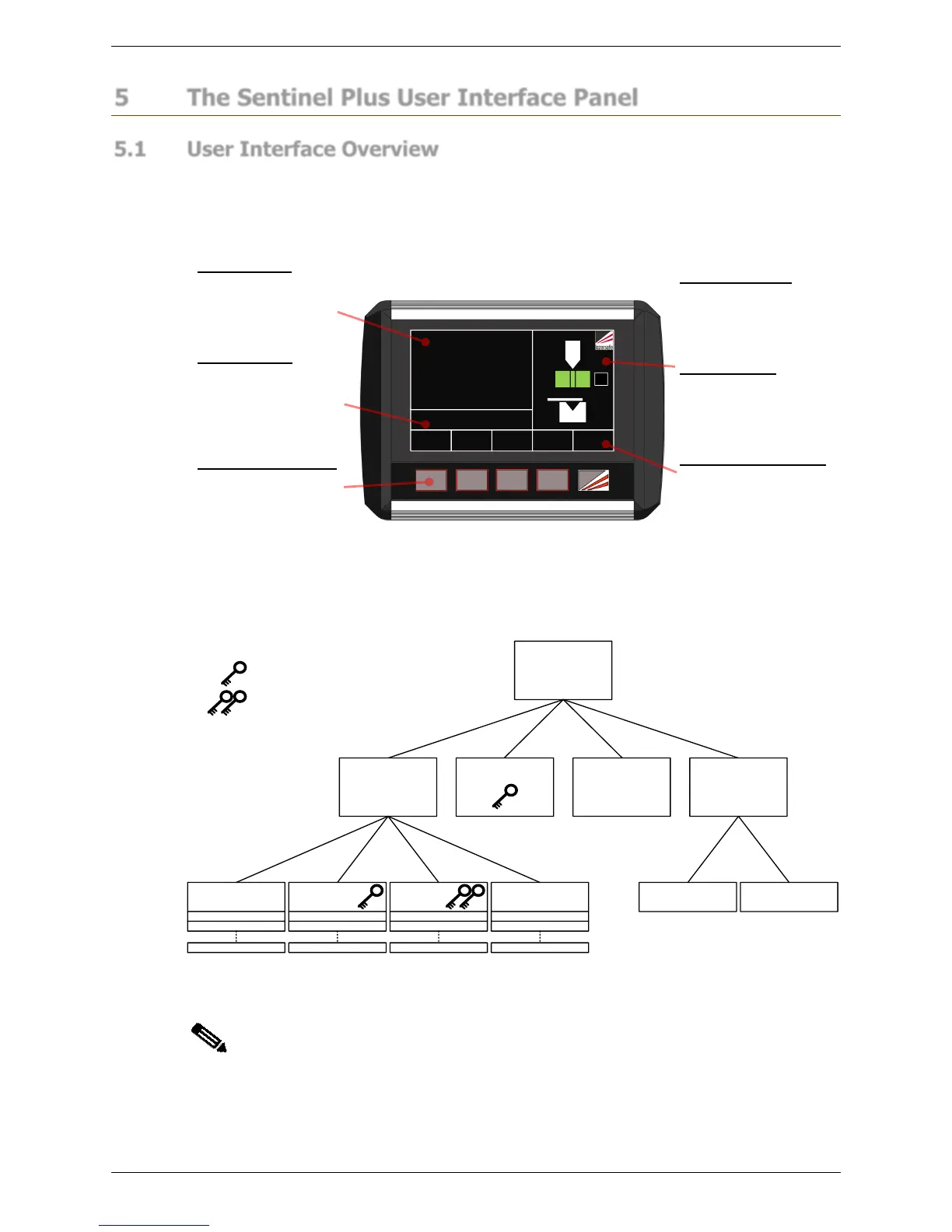
features of the interface panel are shown in Figure 5-1.
MENU
MODE
SELECT
TOOL
SETUP
SET INFO
ACTION PRESS FOOT PEDAL
OVERRUN TEST
0000
BL
STATUS
Figure 5-1: Sentinel Plus User Interface Panel
Figure 5-2 shows the different Sentinel Plus screens that can be selected by the operator.
The Main screen is the top level screen (as shown in Figure 5-1). From here the operator
can select the other screens using the panel pushbuttons.
Main Screen
Menu Mode Select Info
User User Guides System MachineSystemSupervisor
Tool Setup
Requires Supervisor access code
Parameter 0
Parameter 1
Parameter N
Parameter 0
Parameter 1
Parameter N
Parameter 0
Parameter 1
Parameter N
User Guide 0
User guide 1
User Guide N
Requires System access code
Figure 5-2: Sentinel Plus Menu Levels
Note:
An operator only needs to be familiar with the Main and Mode Select screens to
perform most typical machine operations. The Mode Select screen is only
required when changing guard modes.
Status Window
This window shows the
current status of the
press brake, and of the
Sentinel Plus system.
Action Window
The Sentinel Plus system
displays any action that
is required by the
operator in the Action
Window.
Operator Pushbuttons
Five pushbuttons are
provided for the operator
to control the system,
and navigate the menus.
Magnetic Backing
The panel can be
mounted and moved for
the convenience of the
operator.
Sensor window
This window shows the
status of the receiver
sensors, and the active
mode.
Dynamic Button Labels
The button functions
change depending upon
the selected screen and
machine state.



 To Next Page