Sentinel Plus Press Brake Guarding System Operation Manual LS-CS-M-073
Page 44
Original Language Version: 1.04 Released: 19/07/2017
6.7.1 Exiting Stop at Mute Mode
To turn off Stop at Mute mode, press the MUTE STOP button when the tools are open. If the
tools are not open, the Status window will display the message Open tools to enable button
function. The Mode Select screen will again appear as shown in Figure 6-9.
6.8 External Stop at Mute Mode Input
In some installations the Stop at Mute mode can also be selected via an external switch or
foot pedal. In the following example a foot pedal is used for the external control.
• Press/release the foot pedal. The system will enable Stop at Mute mode for one
stroke. Stop at Mute mode will be disabled at the end of the stroke when the press
returns to TDC.
• Lock the foot pedal ON. Stop at Mute mode will be enabled and remain enabled.
Unlock the foot pedal OFF. Stop at Mute mode will be disabled the next time the
press moves up to TDC. (If the press is at TDC when the input is switched off, one
more stroke will be performed in Stop at Mute mode).
When Stop at Mute is active, the Stop at Mute symbol is displayed in the Sensor window.
Note:
The operation of the Stop at Mute input is independent of the User Interface
Panel, and cannot be blocked in the Supervisor menu.
6.9 Selecting Back Gauge Mode
Back Gauge mode is selected from the Mode Select screen. From the Main screen press
the MODE SELECT button, and the screen will change to the Mode Select screen. When
changing modes the tools must be open with the lasers above the mute point and clear of
any obstructions. If these conditions are not met, the Status window will display the
message Open tools to enable button function.
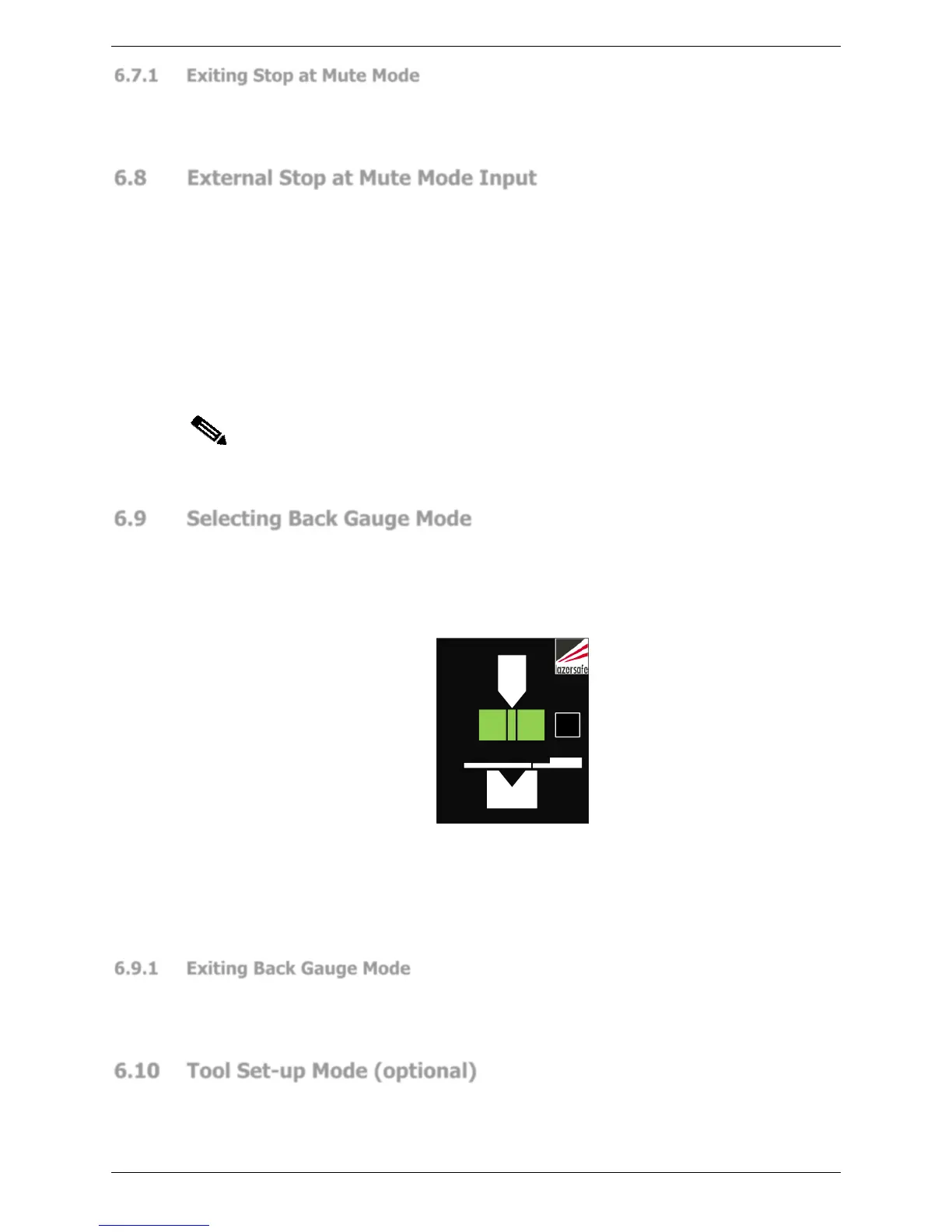
Figure 6-16: Sensor Window - Back Gauge Mode
Back Gauge mode is used in conjunction with other laser guarding modes. To select this
mode press the BACK GAUGE button, the Sensor window will now appear as shown in
Figure 6-16, and the BACK GAUGE label will turn green. The Sentinel Plus system will now
behave as described in Section 3.6.
6.9.1 Exiting Back Gauge Mode
To turn off Back Gauge mode, press the BACK GAUGE button when the tools are open. If the
tools are not open, the Status window will display the message Open tools to enable button
function. The Mode Select screen will again appear as shown in Figure 6-9.
6.10 Tool Set-up Mode (optional)
Tool Setup mode is selected from the Main screen. When selecting Tool Setup mode the
tools must be open with the lasers above the mute point and clear of any obstructions. If
these conditions are not met, the Status window will display the message Open tools to
enable button function.



 To Next Page