Sentinel Plus Press Brake Guarding System Operation Manual LS-CS-M-073
Page 41
Original Language Version: 1.04 Released: 19/07/2017
• Press the GUARD MODE button to enter Tray Mode.
• Press the GUARD MODE button again to enter Tray 2 mode.
• Press the GUARD MODE button again to return to Normal mode.
The selected mode is displayed as a message in the Status screen (as long as no error
messages are current), and as a symbol in the Sensor window.
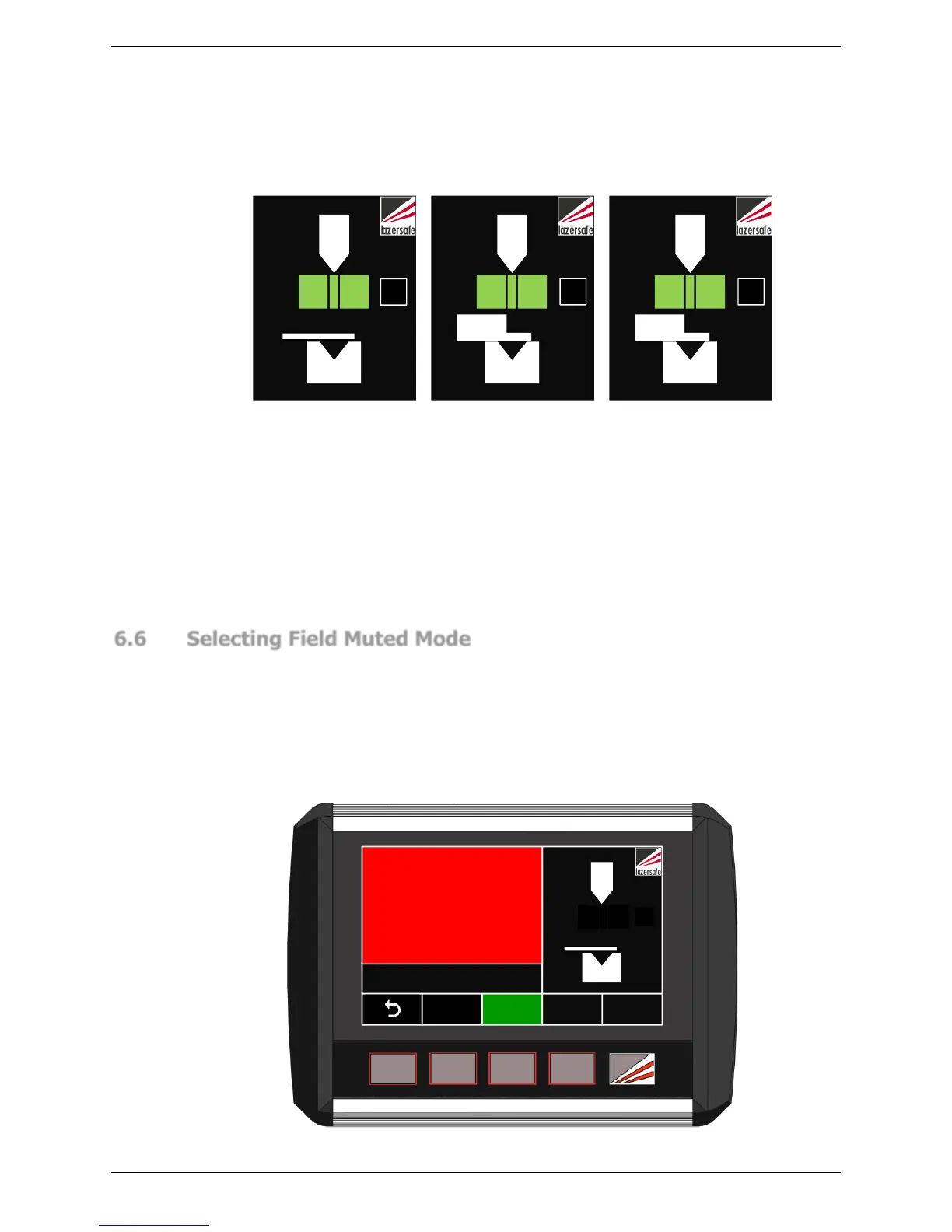
Figure 6-10: Sensor window (left to right) Normal, Tray and Tray 2 Symbols
Figure 6-10 shows the Sensor window for (left to right) Normal, Tray and Tray 2 modes. If
an external mute lamp has been connected, it will flash slowly in Tray/Tray 2 mode. The
system will now operate as described in Section 3.5.
The mute point is stored in system memory and does not need to be set again when
changing to Tray/Box mode. If the operator needs to reset the mute point while in Tray/Box
mode, the procedure is the same as described in Section 6.4, except that when the
material is detected, the message Front/rear sensor blocked is displayed until the foot pedal
is released.
6.6 Selecting Field Muted Mode
To change the optical protection mode the panel must be in the Mode Select screen. From
the Main screen press the MODE SELECT button, and the screen will change to the Mode
Select screen.
When changing modes the tools must be open with the lasers above the mute point and
clear of any obstructions. If these conditions are not met, the Status window will display the
message Open tools to enable button function. To enter Field Muted mode press the FIELD
MUTED button.



 To Next Page