Sentinel Plus Press Brake Guarding System Operation Manual LS-CS-M-073
Page 39
Original Language Version: 1.04 Released: 19/07/2017
Press the foot pedal. The press beam will descend in crawl speed and halt at the
obstruction. The SET button will then change colour to green, which indicates that the mute
point can now be set, as seen in Figure 6-6.
Note:
During the mute setting stroke the press beam is restricted to slow speed to
ensure that the mute point is accurately detected. Also, only an obstruction to the
front or middle guarding regions will allow the mute point to be confirmed and set.
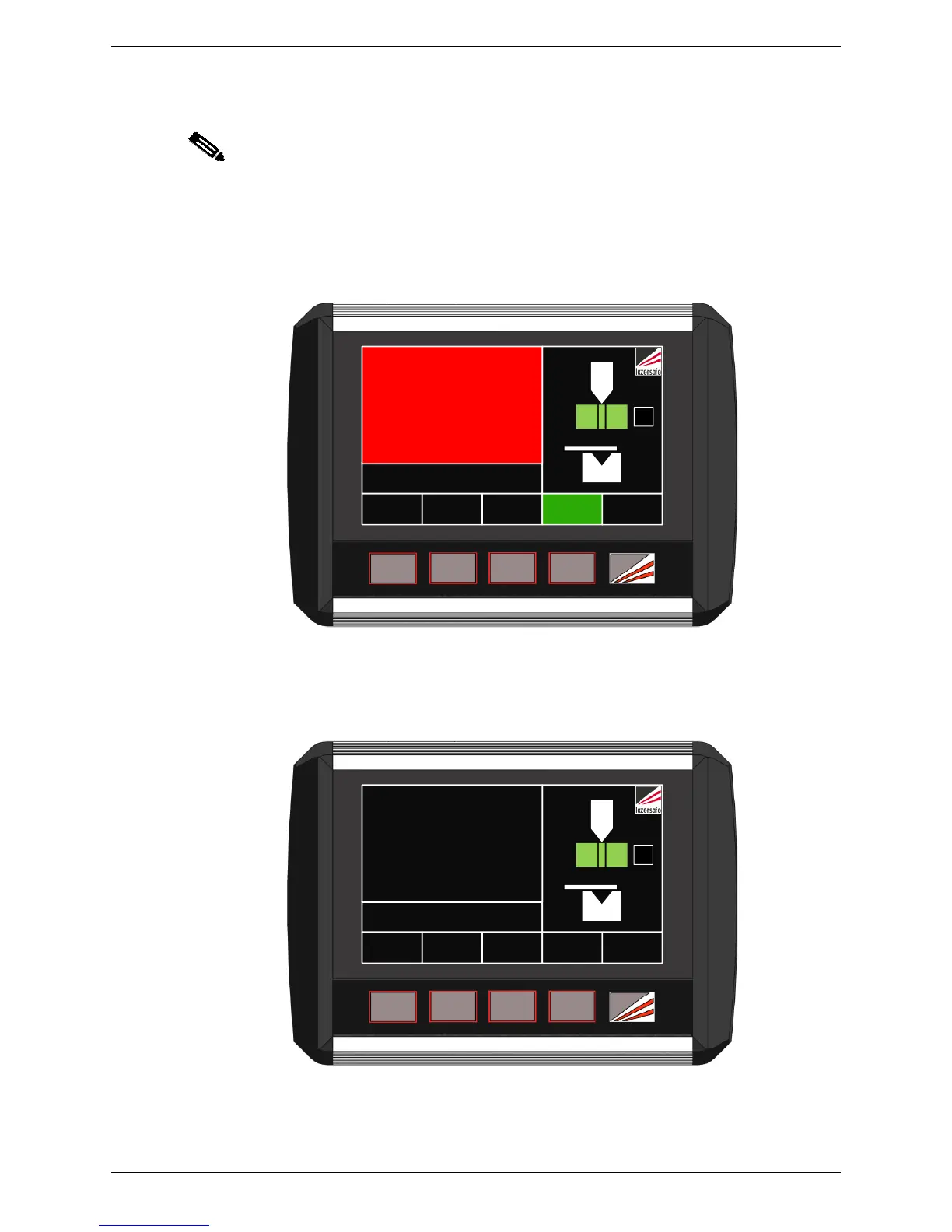
Release the foot pedal. The Status screen changes to a red background, and prompts the
operator to CONFIRM MUTE POINT - PRESS SET BUTTON, as shown in Figure 6-7. (If an
external mute lamp has been installed, the lamp will light).
MENU
MODE
SELECT
TOOL
SETUP
SET INFO
ACTION PRESS SET BUTTON
CONFIRM MUTE POINT
0000
STATUS
BL
Figure 6-7: Confirm Mute Point Screen
To confirm the detected position as the mute point, press the SET button. The Status screen
will change back to black, the obstruction clears, and the SET button label changes to MUTE
RESET as shown in Figure 6-8. (If an external mute lamp has been installed it will turn off.)
MENU
MODE
SELECT
TOOL
SETUP
MUTE
RESET
INFO
ACTION
NORMAL MODE
Ready to bend
0000
STATUS
BL
Figure 6-8: Mute Set, Ready to Bend
The Status screen now displays the message NORMAL MODE Ready to bend.



 To Next Page