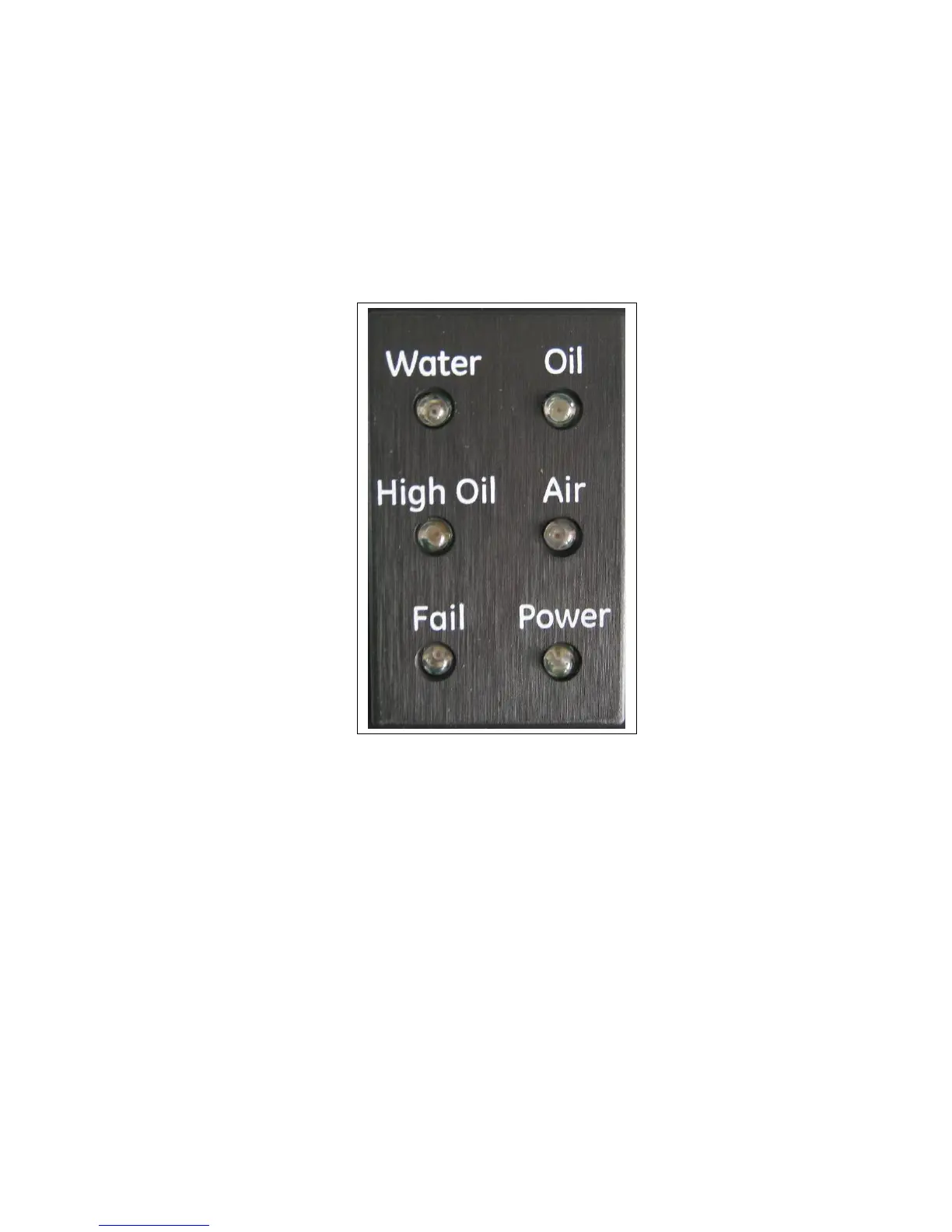
2.2.6 Front Panel Status Lights, On-Board Buzzer
There are six status lights on the front panel.
The Power (green) light indicates operation of the unit.
The other five lights can be used in either of two operating modes:
1. Common mode: Water (green), Oil (red), High Oil (red), Air (yellow) and Fail (yellow)
lights will turn on if any of the enabled sensors (up to four sensors) generates the
appropriate status. Therefore, it is possible that more than one light is turned on.
2. Individual mode: Oil 1 (red), Oil 2 (red), Oil 3 (red), Oil 4 (red) and Fail (yellow) lights will
be operated as follows:
• Oil 1 will turn on when sensor #1 generates Oil or High Oil status.
• Oil 2 will turn on when sensor #2 generates Oil or High Oil status.
• Oil 3 will turn on when sensor #3 generates Oil or High Oil status.
• Oil 4 will turn on when sensor #4 generates Oil or High Oil status.
• Fail light is common to all enabled sensors. It will turn on if any of the four sensors
is in Fail status.
Therefore, it is possible that more than one light is turned on.
Note: Status of a disabled sensor will not be reflected in the status lights.



 To Next Page